Best Productivity Tools in 2026
Productivity software comprises tools designed to help individuals and organizations work more efficiently and accomplish tasks systematically. This category includes applications for project management, time tracking, note-taking, document collaboration, task organization, and workflow automation.
Browse Productivity by topic
Task Management
Task management tools turn work into actions that can be captured, assigned and completed. Listings range from Todoist for organizing tasks to KanbanFlow and MeisterTask for visual boards, alongside broader workspaces such as Asana, Ora and ProofHub. The useful distinction is how much coordination your tasks need, from personal reminders to work shared across a team. Try a real week of work, including recurring responsibilities, urgent requests and tasks waiting on someone else. Check how quickly you can capture an item, add context, choose a priority and find the next action. Views should make unfinished work easier to understand without requiring constant reorganization. For teams, test ownership, notifications, comments and access to shared projects. Decide what completion means and where supporting documents belong. Review mobile access, integrations and plan limits, then keep the workflow simple enough that updating tasks becomes part of doing the work.
Time Tracking
Time tracking tools record how work is distributed across activities, clients and projects. The listings include automatic tracking through Timely and RescueTime, dedicated tools such as Harvest and Toggl Track, and project platforms such as Paymo, ActiveCollab and Worksection. Choose according to whether you need personal awareness, team timesheets or records that support client billing. Test timers, manual entry and corrections during a typical working day. Check project labels, billable flags, rounding rules and how forgotten entries are recovered. For automatic tracking, review which activity is captured and how people can inspect and edit their records before sharing them. If hours feed invoices or reports, verify exports and approval steps with a small completed project. Explain tracking practices clearly to the team and limit visibility to what the workflow needs. Consistent categories and regular review make records more useful than collecting detailed activity without a defined purpose.
Productivity Tools
Productivity tools remove friction from a recurring task rather than solve every part of work at once. The current listings include PDF utilities, converters such as CloudConvert and Convertio, Toggl Track for time records, research through Perplexity and presentation creation with Gamma. Panda supports gathering reading material. Each serves a different step in an everyday workflow. Pick the task that costs you time repeatedly and test the entire path from input to usable output. For documents, compare formatting and file-size limits; for time tracking, inspect editing and reporting; for research, check whether sources support the answer you need. Confirm where files are processed, how outputs can be exported and whether a paid plan removes the limits that matter to you. Include the time spent reviewing or repairing results. A focused utility is valuable when it reliably reduces work without creating another system to maintain.
Writing
AI Assistant
Calendar Apps
Extend the lifespan of high-tech electronics with repair, remanufacturing, manufacturing, and after-sales supply chain services backed by global facil...

Consolidate LinkedIn, email, and contacts into one personal CRM with automatic updates, reminders, and AI-ready relationship notes.
Visualize work on a Kanban board, limit work in progress, track time with the Pomodoro technique, and collaborate in real time to boost team productiv...

Capture and organize tasks with natural language, focus with flexible views, and collaborate with your team — trusted by 30+ million people and teams.
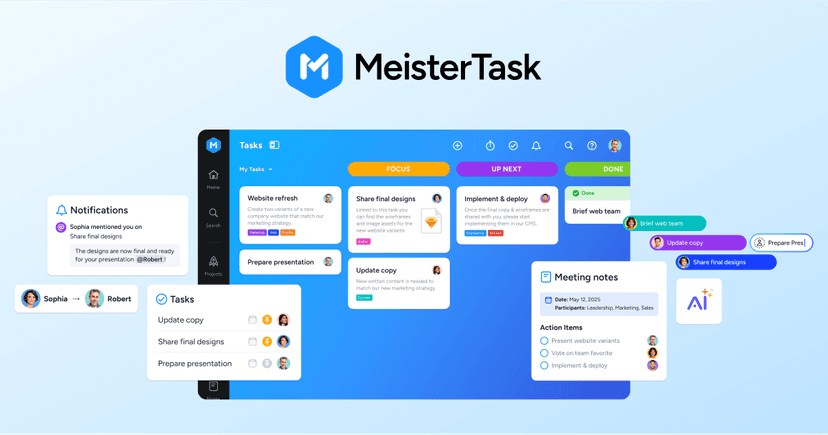
Secure, EU-hosted work management for teams — plan projects, track tasks on Kanban boards, share knowledge, and report progress from one GDPR-complian...


Press Space on any Mac folder or archive to see what's inside instantly — no opening, extracting, or waiting, with a privacy-first, offline Quick Look...

Self-hosted file manager for your Linux server — browse storage, upload whole folders, edit code with Monaco, and share files with expiry and permissi...

Turn your iPhone or iPad into a Mac control surface to launch apps, trigger Shortcuts, open saved websites, and drop emojis without the keyboard
Find any local file by meaning instead of filename — with private, on-device AI search that is free, requires no account, and works fully offline.
System-wide AI autocomplete for your Mac that runs locally in every app and finishes your sentences as you type — pay once, own it forever
Launch apps, run commands, manage windows, and automate repetitive tasks from one extendable keyboard-first launcher, with built-in AI, clipboard hist...
Merge, reorder and compress PDF documents directly in your browser. No account or watermark is required, and selected files are processed locally on y...


Free Bengali Unicode, Bijoy, phonetic typing and text tools



Automatic AI time tracking that completes timesheets and allocates entries to projects — so teams focus on work while leaders protect margins and util...


Automatic time tracking that powers focus and timesheets — track apps and websites, block distractions, and generate client-ready timesheets without m...

Turn hours into profit — track time, bill clients, optimize team time, and measure performance with confidence

Track employee time, send beautiful client reports, and calculate profitability across teams of any size

Google's AI assistant for writing, planning, brainstorming, and getting help — powered by generative AI and integrated with your Google account.


An AI assistant that helps you write, code, analyze data, and create content — with free access, Pro and Max tiers, and API options.
About Productivity tools
Common types of productivity tools include project management platforms that coordinate team efforts across multiple initiatives, document editors that enable real-time collaboration on files and spreadsheets, and communication systems that streamline information sharing. Calendar and scheduling applications help users manage time commitments, while task management software tracks action items and deadlines. Note-taking applications serve as digital repositories for information capture and organization.
Productivity software benefits a wide range of users. Remote and distributed teams rely on these tools to maintain alignment across locations. Freelancers and small business owners use them to manage clients, projects, and finances. Corporate environments implement productivity solutions to standardize workflows and improve operational efficiency. Students utilize these tools for research organization and academic project management.
The primary value of productivity software lies in reducing friction during work processes, minimizing duplicate efforts, and providing visibility into project status and resource allocation. These tools help users prioritize activities, meet deadlines, and maintain accountability while working independently or as part of larger teams.
Compare top 5 Productivity tools
Side-by-side highlights for the top-ranked products in this category. Products whose main category this is come first, then by featured placement, upvotes, ratings, and review count.
| Compare | D DEX Service Lifecycle Solutions for Complex Technologies - High-Tech Electronic Repair, Manufacturing, Engineering, Parts Services Product page |  Dex Product page |  KanbanFlow - Lean project management. Simplified. Product page | T Todoist Product page |  MeisterTask Product page |
|---|---|---|---|---|---|
| Best for | Extend the lifespan of high-tech electronics with repair, remanufacturing, manufacturing, and after-sales supply chain services backed by global facilities across the Americas, EMEA, and APAC. | Consolidate LinkedIn, email, and contacts into one personal CRM with automatic updates, reminders, and AI-ready relationship notes. | Visualize work on a Kanban board, limit work in progress, track time with the Pomodoro technique, and collaborate in real time to boost team productivity. | Capture and organize tasks with natural language, focus with flexible views, and collaborate with your team — trusted by 30+ million people and teams. | Secure, EU-hosted work management for teams — plan projects, track tasks on Kanban boards, share knowledge, and report progress from one GDPR-compliant platform. |
| Pricing | contact_sales | Freemium | Freemium | Freemium | Freemium |
| Platforms | Web | Web, iOS, Android | Web | Web, macOS, Windows, iOS, Android | — |
| Rating | — | — | — | — | — |
| Upvotes | 0 | 0 | 0 | 0 | 0 |
| Verified | No | No | No | No | No |
| Launch date | — | — | — | — | — |
Productivity FAQ
Common questions about this category, how we rank products, and how often the page is refreshed.
What are the best Productivity tools on MazikBox?
The top-ranked Productivity products right now are DEX Service Lifecycle Solutions for Complex Technologies - High-Tech Electronic Repair, Manufacturing, Engineering, Parts Services, Dex, and KanbanFlow - Lean project management. Simplified.. The comparison table above shows them side by side.
How do you rank Productivity products?
Products whose main category is Productivity (or one of its subcategories) are listed first, followed by products that also fit the category. Within each group we order by featured placement, then upvotes, average rating, review count, and newest listing. Featured placement is an editorial choice, not a quality score.
What pricing models are common for Productivity tools?
On this page you will find contact_sales and freemium options, depending on the tool. Check the comparison table and individual product pages for specifics.
Which platforms do these Productivity tools support?
The products currently shown in this category support web, iOS, android, macOS, and windows workflows. Platform coverage varies by tool, so compare product pages before choosing one.
How often is this Productivity page updated?
The category description and details were last edited on October 5, 2026. The product list, ranking, and counts update automatically as products, votes, and reviews change.
How many Productivity tools are listed right now?
MazikBox currently lists 59 Productivity products in this category, with more added as they meet our editorial standards and category fit.
Compare Productivity tools head-to-head