Best Mac Productivity Tools in 2026

Summon your Proton Pass logins over any Mac app with a hotkey, fill or copy credentials without switching windows, and gate SSH keys behind Touch ID.
Index your email, Slack, files and screenshots into one private memory on your Mac, then ask questions in plain language and get answers with citation...
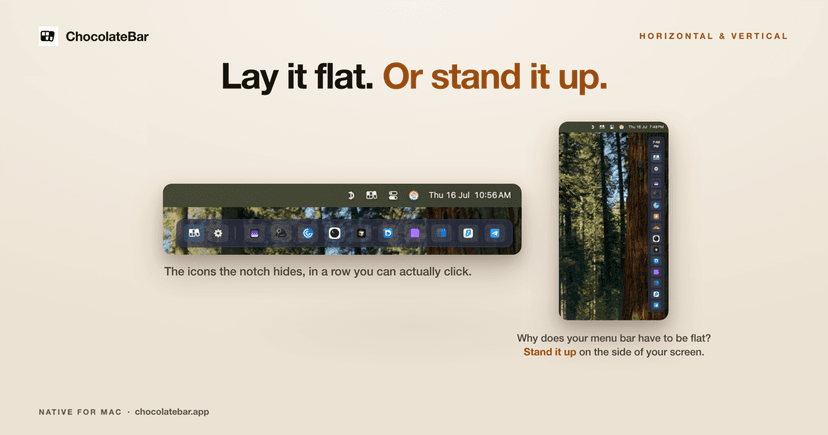
Give your Mac menu bar a second row, reveal the icons the notch hides, and click any of them to open the app's real menu.
Capture your whole Mac workspace as a save file, close what you're not using, and restore every window, tab, and terminal folder in one click

Save everything you copy on Mac in a visual, searchable timeline, then paste any text, image, or file back in seconds without switching apps.


A fast native calendar that syncs straight to Google Calendar, with one purchase covering your Mac, iPhone and iPad.

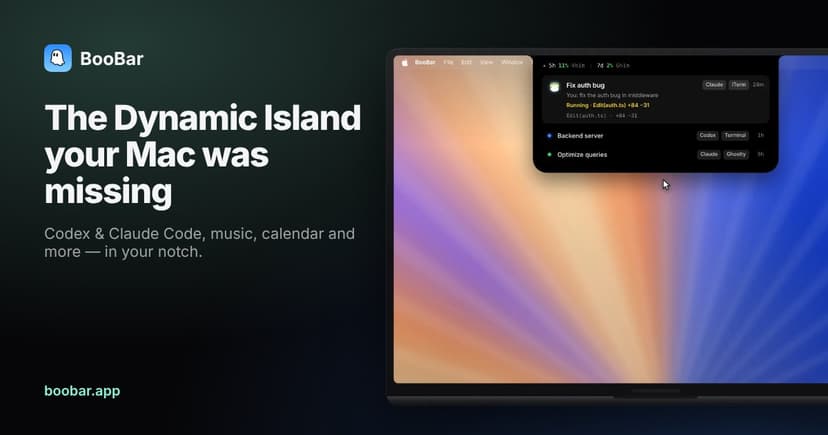
Approve Codex and Claude Code requests from your Mac's notch, send the next step in one click, and keep clipboard, notes, music and stats a glance awa...
About Mac Productivity tools
MazikBox lists 7 Mac Productivity tools, ranked by category relevance, then community upvotes, user ratings, and review count. Top-ranked options include Pass Quick Access, Ultramemory, ChocolateBar for Mac. Most products in this category offer free or freemium access. Use the comparison table below to evaluate pricing, ratings, and platform support side by side.
Compare top 5 Mac Productivity tools
Side-by-side highlights for the top-ranked products in this category. Products whose main category this is come first, then by featured placement, upvotes, ratings, and review count.
| Compare |  Pass Quick Access Product page | U Ultramemory Product page |  ChocolateBar for Mac Product page |  Cove Product page |  Supaste Product page |
|---|---|---|---|---|---|
| Best for | Summon your Proton Pass logins over any Mac app with a hotkey, fill or copy credentials without switching windows, and gate SSH keys behind Touch ID. | Index your email, Slack, files and screenshots into one private memory on your Mac, then ask questions in plain language and get answers with citations you can check. | Give your Mac menu bar a second row, reveal the icons the notch hides, and click any of them to open the app's real menu. | Capture your whole Mac workspace as a save file, close what you're not using, and restore every window, tab, and terminal folder in one click | Save everything you copy on Mac in a visual, searchable timeline, then paste any text, image, or file back in seconds without switching apps. |
| Pricing | unknown | Free | one_time | one_time | one_time |
| Platforms | macOS | macOS | macOS | macOS | macOS |
| Rating | — | — | — | — | — |
| Upvotes | 0 | 0 | 0 | 0 | 0 |
| Verified | No | No | No | No | No |
| Launch date | — | — | — | — | — |
Mac Productivity FAQ
Quick answers based on the products currently listed in this category.
What are the top Mac Productivity tools on MazikBox?
Among 7 listed Mac Productivity tools, top-ranked options include Pass Quick Access, Ultramemory, and ChocolateBar for Mac. The comparison table above shows their pricing, ratings, and platforms side by side.
What pricing models are available among these Mac Productivity tools?
The Mac Productivity tools compared here include unknown, free, and one_time pricing options.
Which platforms do these Mac Productivity tools support?
Products listed in this category support macOS.