
About Trello
Overview
Trello is a visual collaboration tool that helps teams organize projects, track tasks, and manage workflows on boards, lists, and cards. It replaces scattered email threads, messy spreadsheets, and sticky notes with a single shared workspace.
Any team — marketing, engineering, design, product management, startups, or remote teams — can sign up, create a board, and start working immediately. Trello stands apart from rigid project management tools by offering a flexible, card-based system that teams shape to fit their process rather than the other way around.
Key Benefits
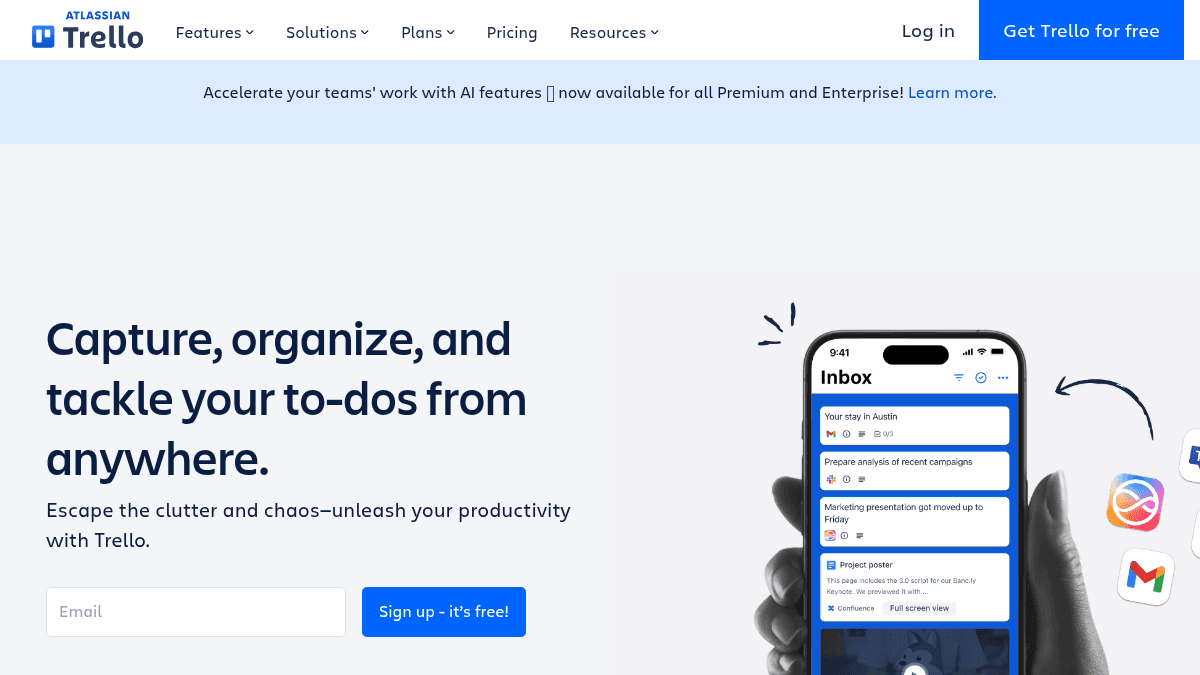
- Teams capture vital details from emails, Slack, and Microsoft Teams directly into the Trello Inbox.
- Users sync their calendar and allocate focused time slots directly within Trello Planner.
- No-code automation lets teams automate repetitive tasks and workflows on any board.
- Power-Ups link favorite third-party tools as plugins directly inside Trello boards.
- Pre-built templates from industry leaders and the Trello community give teams a ready-made starting point.
- Free plan supports up to 10 collaborators per Workspace with unlimited cards and boards.
How It Works
A new user signs up, creates a board, and populates it with lists that represent workflow stages. Cards are added to lists for each task, and teams drag cards between lists as work progresses, assign due dates, add checklists, and attach files.
Power-Ups connect apps like Slack or Google Drive directly to cards, and automation rules run in the background to move cards, assign members, or send notifications without manual effort.
Use Cases
- Marketing teams — launch new products, run campaigns, and manage content calendars on shared boards.
- Product management teams — use management boards and roadmap features to simplify complex projects and processes.
- Engineering teams — ship more code with agile boards that track sprints, bugs, and feature requests.
- Design teams — streamline creative requests and promote cross-team collaboration on visual boards.
- Startups — manage revenue goals, workflows, and team tasks from a single workspace.
- Remote teams — keep distributed members connected and motivated with a shared visual workspace.
Why Choose This Product
Trello suits teams of any size, from individuals and small teams on the free plan up to enterprises of 2,000 users. The flexible board-and-card system adapts to marketing, engineering, design, product, startup, and remote workflows. Teams needing rigid Gantt charts or resource leveling may find Trello lightweight compared to dedicated project management tools.
Trello Pros & Cons
- Free plan with unlimited cards and boards for up to 10 collaborators
- No-code automation built into every board
- Power-Ups integrate with Slack, Microsoft Teams, and other tools
- Pre-built templates from industry leaders and the community
- Works on web, desktop, iOS, and Android
Key Features
Quick Capture
Trello collects messages, to-dos, and notes from email, Slack, and Microsoft Teams into a personal space before users organize them into boards.
AI-Powered Capture
Trello uses AI to instantly capture to-dos, notes, and messages from email, Slack, and Microsoft Teams into cards.
Inbox
The Inbox gathers messages and to-dos in one personal space before organizing them into boards.
Planner
Users sync their calendar and drag cards onto a calendar to block focused time slots and synchronize events from favorite tools.
Automation
No-code automation built into every Trello board lets users automate tasks and workflows without writing code.
Power-Ups
Power-Ups let teams link their favorite third-party tools and services as plugins inside Trello.
Templates
Templates from industry leaders and the Trello community provide ready-to-use board blueprints.
Card Mirroring
A single card can be mirrored to multiple boards, keeping to-dos aligned and editable from anywhere.
Mobile and Desktop Apps
Trello offers iOS and Android mobile apps and a desktop app for Windows and Mac.
Enterprise Security
Enterprise users get 24/7 Enterprise Admin support and Atlassian Guard Standard for security and controls.
Trello Pricing
View full pricing →- Free for up to 10 collaborators per Workspace
- Unlimited cards
- Unlimited boards
- Assignees and due dates
- Built-in automation
- iOS and Android mobile apps
- Unlimited boards
- Card mirroring
- More automation
- Quick Capture powered by AI
- Planner full access
- Unlimited Power-Ups
- AI on boards
- Admin controls
- Multiple views
- Planner full access
- Card mirroring
- Unlimited Power-Ups
- Enterprise-grade security and controls
- Atlassian Guard Standard
- 24/7 Enterprise Admin support
- Mobile device management
- Unlimited Power-Ups
- All Premium features
| Feature | Free Free/mo | Standard $5/mo | Premium $10/mo | Enterprise $17.50/mo |
|---|---|---|---|---|
| Free for up to 10 collaborators per Workspace | ||||
| Unlimited cards | ||||
| Unlimited boards | ||||
| Assignees and due dates | ||||
| Built-in automation | ||||
| iOS and Android mobile apps | ||||
| Card mirroring | ||||
| More automation | ||||
| Quick Capture powered by AI | ||||
| Planner full access | ||||
| Unlimited Power-Ups | ||||
| AI on boards | ||||
| Admin controls | ||||
| Multiple views | ||||
| Enterprise-grade security and controls | ||||
| Atlassian Guard Standard | ||||
| 24/7 Enterprise Admin support | ||||
| Mobile device management | ||||
| All Premium features |
Pricing extracted from the product website and may change. Check the source for current details.
Frequently asked questions about Trello
Is Trello free?
Trello offers a free plan with optional paid upgrades. See the pricing section for what's included in each tier.
How much does Trello cost?
Trello offers the following plans: Free, Standard, Premium, Enterprise. See the pricing section for what's included in each tier and any per-seat or usage-based costs.
What platforms does Trello support?
Trello is available on: Web, iOS, Android, macOS, Windows.
How Trello compares
TrelloThis | |||
|---|---|---|---|
| Starting price | Free | Free | Free |
| Pricing model | Freemium | Freemium | Freemium |
| Platforms | Web, iOS, Android, macOS, Windows | Web, macOS, Windows, iOS, Android | Web, macOS, Windows, iOS, Android |
| Top features |
|
|
|
| Rating | — | — | — |

