
About RescueTime
Overview
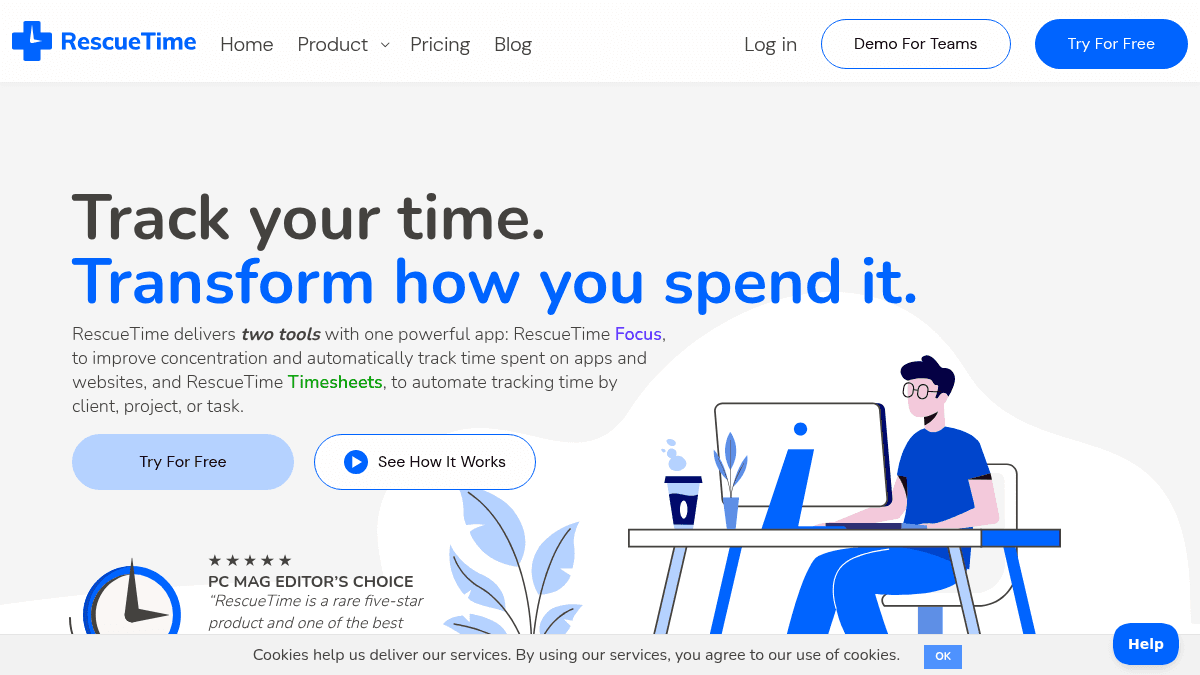
RescueTime is a time tracking and productivity suite that combines two tools in one app: RescueTime Focus for automatic activity tracking and distraction blocking, and RescueTime Timesheets for automated project and client time tracking. It replaces manual timers, spreadsheets, and guesswork with automatic tracking of apps, websites, and documents.
The product serves freelancers, solopreneurs, small businesses, and teams across industries like healthcare, law, architecture, design, marketing, finance, and software development. Unlike manual time trackers or spreadsheet-based systems, RescueTime logs time automatically without requiring users to start and stop timers.
Key Benefits
- Automatic tracking of apps, websites, and documents with no manual timers needed.
- Focus Sessions block distracting websites, apps, email, and chat during important work.
- Timesheets auto-generate project, client, and task time logs without manual entry.
- Goals and smart alerts help users stay on task or take breaks when needed.
- Detailed reports reveal productivity patterns, peak focus hours, and time categories.
- Over 3 billion hours logged across 2 million+ users in 15+ years of operation.
How It Works
You install RescueTime on your devices and it automatically tracks time spent on every app, website, and document in the background. You set goals, create Focus Sessions to block distractions, and review detailed reports showing productivity patterns and peak focus hours. For timesheets, you add project and client hints, review auto-suggestions, and approve time entries that populate your timesheet without manual timers.
Use Cases
- Freelance designers and creatives — track time by client and project automatically, then generate invoices from timesheet reports.
- Remote and hybrid teams — monitor team productivity trends and balance workloads across time zones using daily pattern reports.
- Law firms and legal professionals — log billable hours by client and task without manual timers or spreadsheets.
- Marketing and project managers — view team calendars and timelines to spot bottlenecks and keep projects on track.
- Architects and engineers — track time across complex projects and generate detailed reports for billing and planning.
- Healthcare and telehealth providers — log patient-related tasks and generate accurate timesheets for compliance and billing.
Why Choose This Product
RescueTime is best suited for freelancers, solopreneurs, and teams who want automatic time tracking without manual timers or spreadsheets. The product explicitly offers a 14-day free trial, and the pricing page shows no free tier — only paid monthly or annual plans starting at $7/month for Solo Focus and $12/month for Solo+ (Focus + Timesheets).
RescueTime Pros & Cons
- Automatic time tracking with no manual timers needed
- Combines focus tools and timesheets in one app
- 2 million+ users and 3 billion hours logged
- 14-day free trial available
- Works across web, mobile, and desktop devices
- No free tier — all plans require payment after trial
- Timesheets features require Solo+ or Team+ tier
Key Features
Automatic Activity Tracking
RescueTime automatically tracks time spent on every app, website, and document without requiring manual timers or start/stop actions.
Focus Sessions
Users can block distracting websites, apps, email, and chat during timed Focus Sessions to protect concentration on important tasks.
Goals & Alerts
Users set daily focused time targets and receive smart alerts to stay on task, refocus, or take a needed break.
Productivity Reports
Detailed reports show activity breakdowns, productivity scores, category trends, and peak focus hours for individuals and teams.
Timesheets Automation
Timesheets auto-log time by client, project, and task with autocompletion hints, suggestion review, and learning from history.
Billable Rate Tracking
Users set hourly rates for projects, clients, tasks, and team members to automatically calculate billable time and generate invoices.
Focus Session Blocking
Focus Sessions block distracting websites, apps, email, and chat during timed work periods to protect concentration.
Calendar Integration
Users connect their calendar to auto-log meetings and see scheduled focus blocks alongside their daily timeline.
Team Management
Team plans include role-based access control, key tool tracking, team categories, and aggregated productivity reports.
Security Features
RescueTime offers 2-factor authentication, single sign-on via Google or Apple, data archive, and privacy controls.
RescueTime Pricing
View full pricing →- Automatic activity tracking
- Distraction blocking Focus Sessions
- Goals & Alerts
- Personal reports and dashboards
- Web, mobile, and desktop apps
- All Focus features
- Timesheets with auto-completion hints
- Client, project, and task tracking
- Billable rates and time rounding
- Calendar feed and offline activity logging
- All Focus features for teams
- Key Tools and team categories
- Daily Pattern and team reports
- Role-based access control
- 2-factor authentication and SSO
- All Focus and Timesheets features for teams
- Shared clients, projects, and tasks
- Role-based access control
- Team calendar view and billable rates
- Data archive and privacy controls
| Feature | Solo Focus $7/mo | Solo+ $12/mo | Team Focus $10/mo | Team+ $16/mo |
|---|---|---|---|---|
| Automatic activity tracking | ||||
| Distraction blocking Focus Sessions | ||||
| Goals & Alerts | ||||
| Personal reports and dashboards | ||||
| Web, mobile, and desktop apps | ||||
| All Focus features | ||||
| Timesheets with auto-completion hints | ||||
| Client, project, and task tracking | ||||
| Billable rates and time rounding | ||||
| Calendar feed and offline activity logging | ||||
| All Focus features for teams | ||||
| Key Tools and team categories | ||||
| Daily Pattern and team reports | ||||
| Role-based access control | ||||
| 2-factor authentication and SSO | ||||
| All Focus and Timesheets features for teams | ||||
| Shared clients, projects, and tasks | ||||
| Team calendar view and billable rates | ||||
| Data archive and privacy controls |
Pricing extracted from the product website and may change. Check the source for current details.
Frequently asked questions about RescueTime
Is RescueTime free?
RescueTime is a paid product. See the pricing section for current plans and starting prices.
How much does RescueTime cost?
RescueTime offers the following plans: Solo Focus, Solo+, Team Focus, Team+. See the pricing section for what's included in each tier and any per-seat or usage-based costs.
What platforms does RescueTime support?
RescueTime is available on: Web, macOS, Windows, iOS, Android.
How RescueTime compares
RescueTimeThis | ||||
|---|---|---|---|---|
| Starting price | $7/mo | Free | — | $9/yr |
| Pricing model | Paid | Freemium | — | Freemium |
| Platforms | Web, macOS, Windows, iOS, Android | Web, macOS, Windows, iOS, Android, Linux | — | Web, Windows, macOS, iOS, Android |
| Top features |
|
| — |
|
| Rating | — | — | — | — |


