
About Wave
Overview
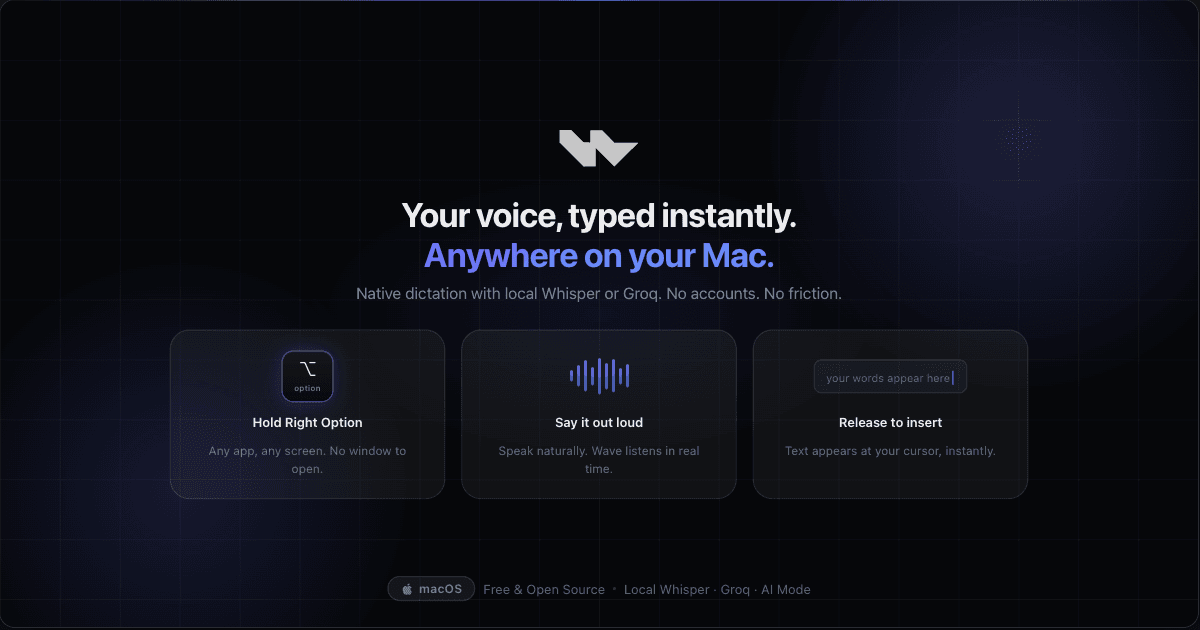
Wave is a native macOS dictation app that turns speech into text in any app where you can type. Hold the Right Option key, speak, and release, and your words appear at the cursor without a launcher, window, or paste step.
Transcription runs on-device through OpenAI's Whisper model, so audio is processed in memory, stays local, and dictation keeps working without Wi-Fi. When you want less latency, you switch to Groq's hosted API with your own key. Wave is free, open source, and needs no account.
Key Benefits
- Dictate into any text field, including Mail, Messages, Slack, Notion, Notes, Linear, Figma, and Arc.
- Keep audio on your Mac, since Whisper runs on-device and processes sound in memory without storing it.
- Dictate with no internet connection because local Whisper needs no Wi-Fi.
- Skip word-by-word dictation by describing your intent in AI Mode and letting Wave write the finished text.
- Rewrite a highlighted selection in place by speaking a short instruction such as fix the grammar.
- Collect zero user data, with no analytics trackers, crash reporters, or usage metrics.
How It Works
Wave runs in the background, so you never open a window or switch modes. Hold the Right Option key in whatever app you are using and speak full sentences or rough thoughts while Wave transcribes in real time, then release the key to insert the text at your cursor. For edits, select the text first, then hold the shortcut and speak your instruction to replace the selection in place.
Use Cases
- Email and workplace writers dictate replies straight into Mail, Messages, and Slack instead of typing them out.
- Developers speak the intent to draft Linear issues and leave code comments without drafting them by hand.
- Designers add notes and annotations in Figma by dictating into any text field on the canvas side work.
- Frequent correspondents dictate offline on a plane or anywhere a Wi-Fi connection is unavailable.
- Writers and support teams select a rough sentence, say something like make it more professional, and send the rewrite.
Why Choose This Product
Wave treats privacy as a foundation: the local Whisper path keeps speech on the Mac, and the app ships no telemetry or crash reporting. It is free and open source, so you download it without an account and inspect the source on GitHub. The trade-offs are explicit: Wave needs macOS 14 Sonoma or later, and Groq-hosted transcription and AI rewrite features require your own Groq API key.
Wave Pros & Cons
- Free and open source, downloadable without an account
- On-device Whisper keeps audio local and works offline
- Runs in the background in any app with one key press
- No telemetry, analytics trackers, or crash reporters
- Optional Groq mode for faster hosted transcription
- Requires macOS 14 Sonoma or later
- Groq transcription and AI rewrite features need your own Groq API key
Key Features
One-Key Activation
Holding the Right Option key and releasing it handles the entire dictation interaction in any app.
On-Device Whisper
OpenAI Whisper runs entirely on your Mac, processing audio in memory so nothing is stored or sent, and dictation works offline.
Groq Transcription
Switching to Groq's hosted API with your own key delivers faster transcription when minimal latency matters.
AI Mode
You describe an intent such as writing a leave request, and Wave writes clean text ready to send at your cursor.
Selection Mode
Highlighting text, holding the shortcut, and speaking an instruction replaces the selection in place across any app.
Cursor Insertion
Wave streams words directly at the cursor, so you skip the extra paste step.
Zero Telemetry
Wave collects no user data and runs no analytics trackers, crash reporters, or usage metrics.
Frequently asked questions about Wave
Is Wave itself paid?
No. Wave is 100% free and open source, and you can run it locally on your Mac without paying for the app.
When do I pay for Groq?
Only when you choose Groq for hosted transcription or AI rewrite features. You supply your own Groq API key, and local Whisper usage stays free on your machine.
Can I use Wave fully offline?
Yes, for local dictation with Whisper. Internet is only needed if you switch to Groq-hosted speech or LLM features.
Do I need an account to use Wave?
No account is required for the app itself. For Groq-hosted features you use your own Groq API key.
Which macOS versions does Wave run on?
Wave works on macOS 14 Sonoma or later and supports both Apple Silicon and Intel Macs.
How do I start dictating with Wave?
Hold the Right Option key in any app, speak your sentence or rough thought, then release the key and the text appears at your cursor.