About RAW Cam + Log Cam: DNG and Log Video for iPhone
Overview
RAW Cam + Log Cam is a pair of iPhone camera apps for filmmakers who want more control from iPhone capture. RAW Cam records RAW video as CinemaDNG-style DNG image sequences and MCRAW. Log Cam records HEVC or ProRes video from RAW frames, with log gamma curves, monitoring assists and LUT support. The two apps ship as separate App Store downloads.
Each app targets a different deliverable: RAW Cam serves grading, finishing and VFX pipelines that want sensor-grade image data, while Log Cam serves crews who want compact or edit-ready files with log gammas and on-set exposure tools. Both apps share manual ISO, shutter, focus and white balance controls, Open Gate or 4K recording, external storage recording and Gyroflow GCSV data for post stabilization.
Key Benefits
- Record true RAW video as CinemaDNG-style DNG sequences or MCRAW for grading flexibility and highlight recovery.
- Encode HEVC 4:2:0, HEVC 4:4:4 up to 300 Mbps, or ProRes on iPhone 13 and later, including non-Pro models.
- Dial ISO, shutter speed, focus and white balance manually so the image stays consistent across takes.
- Monitor log footage with false color, zebras, Rec709 gamma assist and a RAW linear histogram.
- Use LUTs as preview-only monitoring transforms or bake the look directly into recorded video.
- Record to external storage and keep Gyroflow GCSV data for stabilization and post-production work.
How It Works
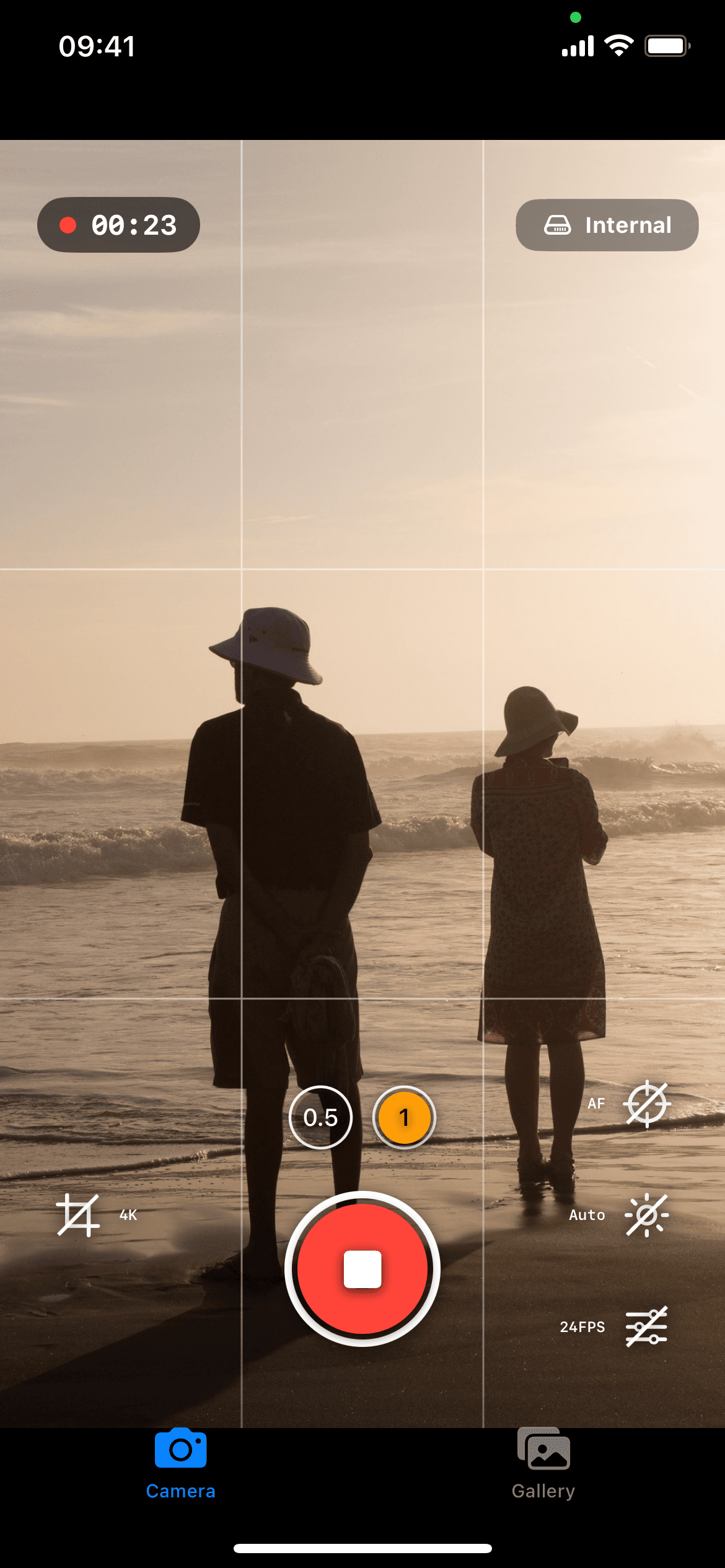
You pick Open Gate or 4K, choose the capture format, then set manual or automatic exposure and focus for the scene. While recording, RAW Cam shows histogram and clipping readouts, and Log Cam shows false color, zebras, Rec709 gamma assist and LUT previews. You record internally or to external storage, then move files through AirDrop or file sharing into grading, editing and stabilization tools.
Use Cases
- Filmmakers record DNG or MCRAW RAW video for grading, finishing and VFX work.
- Colorists and finishing artists recover highlights from recorded RAW sensor data in compatible post tools.
- Run-and-gun creators shoot HEVC or ProRes log video when they need smaller, edit-ready files for faster delivery.
- Camera operators and DPs judge exposure on set with false color, zebras and Rec709 gamma assist.
- DoF adapter users apply vignette correction, noise reduction and 180-degree rotation in camera.
- Editors pair recordings with Gyroflow GCSV data to stabilize footage in post.
Why Choose This Product
Both apps sell as one-time purchases with no subscription, and each ships separately so you install only the capture path you need. RAW Cam hands off RAW files for maximum post-production flexibility, while Log Cam trades some of that flexibility for compact HEVC or ProRes files with monitoring assists. ProRes recording requires iPhone 13 or later, and Log Cam includes a free 10-day trial that starts with the download.
RAW Cam + Log Cam: DNG and Log Video for iPhone Pros & Cons
- Two separate apps covering RAW capture and encoded log video
- One-time purchase model with no subscription requirement
- HEVC 4:4:4 recording up to 300 Mbps
- ProRes on iPhone 13 and later, including non-Pro models
- Open Gate and 4K recording with manual exposure controls
- ProRes recording requires iPhone 13 or later
Key Features
RAW DNG and MCRAW
RAW Cam records RAW video as CinemaDNG-style DNG image sequences and MCRAW for maximum post-production flexibility.
HEVC and ProRes
Log Cam records HEVC 4:2:0, HEVC 4:4:4 up to 300 Mbps, and ProRes on iPhone 13 and later, including non-Pro models.
Log Gammas
Log Cam includes industry standard log gamma curves plus Rec709, HLG and PQ gammas and color spaces.
Monitoring Assists
Log Cam adds false color, zebras, Rec709 gamma assist and a RAW linear histogram for on-set exposure decisions.
LUT Support
Log Cam applies LUTs as preview-only monitoring transforms or bakes them directly into the recorded video.
Manual Camera Controls
Both apps give manual control over ISO, shutter speed, focus and white balance, including AF/tap and distance slider focus.
Open Gate and 4K
Both apps record in Open Gate for full-sensor framing or 4K, with a half-resolution switcher and Full HD workflows in RAW Cam.
External Storage
Both apps record to external storage when the setup supports it, alongside internal recording options.
Gyroflow GCSV
RAW Cam and Log Cam both output Gyroflow GCSV data for stabilization and post-production workflows in compatible tools.
In-Camera Processing
Log Cam applies vignette correction, noise reduction and 180-degree rotation for DoF adapter setups.
Frequently asked questions about RAW Cam + Log Cam: DNG and Log Video for iPhone
Are RAW Cam and Log Cam the same app?
No. RAW Cam and Log Cam are two separate apps. RAW Cam records RAW video in DNG and MCRAW. Log Cam records HEVC and ProRes video from RAW frames with log gammas and monitoring tools.
Is RAW Cam a one-time purchase or a subscription?
RAW Cam is offered as a one-time purchase with a lifetime license on the App Store. Log Cam is also positioned as a one-time purchase with no subscription.
Does Log Cam support ProRes?
Yes. Log Cam supports ProRes recording on iPhone 13 and later, including non-Pro iPhone models.
Which log gammas does Log Cam include?
Log Cam includes industry standard log gamma curves, plus Rec709, HLG and PQ gammas and color spaces.
Does Log Cam support LUTs?
Yes. Log Cam supports LUTs for preview-only monitoring or baked-in recording, so you can monitor with a look or write it into the footage.
Does Log Cam support HEVC 4:4:4?
Yes. Log Cam supports HEVC 4:4:4 recording up to 300 Mbps, along with HEVC 4:2:0 recording.