
About Quillbot
Overview
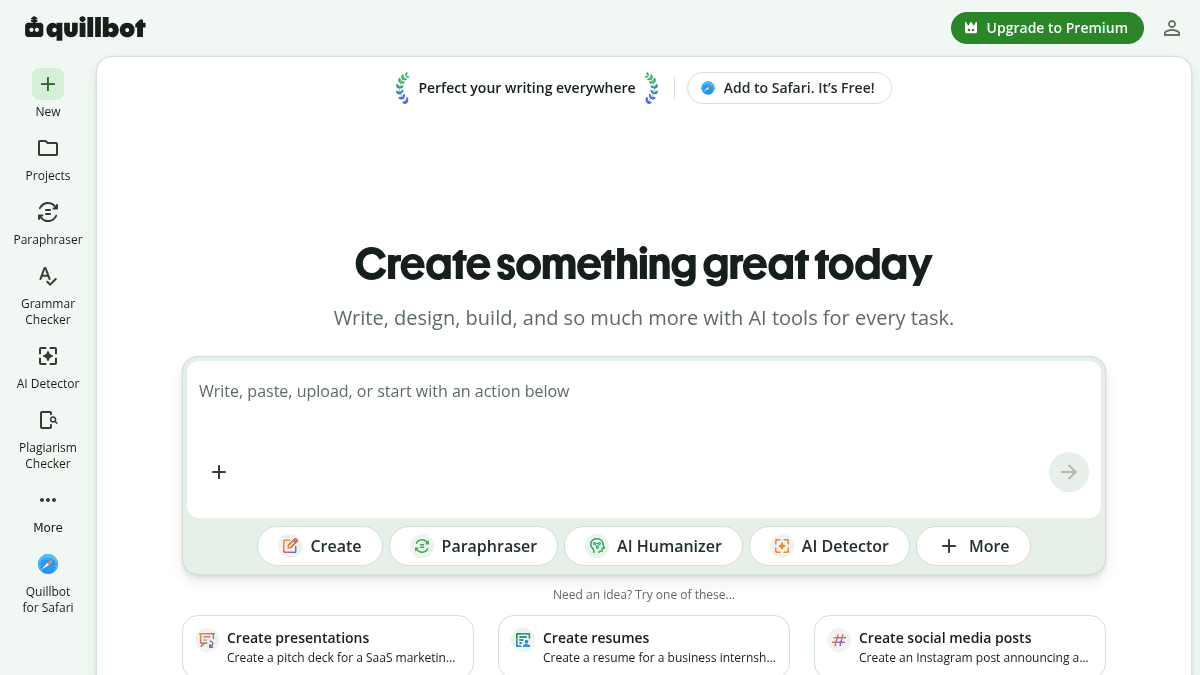
Quillbot is an AI-powered writing assistant that provides tools for paraphrasing, grammar checking, AI detection, translation, summarizing, and content creation. It also includes design and image generation capabilities within a single workspace.
The platform serves students, professionals, and writers who need to produce polished writing quickly. Unlike standalone grammar checkers or paraphrasing tools, Quillbot bundles multiple utilities — including a plagiarism checker, citation generator, and AI humanizer — under one subscription.
Key Benefits
- Paraphrase, check grammar, detect AI-written text, and summarize content all in one platform.
- Browser extensions for Chrome, Edge, Safari, and Word make the assistant available across websites and apps.
- AI image generation, background removal, and image editing tools extend beyond text-based writing.
- ChatPDF, PDF editing, merging, splitting, and conversion capabilities handle document workflows.
- Rated 4.7 out of 5 stars with over 6 million users on the Chrome extension store.
How It Works
A user selects a tool — such as Paraphraser or Grammar Checker — from the Quillbot dashboard, then types, pastes, or uploads a document. The AI processes the input and returns rewritten text, grammar suggestions, or an originality score. Users can also open a document or design canvas inside the workspace, where they write, apply AI recommendations, and export the final output.
Use Cases
- Students use the Grammar Checker and Plagiarism Checker to polish essays and verify originality before submission.
- Content writers use the Paraphraser and AI Humanizer to rephrase drafts and make AI-generated text sound natural.
- Non-native English speakers use the Translator and Summarizer to understand and condense foreign-language materials.
- Job seekers use the Cover Letter Generator and resume builder to create professional application documents.
- Presenters use the Presentation Creator to build slide decks from text prompts.
- Researchers use ChatPDF to ask questions and extract information from uploaded PDF files.
Why Choose This Product
Quillbot is best suited for users who need a broad set of writing and document tools — paraphrasing, grammar, plagiarism checking, translation, PDF editing, and AI image generation — in one subscription. Its browser extensions and cross-platform apps make it convenient for working across different applications. The free tier provides access to basic tools, while premium unlocks advanced features and higher usage limits.
Quillbot Pros & Cons
- Free tier available with basic writing tools
- Rated 4.7/5 by Chrome extension users
- Over 6 million users on Chrome extension store
- Browser extensions for Chrome, Edge, Safari, and Word
- Combines writing, design, and PDF tools in one platform
Key Features
Text Paraphraser
Users type or paste text and receive rewritten versions with improved fluency and word choice.
Grammar Checker
The tool scans writing for spelling, punctuation, and grammatical mistakes.
AI Detector
Users upload or paste text to determine whether it was created by an AI model.
Plagiarism Checker
The checker compares submitted text against a database to find potential unoriginal content.
AI Humanizer
This tool rewrites AI-generated text to make it sound more natural and human-like.
ChatPDF
Users ask questions about any uploaded PDF and receive answers extracted from the document.
AI Image Generator
Users describe an image in text and the AI generates a corresponding visual.
Background Remover
The tool removes image backgrounds in a single click.
Presentation Creator
Users input text prompts to generate complete slide decks.
Quillbot Pricing
View full pricing →Pricing extracted from the product website and may change. Check the source for current details.
How Quillbot compares
QuillbotThis | ||||
|---|---|---|---|---|
| Starting price | — | Free | Free | — |
| Pricing model | Freemium | Freemium | Freemium | Freemium |
| Platforms | Web, macOS, Windows, iOS, Android | Web, iOS, Windows, macOS | Web, Windows, macOS | Web, iOS, Android |
| Top features |
|
|
|
|
| Rating | — | — | — | — |

