
About Speak Human
Overview
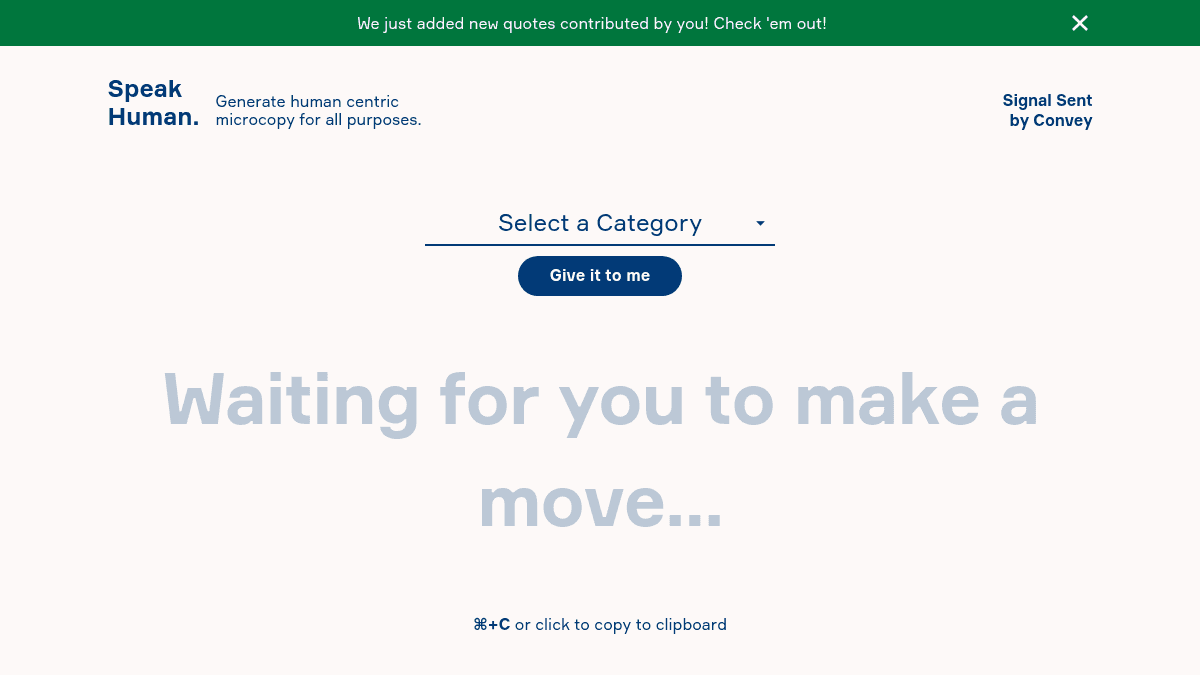
Speak Human is a web-based tool for generating human-centric microcopy — short bits of text like email confirmation messages, error messages, and loading screens. The tool helps product teams and designers replace generic interface text with warm, natural language that feels less robotic.
The page organises microcopy templates by category, including Asking for Email, Confirmation Messages, Errors, E-commerce, Loading, and Thank You messages. Users can click a template to copy it to their clipboard instantly, making it a fast reference resource for UX writers and content designers.
Key Benefits
- One-click clipboard copy with ⌘+C shortcut support eliminates manual text selection.
- Categorised library covers six common microcopy use cases: email prompts, confirmations, errors, e-commerce, loading, and thank-you messages.
- Fresh user-contributed quotes added regularly keep the copy library expanding.
- Zero-friction interface — no account creation, sign-up, or login required to browse and copy.
- Free to use with no pricing tiers or paid plans mentioned on the page.
How It Works
A user lands on the page and selects a microcopy category from the tabs at the top — for example Errors or Loading. The displayed text updates automatically. Clicking any copy block or pressing ⌘+C copies the text to the clipboard, confirmed by an on-screen toast notification. Users can also submit their own copy via the "Share with us" link.
Use Cases
- UX writers and content designers who need quick, human-sounding alternatives for common interface messages.
- Product managers preparing launch copy for sign-up flows, checkout confirmations, or error states.
- Front-end developers who want drop-in placeholder text that sounds natural before final copy is ready.
- Startup teams with no dedicated writer on staff who need to ship friendlier UI language.
- Freelance designers building client prototypes who want to avoid generic Lorem ipsum-style labels.
Why Choose This Product
Speak Human is best suited for anyone who writes or designs interface text and wants a free, instantly accessible library of human-toned microcopy. No sign-up, no AI generation, and no complexity — just category-sorted copy blocks ready to copy. The tool does not generate custom text on demand or integrate with design tools like Figma or Sketch, so it works best as a standalone reference resource.
Speak Human Pros & Cons
- Free to use with no sign-up required
- Covers six common microcopy categories
- One-click copy with keyboard shortcut support
Key Features
Category tabs
Microcopy is grouped into six tabs: Asking for Email, Confirmation Messages, Errors, E-commerce, Loading, and Thank You.
One-click copy
Clicking any copy block or pressing ⌘+C copies the text to the clipboard with a visual confirmation toast.
User contributions
Users can submit their own microcopy via a "Share with us" link to expand the library.
Free to use
The tool is completely free with no sign-up, login, or account creation required.
Speak Human Pricing
- Browse six microcopy categories
- One-click copy to clipboard
- Submit your own copy to the library
- No account or sign-up required
Pricing extracted from the product website and may change. Check the source for current details.
How Speak Human compares
Speak HumanThis | R Rytr | |||
|---|---|---|---|---|
| Starting price | Free | Free | — | Free |
| Pricing model | Free | Freemium | Freemium | Freemium |
| Platforms | — | Web, iOS, Windows, macOS | Web, macOS, Windows, iOS, Android | Web |
| Top features |
|
|
|
|
| Rating | — | — | — | — |


