About Grammarly
Overview
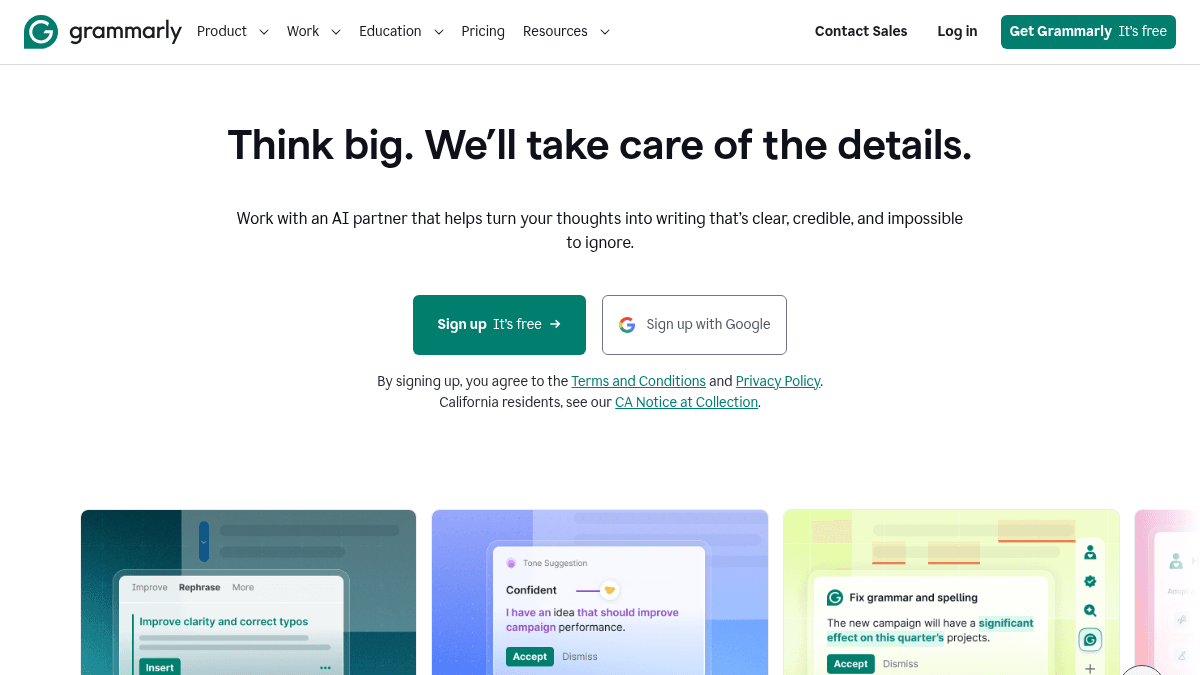
Grammarly is an AI writing assistant that helps individuals and teams produce clear, credible text across any app or website. It works as a browser extension, desktop app, mobile keyboard, and within Google Docs and Microsoft Office.
Trusted by over 40 million people and 50,000 organizations, Grammarly provides real-time grammar correction, tone suggestions, and AI-powered rewriting. Unlike basic spell checkers, it adapts to your personal voice and brand style guides while offering plagiarism detection and AI text generation.
Key Benefits
- Improves clarity and flow with one-click paragraph rewrites.
- Adapts your message for the right context with tone suggestions.
- Refines grammar, structure, clarity, and more in real time.
- Detects AI-generated text and suggests areas to revise.
- Trusted by over 40 million people and 50,000 organizations.
- Does not sell or monetize user content or allow third parties to train on user data.
How It Works
You install the Grammarly browser extension or desktop app, then write as usual in any text field — email, document, social post, or chat. Grammarly underlines issues in real time, and you click to accept suggestions for grammar, clarity, tone, or conciseness. You can also highlight a sentence and click "Rewrite" to get a full-sentence alternative, or use the AI prompt box to generate new text from scratch.
Use Cases
- Customer support agents use Grammarly to write clear, on-brand replies faster.
- Marketing writers adjust tone and follow brand style guides across campaigns.
- Sales professionals polish emails and proposals to sound more confident.
- HR teams ensure internal communications are consistent and professional.
- Students check grammar, detect plagiarism, and generate citations for essays.
- IT administrators manage permissions, enforce style guides, and monitor usage across teams.
Why Choose This Product
Grammarly is best suited for anyone who writes regularly — from individual students and freelancers to enterprise teams of any size. The free tier covers basic grammar and tone checking with 100 AI prompts per month, while Pro adds full-sentence rewrites, plagiarism detection, and 2,000 AI prompts. Enterprise includes unlimited prompts, dedicated support, BYOK encryption, and granular admin controls. The company states it does not sell or monetize user content.
Grammarly Pros & Cons
- Free tier available with no time limit
- Works across browser, desktop, mobile, and MS Office
- Does not sell or monetize user content
- Trusted by 40M+ people and 50K organizations
- Plagiarism and AI detection included in Pro
- Full-sentence rewrites limited to Pro and Enterprise tiers
- AI prompt generation capped at 100 per month on Free tier
- Plagiarism detection only available in Pro and Enterprise
Key Features
Grammar & Spell Check
All plansReal-time correction of spelling, grammar, punctuation, and sentence structure across any text field.
Tone Suggestions
All plansAdapts your message for the context by suggesting tone adjustments to match your audience.
Full-Sentence Rewrites
Pro+Rewrites entire sentences to improve clarity and flow with a single click.
AI Text Generation
All plansGenerates text from AI prompts, with 100 prompts per month on Free and 2,000 on Pro.
Plagiarism Detection
Pro+Catches accidental plagiarism by comparing text against billions of web pages.
AI Detector
Pro+Identifies AI-generated text and suggests areas to revise for a more natural voice.
Citation Generator
Pro+Creates consistent citations and keeps them formatted correctly across documents.
Brand Tones & Style Guide
Pro+Enforces brand-specific style guides and brand tones across team communications.
Enterprise Security
EnterpriseIncludes BYOK encryption, SAML SSO, data loss prevention, and confidential mode for Enterprise plans.
Team Analytics
Pro+Provides analytics dashboards and Effective Communication Score for team-wide writing insights.
Grammarly Pricing
View full pricing →- Write without mistakes
- See your writing tone
- Generate text with 100 AI prompts
- Rewrite full sentences with a click
- Adjust your writing tone with ease
- Write fluently in English
- Unlimited personalized suggestions
- Detect plagiarism and AI generated text
- Generate text with 2,000 AI prompts
- Proactive AI that works everywhere
- Dedicated support
- BYOK encryption
- Custom roles and permissions
- Data loss prevention
- Cost center visibility
| Feature | Free Free/mo | Pro $12/mo | Enterprise Custom |
|---|---|---|---|
| Grammar & Spell Check | |||
| Tone Suggestions | |||
| Full-Sentence Rewrites | |||
| AI Text Generation | |||
| Plagiarism Detection | |||
| AI Detector | |||
| Citation Generator | |||
| Brand Tones & Style Guide | |||
| Enterprise Security | |||
| Team Analytics |
Pricing extracted from the product website and may change. Check the source for current details.
Frequently asked questions about Grammarly
What will happen to my Premium subscription if I switch to Pro?
The page does not provide a specific answer to this question beyond listing it as a frequently asked question. Users are directed to contact support or check the help center for details on subscription transitions.
How secure is Grammarly?
Grammarly states it does not sell or monetize user content, does not provide it for advertising purposes, and does not allow third-party service providers to train their models on user content. Enterprise plans include BYOK encryption, SAML SSO, and data loss prevention.
What forms of payment do you accept?
The page lists this as a frequently asked question but does not provide a specific answer in the visible content. Users are directed to the help center for details.
Do you offer discounts for educational institutions?
The page lists this as a frequently asked question and offers a dedicated Grammarly for Education plan. Specific discount details are not shown in the visible content.
Is Grammarly free?
Grammarly offers a free plan with optional paid upgrades. See the pricing section for what's included in each tier.
How much does Grammarly cost?
Grammarly offers the following plans: Free, Pro, Enterprise. See the pricing section for what's included in each tier and any per-seat or usage-based costs.
How Grammarly compares
G GrammarlyThis | R Rytr | |||
|---|---|---|---|---|
| Starting price | Free | — | Free | Free |
| Pricing model | Freemium | — | Freemium | Freemium |
| Platforms | Web, macOS, Windows, iOS, Android | — | — | Web |
| Top features |
| — |
|
|
| Rating | — | — | — | — |