
About Framer
Overview
Framer is a no-code AI website builder that combines visual design, content management, and publishing in one canvas-based tool. It targets designers, freelancers, startups, and marketing teams who want to build professional sites without writing code.
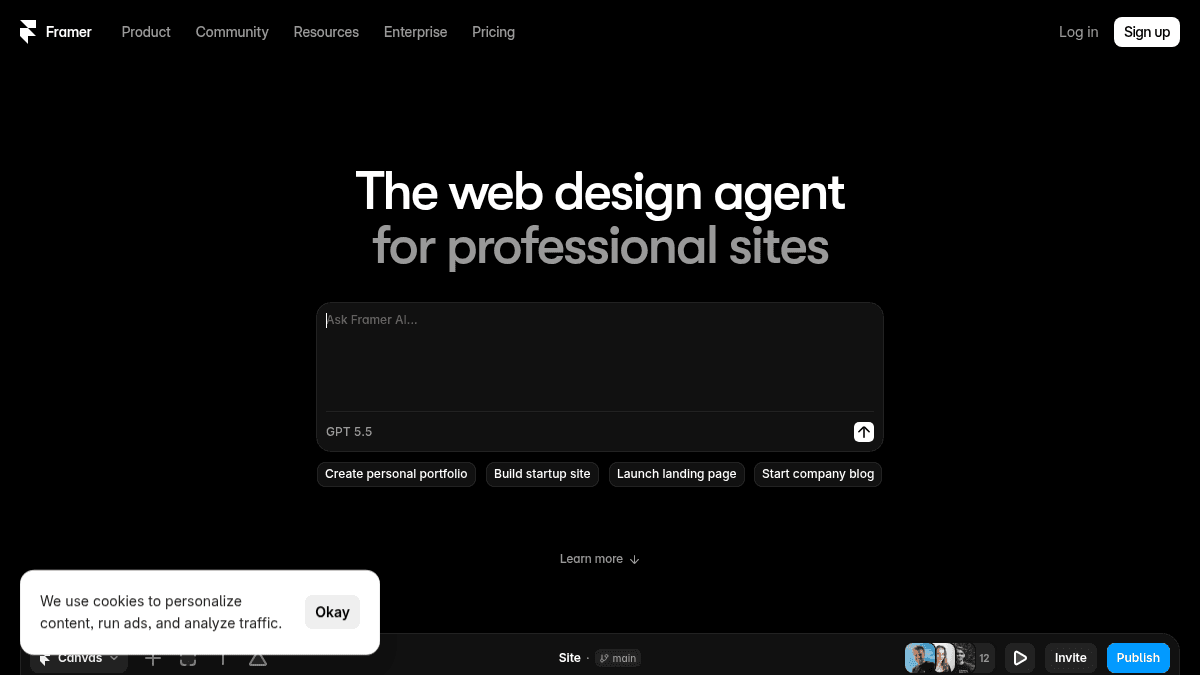
Unlike traditional site builders that separate design from development, Framer embeds an AI agent directly into the canvas. The agent generates layouts, writes copy, sets up CMS structures, and implements custom code effects — all within the same environment where the user edits the final site.
Key Benefits
- AI agents edit and refine site content directly on the canvas, keeping every change visible and editable.
- CMS agent sets up, organizes, and updates collections while keeping content and design in sync with the canvas.
- Code agent converts ideas into custom effects and complex interactions and places them on the site automatically.
- External agent connectivity lets users update copy from Slack, trigger CMS changes from a terminal, or ship updates from a GitHub PR.
- Free plan includes 500 credits per day (up to 1,000 per month) to try agents, localization, and other AI features.
How It Works
Users open a site project on the canvas and interact with the AI agent through a chat panel. They ask the agent to add a component, rewrite text, or generate a CMS setup, and the agent applies changes directly to the canvas in real time. Users can undo, refine, or override any change before publishing.
Use Cases
- Freelance designers — build client portfolios and landing pages using the AI agent to generate copy and structure.
- Startup founders — launch a marketing site with CMS-powered blog and staging environment for testing changes.
- In-house marketing teams — manage content collections, run A/B tests via the Convert add-on, and publish with branching and previews.
- Template creators — use the free plan with 10 CMS collections and 1,000 pages to design and sell Framer templates.
- Open-source and side project maintainers — host high-traffic projects with Basic or Pro plans and connect a custom domain.
Why Choose This Product
Framer is best suited for designers and teams who want a visual site builder with built-in AI assistance and CMS capabilities, all in one tool. The free plan supports exploration and small projects, but custom domains, advanced hosting, and larger CMS collections require a paid plan. Third-party agent connectivity is still in preview.
Framer Pros & Cons
- Free plan available with 500 daily credits
- AI agent works directly on the design canvas
- Built-in CMS with collections
- Staging environment and branching with previews
- External agent connectivity with Slack and GitHub
- 60-day analytics history on Free plan only
- Free domain only on yearly billing
- Third-party agents still in preview
Key Features
Canvas AI Agent
An AI assistant that generates and refines website content directly on the design canvas, keeping every change editable and under user control.
CMS Agent
An agent that sets up CMS collections, organizes content, and connects it to the canvas so content and design stay in sync.
Code Agent
An agent that turns user ideas into custom code effects and complex interactions and places them on the site automatically.
External Agent Connectivity
Users can update copy from Slack, trigger CMS changes from a terminal, or ship updates from a GitHub PR using external agents.
CMS Collections
A built-in content management system with collections for storing and publishing structured content like blog posts and team pages.
Staging and Branching
Users can preview changes in a staging environment, create branches with preview links, and test before publishing.
Built-in SEO
Built-in search engine optimization tools accessible across plan tiers.
Localization
An add-on that uses AI to translate site content into multiple languages.
Convert: A/B Testing
An add-on for running A/B tests, tracking funnels, and using conversion triggers.
Framer Pricing
View full pricing →- 500 credits to try
- Free Framer domain
- 1 GB bandwidth
- Design pages
- Free custom domain
- 2 CMS collections
- 50 GB bandwidth
- Built-in SEO
- Localization (add-on)
- Free custom domain
- 10 CMS collections
- 100 GB bandwidth
- Site redirects
- Staging environment
- Branching with previews
- Credits with volume discounts
- Custom limits
- Unlimited editors
- Enterprise-grade security
- Uptime guarantee
- SCIM
- SSO
| Feature | Free Free/mo | Basic $10/mo | Pro $30/mo | Enterprise Custom |
|---|---|---|---|---|
| 500 credits to try | ||||
| Free Framer domain | ||||
| 1 GB bandwidth | ||||
| Design pages | ||||
| Free custom domain | ||||
| 2 CMS collections | ||||
| 50 GB bandwidth | ||||
| Built-in SEO | ||||
| Localization (add-on) | ||||
| 10 CMS collections | ||||
| 100 GB bandwidth | ||||
| Site redirects | ||||
| Staging environment | ||||
| Branching with previews | ||||
| Credits with volume discounts | ||||
| Custom limits | ||||
| Unlimited editors | ||||
| Enterprise-grade security | ||||
| Uptime guarantee | ||||
| SCIM | ||||
| SSO |
Pricing extracted from the product website and may change. Check the source for current details.
Frequently asked questions about Framer
What are credits?
Every plan includes monthly credits that power Agents, Localization, and other AI features. Credits are shared across your whole workspace and editors and reset at the start of each calendar month. On the Free plan, you get 500 credits a day, up to 1,000 per month, when your workspace has no active subscriptions.
Which plan is right for me?
The Free plan is ideal for non-commercial use. The Basic plan is for students, freelancers, and small studios. The Pro plan is designed for teams at agencies, startups, and scale-ups who run their full marketing stack on Framer. The Enterprise plan is for teams that need custom limits, annual billing, and dedicated support.
What happens if I go over a limit?
When you reach certain limits, Framer will ask you to upgrade your plan. For limits like bandwidth, you are allowed to exceed for one month and will receive a notification via email so you can upgrade accordingly.
How are extra editors billed?
Editors are billed per seat and can be added to your workspace or projects at any time. You will be notified when an editor is added, and you will be charged within 24 hours.
Is Framer free?
Framer offers a free plan with optional paid upgrades. See the pricing section for what's included in each tier.
How much does Framer cost?
Framer offers the following plans: Free, Basic, Pro, Enterprise. See the pricing section for what's included in each tier and any per-seat or usage-based costs.
Used in Stacks & Workflows
How Framer compares
FramerThis | ||||
|---|---|---|---|---|
| Starting price | Free | — | Free | from $0/month |
| Pricing model | Freemium | Freemium | Freemium | Freemium |
| Platforms | Web | Web | Web | — |
| Top features |
|
|
|
|
| Rating | — | — | — | — |

