About Audex Trace
Overview
Audex Trace is a macOS app that shows what Apple Music is actually playing on your Mac. It reads the live codec, bit depth, sample rate and channel count from the local playback session and shows them next to the output format of your selected Mac device, so a Lossless or Hi-Res badge never stands in for a confirmed result.
Trace acts as a player as well as a monitor, with a floating player window, menu bar controls and a notch view. The free download includes those views plus Playback Verification, which confirms detection on your own Mac before you pay. Trace Pro is a $29.99 one-time license that adds the live playback readout, output match status, Auto Sample Rate Match, playback quality suggestions and skip warnings.
Key Benefits
- See the codec, bit depth, sample rate and channels detected for the current Apple Music track.
- Compare detected playback against the selected Mac output device and catch sample-rate mismatches.
- Switch compatible output devices to match what is playing with optional Auto Sample Rate Match.
- Preview up to three upcoming Apple Music tracks and their estimated formats from a compact queue view.
- Keep track metadata, artwork and controls visible in a floating player, menu bar or notch display.
- Verify playback detection on your own Mac for free before committing to the paid license.
How It Works
You download the signed and notarized app from GitHub Releases and install it on a Mac running macOS 15 or later, then play a track in Apple Music. Playback Verification reports whether Trace can read the playback format on that machine, which is the check the app asks for before purchase. After that, the player window, menu bar or notch view stays open while you listen, and Pro adds automatic sample rate matching, queue quality estimates and skip warnings.
Use Cases
- Apple Music Lossless and Hi-Res listeners use Trace to confirm a Hi-Res track actually plays at the resolution they expect.
- DAC and audio interface owners check that the selected output device runs at a sample rate that matches playback.
- Audio MIDI Setup users replace one-off manual checks with a resident monitor that follows the session as the queue changes.
- People working in full-screen apps keep the floating player or menu bar view on top without switching context.
- Playlist and queue builders preview upcoming tracks for higher-quality releases and possible skip risk.
- Music.app users playing local files on the Mac can test an experimental source alongside the Apple Music catalog.
Why Choose This Product
Trace runs detection locally, so it asks for no Apple Music sign-in and uploads no audio or listening history for quality detection. It states plainly that it is independent of Apple, sells one license that covers every Mac you personally use, and offers a 7-day compatibility refund if it cannot detect playback format on a supported macOS version. The app also states its limits: playback detection needs a macOS administrator account because standard accounts cannot read the local playback log, macOS 14 and earlier are not officially supported, and a future macOS or Apple Music update may require an Audex Trace update.
Audex Trace Pros & Cons
- Free version has no time limit and includes Playback Verification
- One $29.99 license covers all Macs you personally use
- Local detection with no audio or listening-history upload
- Signed and notarized Mac app distributed via GitHub Releases
- 7-day compatibility refund if detection fails on supported macOS
- Playback-format detection requires a macOS administrator account
- Requires macOS 15 or later; macOS 14 and earlier are not officially supported
- Built for Music.app only, not Spotify or YouTube Music
- Skip warnings do not detect every Apple Music skip
Key Features
Actual Playback Readout
ProTrace Pro opens a Playback details panel showing the detected codec, bit depth, sample rate and channels for the current track.
Output Match Status
ProShows the output device format, its current and supported sample rates, and whether it matches detected playback.
Auto Sample Rate Match
ProTrace Pro switches compatible output devices to the sample rate of what is playing, with optional inclusion of lossy and Dolby playback.
Playback Quality Suggestions
ProChecks for alternate releases in the Apple Music catalog that may offer a higher bit depth, sample rate or Dolby Atmos version and opens them in Music on request.
Playing Next Preview
All plansOpens a compact view of up to three upcoming Apple Music tracks, with Pro adding Lossless, Hi-Res, Dolby and exact bit depth and sample rate estimates.
Skip Risk Detection
ProTrace Pro warns about queued tracks that may fail, become unavailable or interrupt playback before they reach the player.
Floating Player Window
All plansA mini player stays above other windows, optionally over full-screen apps, with blurred artwork background and horizontal trackpad swipes for track changes.
Menu Bar Control
All plansShows the current track, controls, volume and the Playing Next queue from the macOS menu bar.
Notch Display
All plansPlaces the same track information and controls in the display cutout, expanded only when you want them.
Playback Verification
FreeConfirms on your own Mac that Trace can detect Apple Music playback format before you buy Pro.
Audex Trace Pricing
View full pricing →- Free forever, no time limits
- Now Playing with playback controls
- Track metadata and artwork
- Playing Next queue
- Playback Verification on your own Mac
- Actual playback readout
- Playback quality suggestions
- Output match status
- Auto Sample Rate Match
- Queue quality estimates and skip warnings
- Lifetime license for all Macs you personally use
| Feature | Free Free | Pro $29.99 one-time |
|---|---|---|
| Actual Playback Readout | ||
| Output Match Status | ||
| Auto Sample Rate Match | ||
| Playback Quality Suggestions | ||
| Playing Next Preview | ||
| Skip Risk Detection | ||
| Floating Player Window | ||
| Menu Bar Control | ||
| Notch Display | ||
| Playback Verification |
Pricing extracted from the product website and may change. Check the source for current details.
Frequently asked questions about Audex Trace
Does Audex Trace work on my Mac?
It requires macOS 15 or later with the Apple Music app installed. Playback-format detection currently requires a macOS administrator account, because standard user accounts cannot access the local playback logs Trace reads. The account must be an administrator, but Trace does not run with elevated privileges and never asks for an administrator password. Download it free and verify playback on your own Mac before buying Pro.
Why should I verify playback before buying Pro?
Playback-format detection depends on macOS, Music settings, Apple Music behavior, the active playback route and the output device. Song Transitions, AutoMix or Crossfade in Music can delay detection or make it unavailable around track changes. Play a track in Apple Music first, then use the free Playback Verification to confirm detection on your setup.
Can I use one Trace Pro license on more than one Mac?
Yes. One Trace Pro license covers all Macs you personally use. You enter the same license key on each Mac, and first-time activation and key changes require an internet connection.
What does Apple Music's Lossless badge not show?
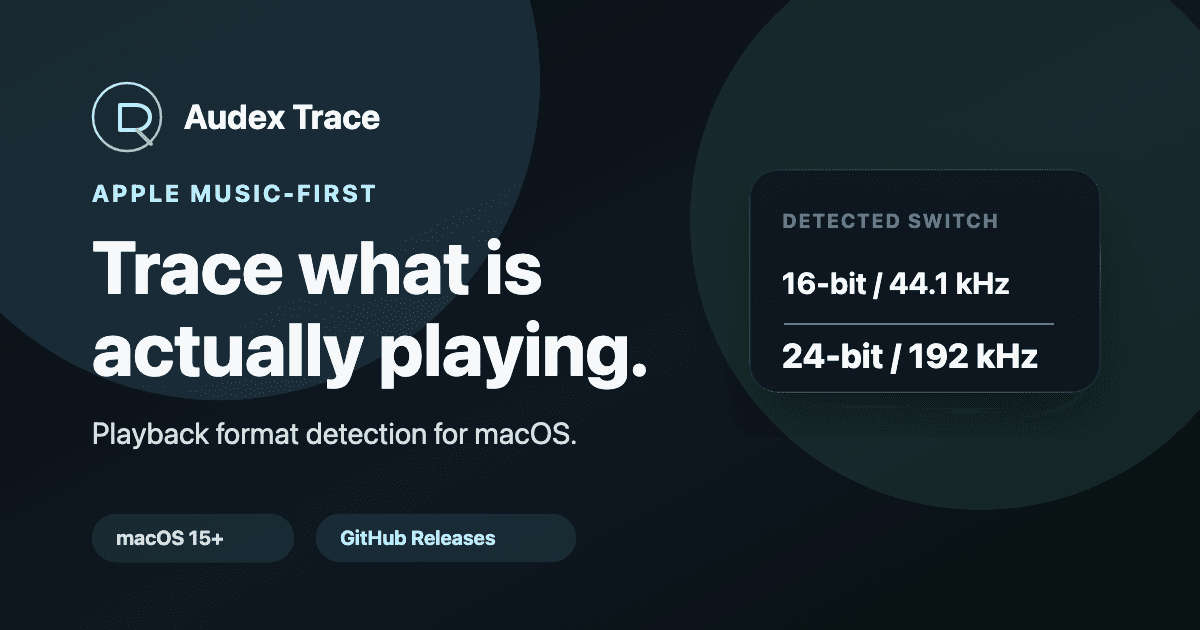
The badge describes track availability or a playback label, but it does not clearly show the detected playback format and the Mac output sample rate together. Trace shows those layers side by side, so you can see when a 24-bit / 192 kHz track plays while the Mac output stays at 44.1 kHz.
Does Trace change my sample rate automatically?
Trace Pro includes optional Auto Sample Rate Match for compatible output devices that expose matching macOS sample rates. It depends on the device and route and affects the selected macOS output device, not only Apple Music. Switching a device's sample rate can briefly interrupt audio on some output devices, as with any tool that switches rates.
Who is Audex Trace for?
It targets Apple Music Lossless and Hi-Res listeners on Mac, especially people who use DACs, audio interfaces or Audio MIDI Setup. It is not for Spotify or YouTube Music, is not an EQ or audio enhancer, and does not make low-quality tracks Hi-Res.