
About Behance
Overview
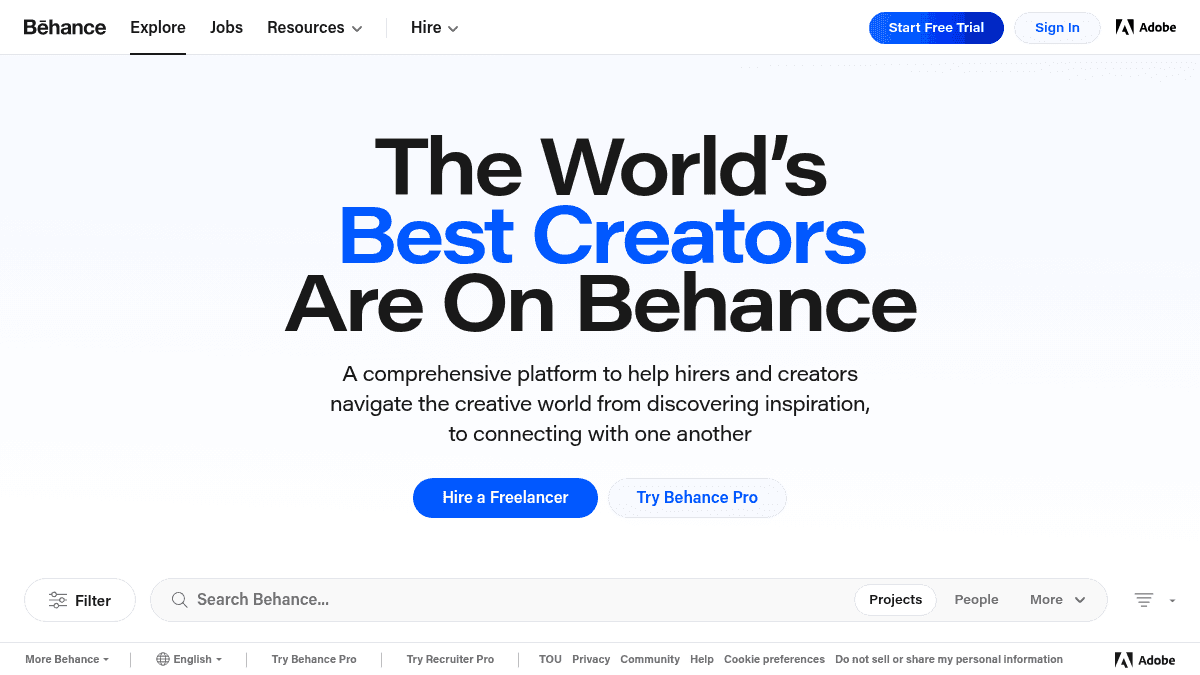
Behance is an online platform where creative professionals publish portfolios of their work. It helps designers, photographers, illustrators, and other artists share projects with a global audience while giving hirers a way to find and connect with freelance talent.
The platform is part of the Adobe ecosystem and integrates with tools like Photoshop, Illustrator, and After Effects. Unlike a standalone portfolio builder, Behance combines social features — appreciations, views, comments — with discovery tools so creators get visibility and clients find candidates.
Key Benefits
- Projects receive appreciations and view counts that signal quality and engagement to potential hirers.
- Creators can be discovered by hirers browsing curated categories such as Graphic Design, Photography, UI/UX, and 3D Art.
- The platform offers a dedicated Jobs section where hirers can post opportunities and creators can apply.
- A "Best of Behance" curation system highlights outstanding work for extra visibility.
- Adobe Portfolio integration allows creators to build a custom website from their Behance projects.
How It Works
A creator signs up, uploads projects with images, videos, or interactive files, and tags them by category and tools used. Viewers browse or search by category, tool, or keyword; they can appreciate, comment on, and share projects. Hirers use the Hire and Jobs features to contact creators directly.
Use Cases
- Graphic designers publish branding projects such as logo systems, packaging, and visual identities to attract agency and freelance clients.
- Photographers showcase editorial and commercial photo series to gain exposure and licensing inquiries.
- UI/UX designers post app and website mockups and case studies to demonstrate their process to hiring managers.
- 3D artists and motion designers share CGI renders and animation reels for film, gaming, and advertising roles.
- Illustrators display character art, editorial illustrations, and pattern designs to land commissions and licensing deals.
- Hirers and recruiters browse curated galleries and search by tool expertise to find freelancers for specific project needs.
Why Choose This Product
Behance suits creatives who want a built-in audience and discovery engine alongside their portfolio. The integration with Adobe tools and Adobe Portfolio makes it a natural fit for users already inside that ecosystem. The platform is free to join, though Behance Pro offers additional features for a monthly fee.
Behance Pros & Cons
- Free to join and publish projects
- Part of the Adobe ecosystem
- Built-in discovery via appreciation and view ranking
- Best of Behance curation for top work
- Dedicated Jobs and Hire features
Key Features
Category browsing
Visitors can browse projects by 16 creative categories including Graphic Design, UI/UX, 3D Art, Photography, and more.
Appreciations and views
Each project shows an appreciation count and view count, which help surface popular and quality work.
Best of Behance curation
A dedicated "Best of Behance" section highlights exceptional projects selected by the platform.
Jobs board
Hirers can post jobs and creators can browse opportunities through the Jobs section.
Direct hire outreach
The Hire feature lets recruiters or clients find and contact freelancers directly from their portfolio pages.
Tool-based search filters
Users can filter search results by specific Adobe tools such as Photoshop, Lightroom, and After Effects.
Adobe Portfolio export
Behance integrates with Adobe Portfolio so users can create a custom website from their existing projects.
Mobile apps
The platform is available as both a website and mobile apps for iOS and Android.
Image-based search
Users can search by image upload to find visually similar projects and assets.
Behance Pricing
View full pricing →- Publish unlimited projects
- Reach a global audience
- Get discovered by hirers
- Browse and apply to jobs
- Everything in Free
- Custom portfolio domain
- Advanced analytics
- Priority support
| Feature | Free Free | Pro $9.99 |
|---|---|---|
| Publish unlimited projects | ||
| Reach a global audience | ||
| Get discovered by hirers | ||
| Browse and apply to jobs | ||
| Everything in Free | ||
| Custom portfolio domain | ||
| Advanced analytics | ||
| Priority support |
Pricing extracted from the product website and may change. Check the source for current details.
Frequently asked questions about Behance
Is Behance free?
Behance offers a free plan with optional paid upgrades. See the pricing section for what's included in each tier.
How much does Behance cost?
Behance offers the following plans: Free, Pro. See the pricing section for what's included in each tier and any per-seat or usage-based costs.
What platforms does Behance support?
Behance is available on: Web, iOS, Android.
How Behance compares
BehanceThis | ||||
|---|---|---|---|---|
| Starting price | Free | Free | — | Free |
| Pricing model | Freemium | Freemium | unknown | Free |
| Platforms | Web, iOS, Android | Web | Web | Web |
| Top features |
|
|
|
|
| Rating | — | — | — | — |


