About Unlayer
Overview
Unlayer is a developer platform for embedding visual builders, AI workflows, templates, and export APIs into any SaaS product. It provides embeddable email, page, popup, and document builders that let end users create responsive content without leaving the host application.
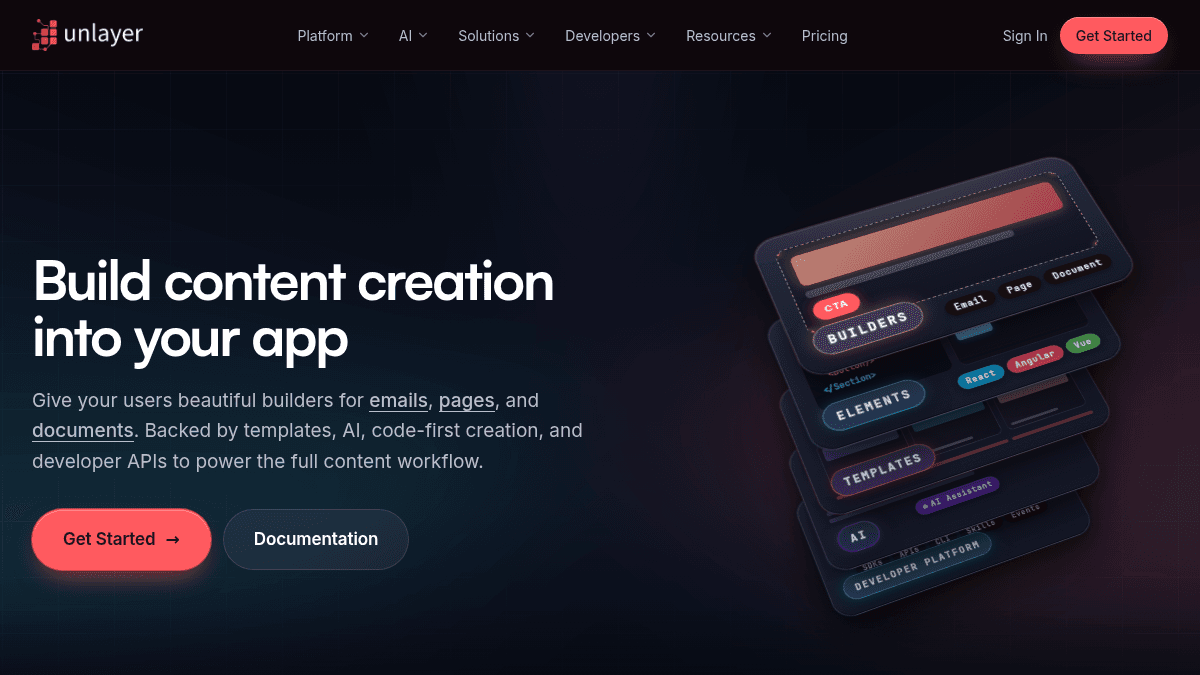
The platform targets developer teams building marketing platforms, CRM tools, email service providers, website builders, document automation tools, and AI content products. What sets Unlayer apart from simple SDKs is its full platform approach: seven primitives (visual builders, content templates, AI workflows, media and assets, export and generation, Elements, and a Developer Platform) compose into any content surface a product needs.
Key Benefits
- Embed one or all four builders (Email, Page, Document, Popup) with a single JSON design schema reused across every builder.
- AI assists users at the block, section, and document level — generating sections, rewriting copy, creating template variations, and personalizing content — without leaving the builder.
- React, Angular, and Vue components render to email tables, web flexbox, or print PDF from the same JSX code.
- SDK, REST APIs, CLI, and agent skills provide a developer surface for Cursor, Codex, Claude Code, and CI pipelines.
- Export content to HTML, PDF, image, plain text, and ZIP from both server-side and client-side environments.
- SOC 2 Type II compliant with a 99.9 percent uptime SLA, trusted by over 1000 SaaS brands.
How It Works
A developer installs the Unlayer SDK (npm package) and initializes a builder instance with a target HTML element, display mode (email, page, document, or popup), and appearance configuration. The builder loads a JSON template design, the end user edits content visually inside the host app, and the developer exports the result as HTML, PDF, or image through the export API — either client-side on save or server-side via a REST endpoint.
Use Cases
- Marketing platform builders embed email, landing page, and popup composers into a single interface for their customers.
- CRM tool developers let sales representatives personalize outreach emails and documents without leaving the deal record.
- Email service providers white-label a visual builder their senders use to design and send campaigns.
- Website builder teams add a page composer that feels native to their product, with sections, columns, and responsive breakpoints.
- Document automation tools let users create proposals, reports, and contracts with cover pages and export-ready PDFs.
- AI content products give an AI canvas with structured blocks, templates, and export capabilities instead of raw text generation.
Why Choose This Product
Unlayer suits developer teams that want to ship a full content creation experience — visual builders, AI, templates, and export — integrated under their own brand without building from scratch. The free tier provides all four builders with no credit card required, while paid plans (Launch, Scale, Optimize) and Enterprise contracts add white-labeling, custom storage, AI Assistant, team collaboration, and on-premise deployment for regulated industries.
Unlayer Pros & Cons
- SOC 2 Type II compliant with 99.9% uptime SLA
- Free tier with all four builders, no credit card required
- AI assistant embedded directly into the builder workflow
- Export API supporting HTML, PDF, image, plain text, and ZIP
- Used by over 1000 SaaS brands from startups to Fortune 500
Key Features
Email Builder
Embeddable editor for creating responsive emails that render across Gmail, Outlook, and Apple Mail.
Page Builder
Lets users design landing pages, forms, and web content with sections, columns, and responsive breakpoints.
Document Builder
Create proposals, reports, and contracts with cover pages, sections, and export-ready PDF output.
Popup Builder
Build conversion-focused popups, banners, and lead-capture experiences with triggers and rules.
AI Assistant
AI generates sections, rewrites copy, changes tone, translates inline, and creates template variations inside the builder.
Elements
React, Angular, and Vue components that render the same code to email HTML tables, web flexbox, or print PDF.
Embeddable SDK
SDK with typed config, themes, events, and granular permissions for embedding the builder.
JSON Designs
JSON design schema that round-trips between code and the visual editor, enabling versioning and diffs.
Export API
Export content to HTML, PDF, image, plain text, and ZIP from server-side or client-side.
Media and Assets
Upload, organize, and reuse images and files directly inside the builder interface.
Unlayer Pricing
View full pricing →- Email Builder
- Page Builder
- Popup Builder
- Document Builder
- White-Labeling
- Font Management
- Custom Storage
- Custom Tools
- Link Types
- Localization
- Image Editor
- Mobile Design Mode
- Cloud API
- Premium Tools
- AI Assistant
- AI Template Importer
- Custom Blocks
- Audit Tab
- Team Collaboration
- Built-in Themes
- Header & Footer
- Custom Image Library
- Smart Merge Tags
- Custom Themes
- Custom CSS
- Custom Tabs
- AMP
- Inbox Previews
- Synced Blocks
- Brand Style Guide
- Custom OpenAI Connector
- Multi-Language Templates
- Dedicated CSM
- Security & Continuity
- On-Premise / Offline
| Feature | Free Free one-time | Launch $250/mo | Scale $750/mo | Optimize $2000/mo | Enterprise Custom |
|---|---|---|---|---|---|
| Email Builder | |||||
| Page Builder | |||||
| Popup Builder | |||||
| Document Builder | |||||
| White-Labeling | |||||
| Font Management | |||||
| Custom Storage | |||||
| Custom Tools | |||||
| Link Types | |||||
| Localization | |||||
| Image Editor | |||||
| Mobile Design Mode | |||||
| Cloud API | |||||
| Premium Tools | |||||
| AI Assistant | |||||
| AI Template Importer | |||||
| Custom Blocks | |||||
| Audit Tab | |||||
| Team Collaboration | |||||
| Built-in Themes | |||||
| Header & Footer | |||||
| Custom Image Library | |||||
| Smart Merge Tags | |||||
| Custom Themes | |||||
| Custom CSS | |||||
| Custom Tabs | |||||
| AMP | |||||
| Inbox Previews | |||||
| Synced Blocks | |||||
| Brand Style Guide | |||||
| Custom OpenAI Connector | |||||
| Multi-Language Templates | |||||
| Dedicated CSM | |||||
| Security & Continuity | |||||
| On-Premise / Offline |
Pricing extracted from the product website and may change. Check the source for current details.
Frequently asked questions about Unlayer
Is Unlayer free?
Unlayer offers a free plan with optional paid upgrades. See the pricing section for what's included in each tier.
How much does Unlayer cost?
Unlayer offers the following plans: Free, Launch, Scale, Optimize, Enterprise. See the pricing section for what's included in each tier and any per-seat or usage-based costs.
What platforms does Unlayer support?
Unlayer is available on: Web.