
About ScreenPal
Overview
ScreenPal is an all-in-one screen recorder and video editor for capturing, creating, sharing, and engaging through video and images. Its AI-enhanced tools help users simplify video creation, from auto-captions and transcription to multilingual translation and interactive quizzes. The company reports more than 200 million videos captured across 190 countries, with 98 of 100 U.S. universities using the platform.
ScreenPal serves educators, businesses, and developers with one account that works across Windows, Mac, iOS, Android, and Chromebook devices. Users can record their screen and webcam, edit videos and screenshots, host content in the cloud, and share with confidence.
Key Benefits
- Record any part of your screen, webcam, or both with drawing tools and annotations.
- Edit and polish videos with trimming, text, overlays, and music without prior editing experience.
- Auto-generate transcripts, captions, chapters, and summaries that stay fully editable.
- Translate videos into 100+ languages with AI voiceovers and multilingual captions.
- Add interactive buttons and quizzes to capture feedback and assess learning.
- Host videos securely in the cloud, embed them anywhere, and make them searchable across your team.
How It Works
Users start by capturing their screen or webcam with the desktop or online recorder, then open the video editor to trim, cut, and add text, overlays, or music. AI tools generate captions, transcripts, chapters, and summaries, and interactive quizzes or buttons can be layered onto the video. Finished videos are hosted in the cloud, embedded anywhere, and shared by link or across team channels.
Use Cases
- Educators create flipped or blended learning videos, video messages, and student assignments.
- Business teams produce coaching, marketing, demo, and training videos with central content management.
- Developers integrate an end-to-end screen recording solution into workflows using the Solution Builder and API.
- Sales and marketing teams communicate more effectively with video messaging inside their favorite tools.
- Customer support and consulting teams capture and share video explanations for faster, clearer communication.
Why Choose This Product
ScreenPal pairs an easy-to-use editor with AI capabilities that handle transcription, translation, and video generation, letting creators focus on their message. A free plan requires no account to get started, and features like video analytics, secure hosting, and LMS integration support both classrooms and large teams.
ScreenPal Pros & Cons
- Free plan requires no account to get started
- AI captions, translation, and video generation tools
- Used by 98 of 100 U.S. universities
- Works across Windows, Mac, iOS, Android, and Chromebook
- Interactive quizzes, polls, and video analytics
- Free plan caps recordings at 15 minutes
- ScreenPal AI features require Max or Team Business plan
Key Features
Screen & webcam recording
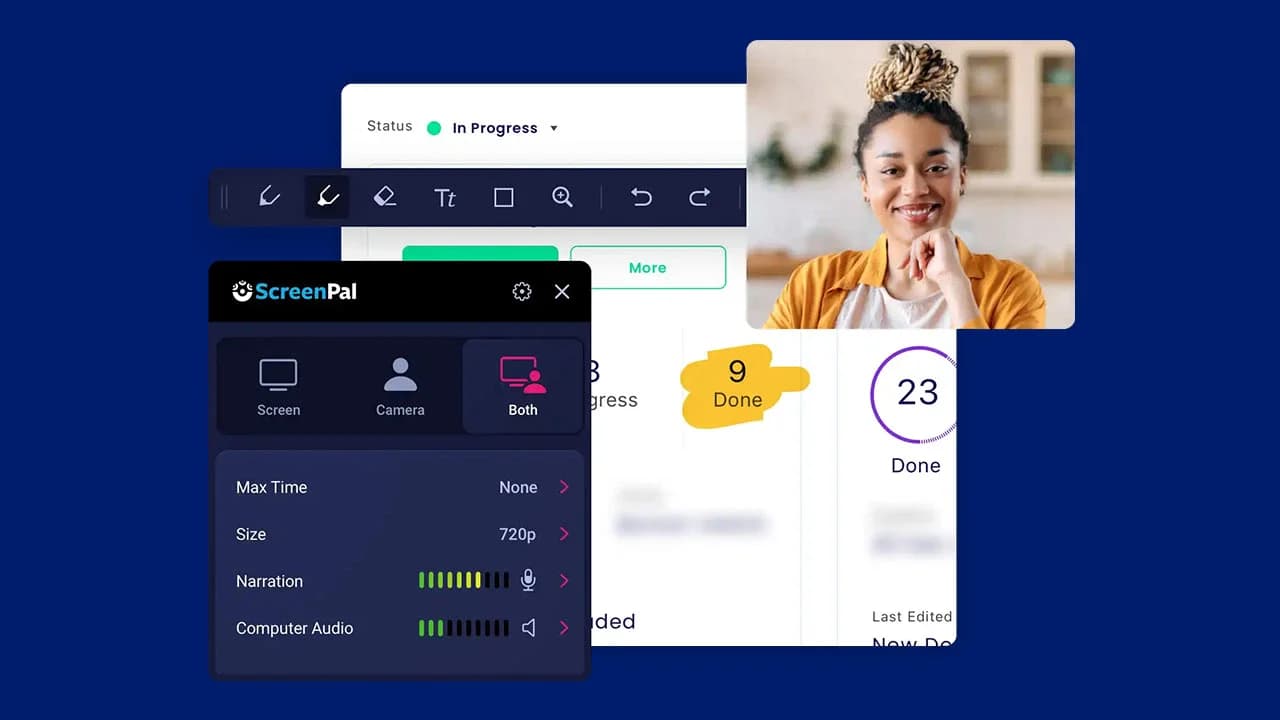
Record any part of your screen, webcam, or both with drawing tools, annotations, and system audio.
Video editor
Trim, cut, crop, resize, add text, shapes, overlays, and music without prior editing experience.
AI video generator
Turn a simple text prompt into a video in seconds with ScreenPal AI.
AI speech-to-text captions
Auto-generate transcripts, captions, chapters, and summaries that remain fully editable.
AI video translation
Translate videos into 100+ languages with AI voiceovers and multilingual captions.
Interactive quizzes & polls
Capture feedback, assess learning, and turn views into actions with interactive buttons and quizzes.
Secure video hosting
Host videos in the cloud, embed them anywhere, and make them searchable across your team.
Video analytics
Understand your audience with content trends, video performance, viewer insights, and heatmaps.
Screenshot capture
Capture any part of your screen, edit and annotate, then share screenshots by link.
AI background removal
Blur, replace, or remove your webcam or video background with AI technology.
ScreenPal Pricing
View full pricing →- 15 minute recording limit
- 10 hosted videos
- Easy video editing
- Blur webcam background
- Edit & share screenshots
- 5 video quizzes
- Free features +
- Unlimited recorder
- Host & share unlimited videos
- Full video editor
- Interactive video storyboards
- AI speech-to-text captions
- Standard stock media
- Deluxe features +
- ScreenPal AI
- Auto-captions & transcriptions
- AI text-to-speech narration
- AI video generator
- Premium stock assets
- Unlimited quizzes & polls
- Max features +
- ScreenPal AI
- Collaboration tools
- Team management
- Advanced integrations
- Transfer ownership
- SSO including SAML
| Feature | Free Free/mo | Deluxe $4.00/mo | Max $10.00/mo | Team Business $8.00/mo |
|---|---|---|---|---|
| 15 minute recording limit | ||||
| 10 hosted videos | ||||
| Easy video editing | ||||
| Blur webcam background | ||||
| Edit & share screenshots | ||||
| 5 video quizzes | ||||
| Free features + | ||||
| Unlimited recorder | ||||
| Host & share unlimited videos | ||||
| Full video editor | ||||
| Interactive video storyboards | ||||
| AI speech-to-text captions | ||||
| Standard stock media | ||||
| Deluxe features + | ||||
| ScreenPal AI | ||||
| Auto-captions & transcriptions | ||||
| AI text-to-speech narration | ||||
| AI video generator | ||||
| Premium stock assets | ||||
| Unlimited quizzes & polls | ||||
| Max features + | ||||
| Collaboration tools | ||||
| Team management | ||||
| Advanced integrations | ||||
| Transfer ownership | ||||
| SSO including SAML |
Pricing extracted from the product website and may change. Check the source for current details.
Frequently asked questions about ScreenPal
Can I use my ScreenPal Solo subscription on more than one device?
Yes. You can use your ScreenPal Solo subscription on any device as long as you are the person logging in and launching the tools, including Windows, Mac, Android, iOS, and Chromebook. If multiple users need to create, you can purchase a Team Business or Team Education plan.
Do you offer monthly plans?
Yes. Monthly subscriptions are available for all Solo plans as well as Team Business. To compare monthly versus discounted annual pricing, select the plan you are interested in on the plans page.
What is included in a free plan?
With the free plan you can record, share, and host videos, with a recording limit of 15 minutes and up to 10 hosted videos. It includes easy video editing, webcam background blur, screenshot editing and sharing, and 5 video quizzes.
Is ScreenPal free?
ScreenPal offers a free plan with optional paid upgrades. See the pricing section for what's included in each tier.
How much does ScreenPal cost?
ScreenPal offers the following plans: Free, Deluxe, Max, Team Business. See the pricing section for what's included in each tier and any per-seat or usage-based costs.
What platforms does ScreenPal support?
ScreenPal is available on: Web, Windows, macOS, iOS, Android.