About Nicelydone
Overview
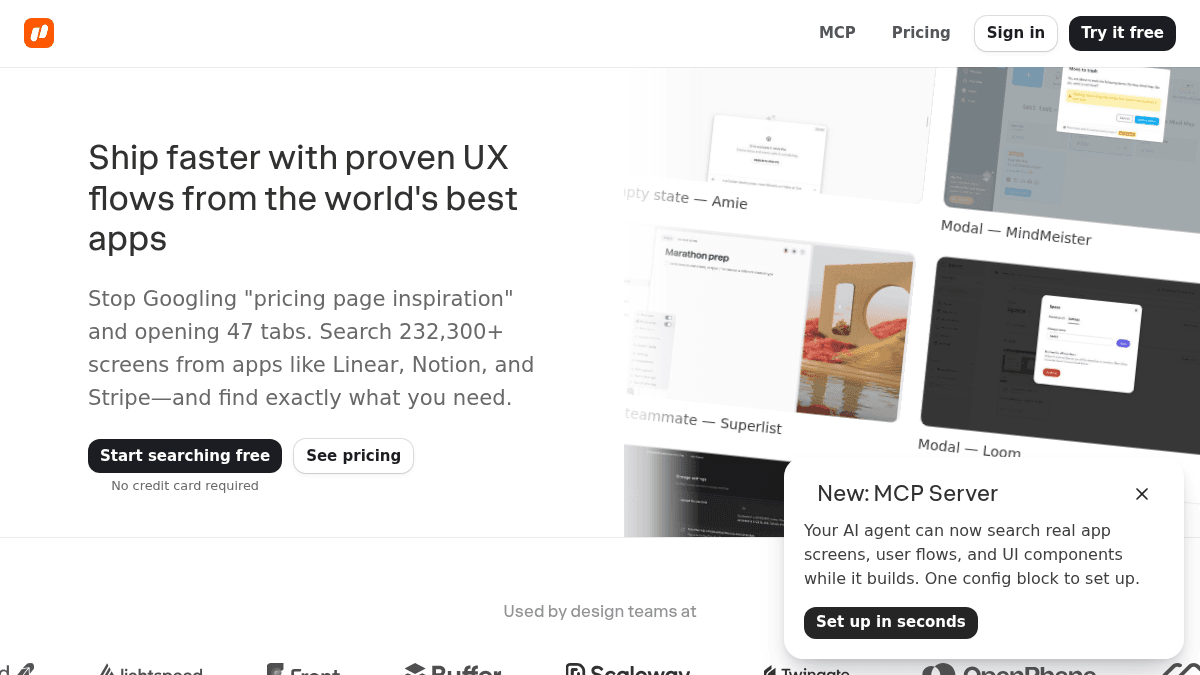
Nicelydone is a UI and UX design inspiration library built around real screenshots from 500+ production SaaS apps. It solves the time-consuming research problem designers face when hunting for reference patterns across dozens of browser tabs, blog posts, and manual screenshots.
Unlike concept-based platforms such as Dribbble or Behance, Nicelydone captures complete, real product screens — including onboarding flows, pricing pages, settings screens, and hundreds of UI component types — and makes them searchable like a search engine.
Key Benefits
- Search 232,300+ real UI screenshots from 500+ SaaS apps in seconds, not hours.
- Text search inside screenshots lets you find a specific string like "Upgrade to Pro" across thousands of screens.
- Natural-language queries such as "Pricing page with toggle" return results in under 2 seconds.
- Drag-to-Figma integration removes all downloading and file management from the reference workflow.
- Team project boards let entire design teams build shared swipe files that stay alive and organized.
- Access to 12,000+ complete user flows and 17,400+ UI components captured in real product context.
How It Works
You type a search query — either a UI pattern name like "pricing page with toggle" or text visible inside a screenshot like "Upgrade to Pro" — and Nicelydone returns matching screens from its library. You then filter results by app, pattern, or page type to narrow down to the most relevant references. From there, you save screens to project boards and drag them directly into Figma without downloading any files.
Use Cases
- Product designers at SaaS companies who need to research onboarding flows, settings screens, or pricing page patterns without opening dozens of tabs.
- Startup founders looking to benchmark their UI against apps like Linear, Notion, and Stripe before making design decisions.
- Design team leads who want to build a shared, living reference library that the whole team can contribute to and search.
- UX researchers hunting for specific in-product copy or modal patterns across many real apps at once.
- Figma users who want to pull reference screenshots directly into their design files without manual file management.
- Design teams at YC-backed startups that need to move fast and avoid starting every project from scratch.
Why Choose This Product
Nicelydone is best suited for product designers and design teams at SaaS companies who spend significant time on UI research before starting or iterating on screens. Its core differentiation is the combination of real captured screens (not concepts), text-searchable screenshots, and direct Figma integration — a workflow that the site contrasts against a 2-hour manual research process.
Nicelydone Pros & Cons
- 232,300+ real screenshots from 500+ SaaS apps — not design concepts or mockups
- Text search inside screenshot content for precise pattern discovery
- Direct drag-to-Figma integration with no file downloads needed
- 12,000+ complete user flows and 17,400+ UI components available
- Team sharing and shared project boards built in
Key Features
Text Search in Screenshots
Search for specific text visible inside UI screenshots, such as "Upgrade to Pro", to locate exact screen examples across the entire library.
Natural Language Search
Type queries like "Pricing page with toggle" and receive matching results in under 2 seconds.
Advanced Filtering
Filter search results by app, UI pattern, or page type to narrow 140,000+ screens down to the 12 most relevant.
Project Boards
Save screens to project boards to build living reference libraries that persist across design projects.
Drag Into Figma
Drag screenshots directly into Figma with no downloading or file management required.
Team Swipe Files
Invite team members in one click to build a shared library of references everyone can access and contribute to.
Complete User Flows
Access 12,000+ complete user flows captured from start to finish across 500+ real SaaS products.
UI Component Library
Browse 17,400+ UI components shown in real product context rather than isolated concept mockups.
Nicelydone Pricing
Pricing extracted from the product website and may change. Check the source for current details.
Frequently asked questions about Nicelydone
Are the screenshots from real apps or design concepts?
All screenshots on Nicelydone are captured from real, live SaaS products — not Dribbble concepts or Behance mockups. The library includes screens from 500+ apps such as Linear, Notion, and Stripe.
Does Nicelydone integrate with Figma?
Yes. Nicelydone lets you drag screenshots directly into Figma without downloading files or managing folders. It is designed to fit into an active design workflow without interruption.
Can I use Nicelydone with my design team?
Yes. You can invite your entire team in one click with no procurement meetings required. Teams can build shared project boards and swipe files, and link directly to specific screens as references.
Can I search for text that appears inside a screenshot?
Yes. Nicelydone supports text search inside screenshots, so you can type a specific string like "Upgrade to Pro" and find every screen in the library where that text appears.
Is Nicelydone free?
Nicelydone offers a free plan with optional paid upgrades. See the pricing section for what's included in each tier.
What platforms does Nicelydone support?
Nicelydone is available on: Web.
