About Klart
Overview
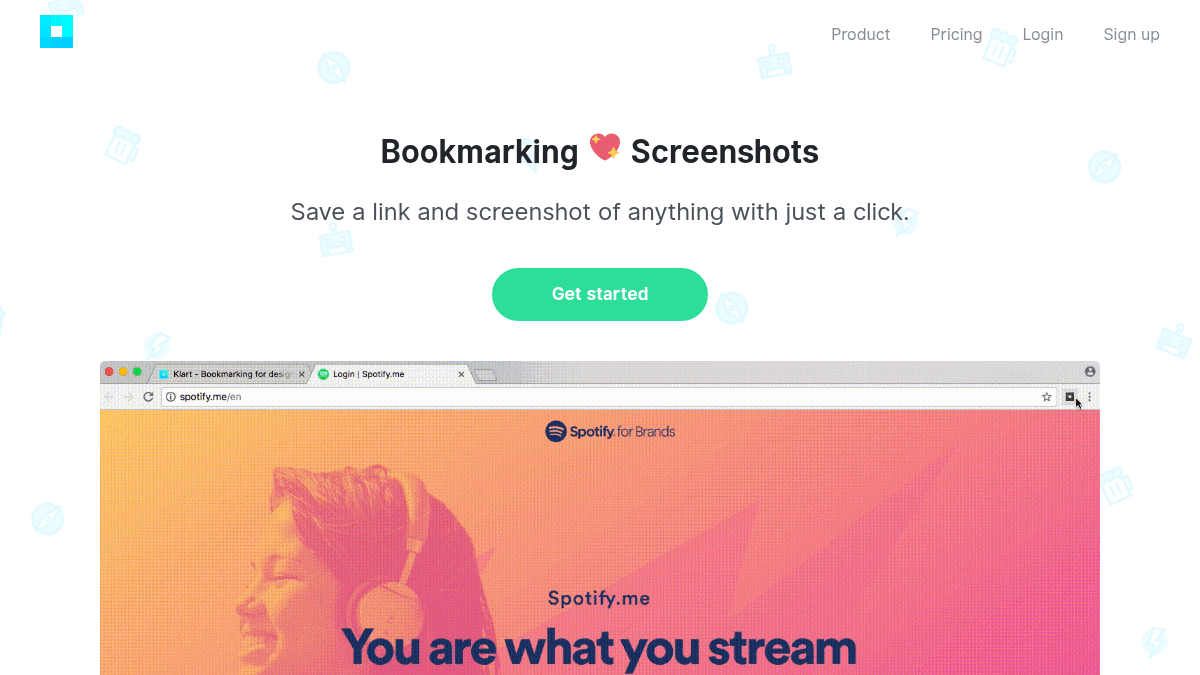
Klart is a bookmarking tool that saves a link and a screenshot of any web page in a single click, using a Chrome or Firefox browser extension. It targets users who are tired of scattered bookmarks across multiple browsers and disorganized screenshot folders.
Unlike standard browser bookmarks, Klart pairs each saved link with a visual snapshot, making it easier to recognize and retrieve saved content. It is a bootstrapped product built and priced without venture-capital gimmicks.
Key Benefits
- Save a link and screenshot simultaneously with one click via the Chrome or Firefox extension.
- Organize saved content using collections, tags, and notes to keep everything tidy.
- Access your bookmarks in real time on as many devices as you want, from any location.
- Share collections with anyone to collaborate on ideas.
- Filter by tags and search across all saved bookmarks instantly.
How It Works
You install the Klart Chrome or Firefox extension, then click it on any web page to save the URL and a screenshot in one action. You then organize saved items into collections, add tags and notes, and search or filter your library at any time from any device.
Use Cases
- Researchers and writers who collect web references and need a visual record of each source alongside its URL.
- Designers and creative professionals who gather visual inspiration from across the web and want to organize it by project or theme.
- Product managers who track competitor pages, articles, and resources and share curated collections with their teams.
- Students who save study materials and want to revisit pages quickly without wading through rows of plain-text bookmark links.
- Anyone who has repeatedly experienced "bookmark bankruptcy" and wants a single, organized home for saved links and visuals.
Why Choose This Product
Klart suits individuals and small teams who want a simple, paid-for-fairly tool that keeps bookmarks and screenshots together without ads or investor-driven complexity. The service is bootstrapped and based in Stockholm, positioning it as a straightforward, no-frills alternative to browser-native bookmarking.
Klart Pros & Cons
- Saves both a link and a screenshot in a single click
- Works with Chrome and Firefox via a browser extension
- Real-time sync across unlimited devices
- Collection sharing for collaboration
- Bootstrapped — straightforward flat annual pricing with no hidden fees
- No free tier — only a 14-day free trial before payment is required
- No mention of mobile apps (iOS/Android)
Key Features
Screenshot Bookmarking
Saves a full link and screenshot of any web page simultaneously with a single click.
Browser Extension
Available as an extension for both Chrome and Firefox to capture bookmarks directly from the browser.
Collections & Tags
Lets users organize saved bookmarks into collections and apply tags and notes for easy retrieval.
Instant Search & Filter
Supports filtering by tags and full-text search across all saved bookmarks instantly.
Multi-Device Access
Syncs bookmarks in real time so users can access their saved content on any number of devices from anywhere.
Collection Sharing
Allows users to share entire collections with others to collaborate on ideas.
Klart Pricing
- Save links and screenshots with one click
- Organize with collections, tags, and notes
- Real-time multi-device access
- Share collections with anyone
- Instant tag filtering and search
- 14-day free trial included
Pricing extracted from the product website and may change. Check the source for current details.
Frequently asked questions about Klart
Is there a free trial for Klart?
Yes. Klart offers a 14-day free trial. After the trial period ends, the service costs $49 per year. You can cancel your subscription at any time.
Which browsers does the Klart extension support?
Klart has extensions available for both Chrome and Firefox, allowing you to save a link and screenshot of any page with a single click directly from your browser.
Can I access my bookmarks on multiple devices?
Yes. Klart syncs your data in real time and allows access on as many devices as you want, from anywhere.
Can I share my bookmarks with others?
Yes. Klart lets you share entire collections with anyone, making it possible to collaborate on ideas or share curated sets of links and screenshots.
Is Klart free?
Klart is a paid product. See the pricing section for current plans and starting prices.
How much does Klart cost?
Klart offers the following plans: Pro. See the pricing section for what's included in each tier and any per-seat or usage-based costs.
How Klart compares
K KlartThis | ||||
|---|---|---|---|---|
| Starting price | $49/yr | Free | Free | — |
| Pricing model | Paid | Freemium | Freemium | Freemium |
| Platforms | Web | Web | Web, iOS, Android | Web |
| Top features |
|
|
|
|
| Rating | — | — | — | — |

