About Microsoft Clarity
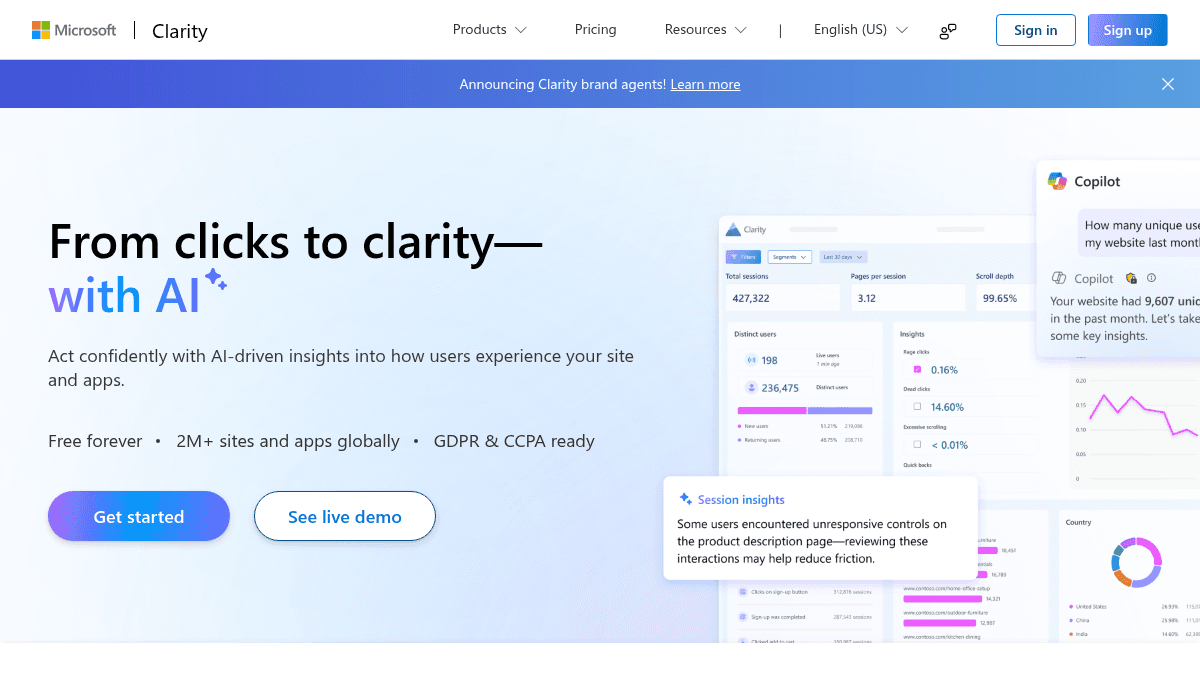
Overview Microsoft Clarity is a free user behavior analytics tool that shows how visitors interact with a website through session recordings and heatmaps. It is built by Microsoft and offered at no cost, with no traffic limits or paid upgrades required. Unlike traditional analytics tools that report aggregate metrics, Clarity lets website owners watch individual user sessions, see click and scroll patterns, and get AI-generated summaries of behavior trends. It serves everyone from individual bloggers to Fortune 500 companies, and currently runs on over two million sites globally. Key Benefits Session recordings show real user journeys so site owners can see exactly where visitors get stuck. Heatmaps visualize clicks, scroll depth, and drop-off points across any page. AI summaries extract key takeaways from user behavior data without manual digging. AI chat turns natural language questions into instant data-backed answers. AI visibility tracks how AI search experiences surface and cite the site's content. Brand agents let site owners deploy an AI shopping assistant that uses real-time behavioral signals from Clarity. How It Works You sign up for a free Clarity account and add a small JavaScript snippet to your website. Once installed, Clarity automatically begins recording user sessions and generating heatmaps for clicks, scrolls, and area interactions. You then open the Clarity dashboard to watch session replays, view heatmaps filtered by page version or device, ask AI Chat questions about trends, and review AI summaries that highlight where users struggled and what performed well. Use Cases Digital marketers use Clarity to visualize user behavior data when justifying design changes to stakeholders. Product managers watch session recordings to find friction points in signup flows or checkout processes. UX researchers analyze click and scroll heatmaps across page variants to compare how different designs perform. SEO specialists use AI visibility features to see how AI search engines crawl and cite the site's content. Ecommerce store owners deploy Brand agents to guide shoppers with personalized, real-time help based on on-site behavior signals. Web developers set up Clarity in under a minute with the JavaScript snippet and immediately start collecting behavioral data. Why Choose This Product Clarity is best suited for anyone who needs deep user behavior analytics without spending money or hitting traffic limits. The product is completely free with no caps on websites, heatmaps, or team members, and it includes AI-powered features such as chat, summaries, and brand agents that are rare in free analytics tools.
Microsoft Clarity Pros & Cons
- Completely free with no traffic limits
- Session recordings with AI-powered Highlights
- Click, scroll, area, and conversion heatmaps
- AI chat and AI summaries for instant insights
- No forced upgrade or paid tiers at all
Key Features
Session recordings
Watch individual user sessions to see exactly where visitors get stuck and why, with Highlights marking key moments.
Heatmaps
Click, scroll, area, and conversion heatmaps show what users focus on and where they drop off across any page.
AI summaries
One-click AI summaries reveal user behavior trends across a page, highlighting what worked and what did not.
AI chat
Users ask natural language questions about their data and get instant, data-backed answers and trend comparisons.
AI visibility
Track when AI search engines cite the site's content, which queries drive those citations, and which pages perform best.
Brand agents
Deploy an AI shopping assistant that personalizes interactions using real-time behavioral signals from Clarity.
Rich segmentation
Filter user sessions and behavior data using over 40 segmentation filters for rich analysis.
Rage click insights
Detect rage clicks and dead clicks where users click repeatedly or on non-interactive elements.
Google Analytics integration
Connect Clarity with Google Analytics to correlate behavioral recordings with analytics data.
Copilot insights
AI group session summarization and heatmap summarization via Copilot for faster data synthesis.
Microsoft Clarity Pricing
View full pricing →- Unlimited heatmaps
- Unlimited websites
- Unlimited team members
- Always-on session recordings
- Instantaneous click, scroll, area, and conversion heatmaps
- Rage click and dead click insights
Pricing extracted from the product website and may change. Check the source for current details.
Frequently asked questions about Microsoft Clarity
Is Microsoft Clarity free?
Yes — Microsoft Clarity is free to use. See the pricing section for any optional add-ons.
How much does Microsoft Clarity cost?
Microsoft Clarity offers the following plans: Free forever. See the pricing section for what's included in each tier and any per-seat or usage-based costs.
What platforms does Microsoft Clarity support?
Microsoft Clarity is available on: Web.