About Legacy Microsoft Edge developer documentation
Overview
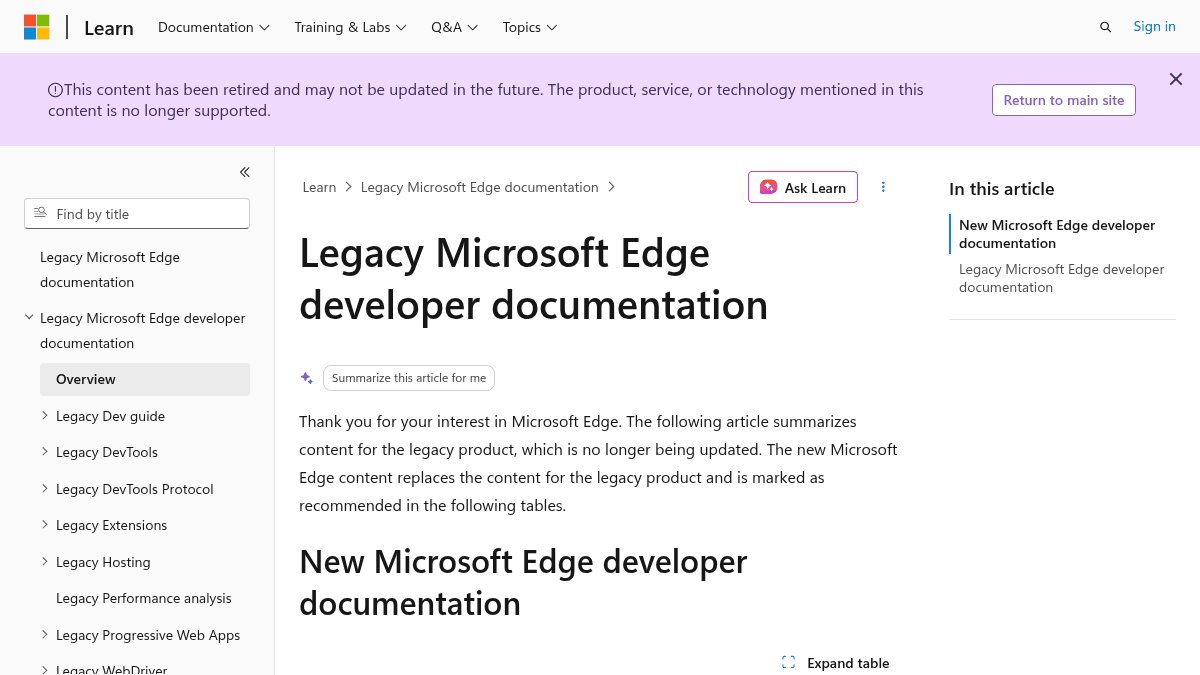
This documentation page covers the legacy Microsoft Edge (EdgeHTML) browser, which has been replaced by the new Chromium-based Microsoft Edge. It serves as a historical reference for developers maintaining or troubleshooting older Edge applications.
The page lists developer features including DevTools, extensions, Progressive Web Apps, WebView, JavaScript runtime hosting, and WebDriver. Each topic is explicitly marked as not recommended with a redirect to the current Chromium-based documentation.
Key Benefits
- Legacy Edge extensions allow adding new features or modifying existing browser functionality.
- Progressive Web Apps run natively on Windows 10 with full offline and install capabilities.
- The WebView (EdgeHTML) control lets Windows 10 apps host web content directly.
- JavaScript Runtime APIs enable desktop, Windows Store, and server-side apps to use the Chakra JavaScript engine.
- F12 developer tools provide performance analysis for websites running on legacy Edge.
- WebDriver protocol allows programs and scripts to automate browser behavior for testing.
How It Works
A developer visits the documentation, selects a topic such as DevTools or WebDriver, and reads the technical overview. Each section links to the current Chromium-based documentation recommended for new projects.
Use Cases
- Web developers maintaining legacy enterprise applications that target the EdgeHTML rendering engine.
- Windows 10 app developers embedding web content using the WebView (EdgeHTML) control.
- QA engineers using WebDriver to automate testing of websites specifically in the legacy Edge browser.
- Extension developers who need to understand the legacy Edge extension APIs before migrating to Chromium extensions.
- IT administrators supporting internal tools that rely on the Chakra JavaScript engine for scripting.
Why Choose This Product
This documentation is for developers who must maintain or support applications built for the deprecated EdgeHTML browser. Microsoft explicitly recommends migrating to the new Chromium-based Microsoft Edge for all new development projects.
Legacy Microsoft Edge developer documentation Pros & Cons
Strengths
- Includes comprehensive developer documentation for legacy EdgeHTML
- Covers extensions, PWAs, WebView, WebDriver, and performance tools
- Provides clear migration path to new Chromium-based Microsoft Edge
- Available for free as part of Microsoft Learn platform
Key Features
🔧
DevTools overview
Legacy browser development tools for inspecting HTML, CSS, and JavaScript in EdgeHTML.
📡
DevTools Protocol
Protocol for inspecting and debugging the EdgeHTML browser programmatically.
🧩
Extensions
Small programs that add new features or modify existing functionality in Microsoft Edge.
📱
Progressive Web Apps
Web applications that run natively on Windows 10 with offline and install features.
🖥️
WebView control
Control to host web content in Windows 10 apps using the EdgeHTML engine.
⚙️
JavaScript runtime hosting
APIs for desktop, Windows Store, and server-side apps to use the Chakra JavaScript engine.
📊
Performance analysis
Tool for analyzing website performance using F12 developer tools.
🤖
WebDriver
Wire protocol for programs and scripts to control browser behavior.
🥽
WebVR
Open standard JavaScript API for immersive 3D Virtual Reality experiences in the browser.
🪟
Windows Runtime
API to call native Windows APIs from JavaScript applications.
Legacy Microsoft Edge developer documentation Pricing
Free
Free
Pricing extracted from the product website and may change. Check the source for current details.
How Legacy Microsoft Edge developer documentation compares
Legacy Microsoft Edge developer documentationThis | ||||
|---|---|---|---|---|
| Starting price | Free | — | — | Free |
| Pricing model | Free | unknown | unknown | Free |
| Platforms | Web, Windows | macOS | Web | Web |
| Top features |
|
|
|
|
| Rating | — | — | — | — |