
About CSS Scan
Overview
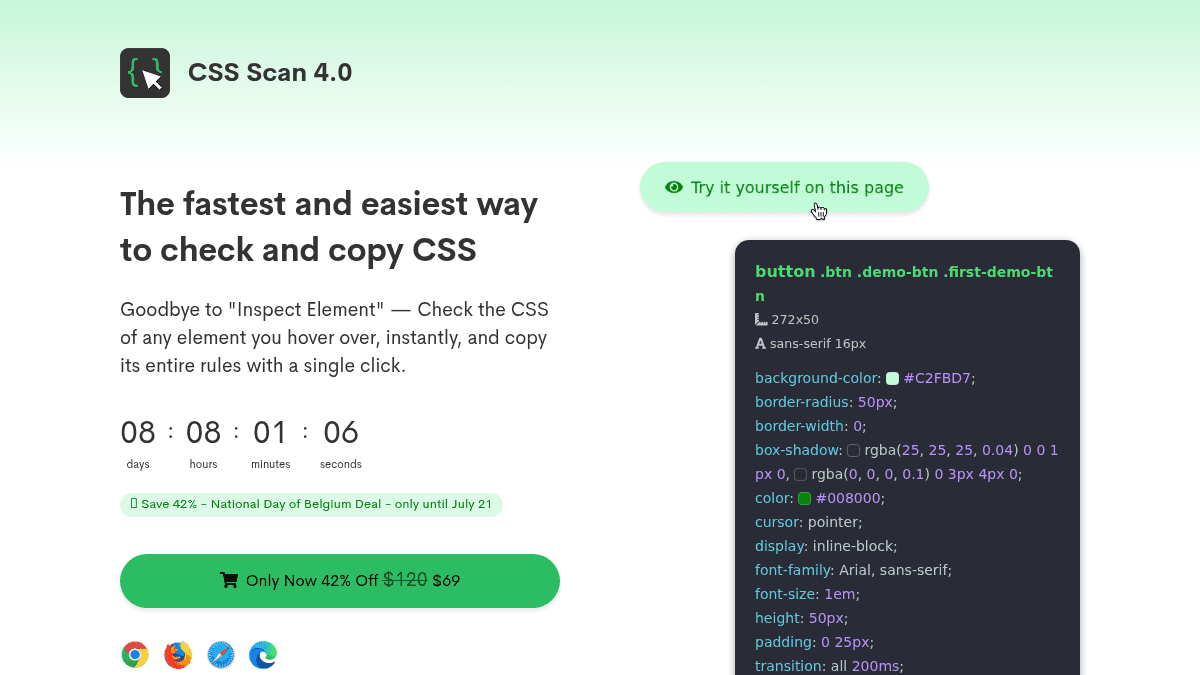
CSS Scan is a browser extension that lets you check and copy CSS from any element on any website. It replaces the need to open browser Dev Tools and hunt through Inspect Element panels.
Designed for front-end developers, designers, and anyone who works with CSS, CSS Scan shows the active styles of any element you hover over in real time and copies all rules — including pseudo-classes, media queries, and child elements — with a single click. It runs hundreds of real-time optimizations to remove duplicated, overridden, or longhand CSS, outputting only clean, readable code.
Key Benefits
- Copy the full CSS of any element — including :hover, :before, :after, :focus, media queries, and child elements — with one click.
- Optimizes CSS output automatically by stripping unuseful, duplicated, overridden, and longhand rules, so you only see active styles.
- Works on every website regardless of framework (WordPress, Wix, Squarespace, Shopify, React) and even works offline.
- Navigate through the DOM tree using arrow keys to inspect parents, siblings, and child elements when hovering over the wrong element.
- Export complete components (HTML + CSS) to CodePen snippets saved to the cloud for reuse across projects.
- Convert thousands of elements from regular CSS to Tailwind CSS utility classes with a single click using the optional Tailwind converter.
How It Works
You click the CSS Scan extension icon on your browser toolbar to activate it on any website. Hover over any element on the page, and CSS Scan instantly displays its computed CSS in a clean overlay window. Click the element to copy its CSS to your clipboard, or press the space bar to pin the window open, edit the CSS values in real time, or export the component to CodePen.
Use Cases
- Front-end developers learning new CSS techniques — inspect and copy the styling of design patterns they admire on live sites.
- Freelance web designers — extract and reuse entire UI components from their favorite websites without manually re-creating every rule.
- Tailwind CSS adopters — convert existing classic-CSS elements from any website to Tailwind utility classes in one click, saving months of migration work.
- UI engineers debugging layout issues — hover to see only the final computed styles instead of wading through inherited and overridden rules in Dev Tools.
- Design students building component libraries — export HTML and CSS snippets to CodePen to assemble and share a personal collection of reusable elements.
Why Choose This Product
CSS Scan is best suited for front-end developers and designers who inspect and copy CSS many times per day and want to eliminate the friction of browser Dev Tools. The license is a one-time, lifetime deal — no subscription. It is available on Chrome, Firefox, Safari, and Edge, but not on Internet Explorer.
CSS Scan Pros & Cons
- Instant CSS inspection without Dev Tools
- Copies pseudo-classes, media queries, and child elements
- Automatically cleans up duplicated and overridden CSS
- Exports components to CodePen
- Converts CSS to Tailwind CSS utility classes
- Each license is limited to 3 simultaneous browsers
- Free demo works only on the product's site and on desktop
Key Features
Instant CSS inspection
After opening the extension, hover over any element to see its computed CSS displayed instantly in a clean overlay panel.
One-click copy
Click any element to copy its full set of CSS rules — including all pseudo-classes and media queries — in a single action.
Live CSS editing
Press the space bar to pin the CSS window open, then click into the code to edit values and see changes reflected live on the page.
DOM tree navigation
Use the up and down arrow keys to move through the DOM tree and inspect parent, sibling, and child elements one level at a time.
CodePen export
Export the HTML and CSS of any pinned element — including all child elements — as a CodePen snippet saved to the cloud.
Tailwind CSS conversion
Convert CSS rules to Tailwind CSS utility classes with one click, optionally using @apply for custom styles.
Automatic CSS cleanup
CSS Scan applies hundreds of real-time optimizations to remove unuseful, duplicated, overridden, and longhand CSS from the output.
Cross-website compatibility
Works on any website regardless of platform, theme, or framework, and functions even when the browser is offline.
CSS Scan Pricing
- Instant CSS inspection on hover
- One-click copy of all CSS rules
- Live CSS editing with real-time preview
- DOM tree navigation with arrow keys
- Copies pseudo-classes and media queries
- CodePen export for components
Pricing extracted from the product website and may change. Check the source for current details.
Frequently asked questions about CSS Scan
Can I edit the CSS?
Yes. Press the space bar, click on the CSS code inside the window, and try to change it. You'll see all the changes in real-time.
How can I select the right element?
If the element you're hovering over is not the one you want to copy, navigate through the DOM tree by pressing the arrow keys up and down to inspect parents, siblings, and child elements.
Does it copy :hover styles?
Sure. It copies all CSS pseudo-classes and pseudo-elements such as :hover, :before, :after, and :focus.
Does it copy media queries?
Yes, it copies all media queries in a single click, saving you time and preserving the elements' responsiveness across different devices.
Will it work on my website?
Yes. CSS Scan is a browser extension, so it works on any website regardless of the frameworks, plugins, libraries, themes, and anything you use.
How long does the licence last?
Forever. It is a lifetime deal (LTD). You buy it once and use it forever.