
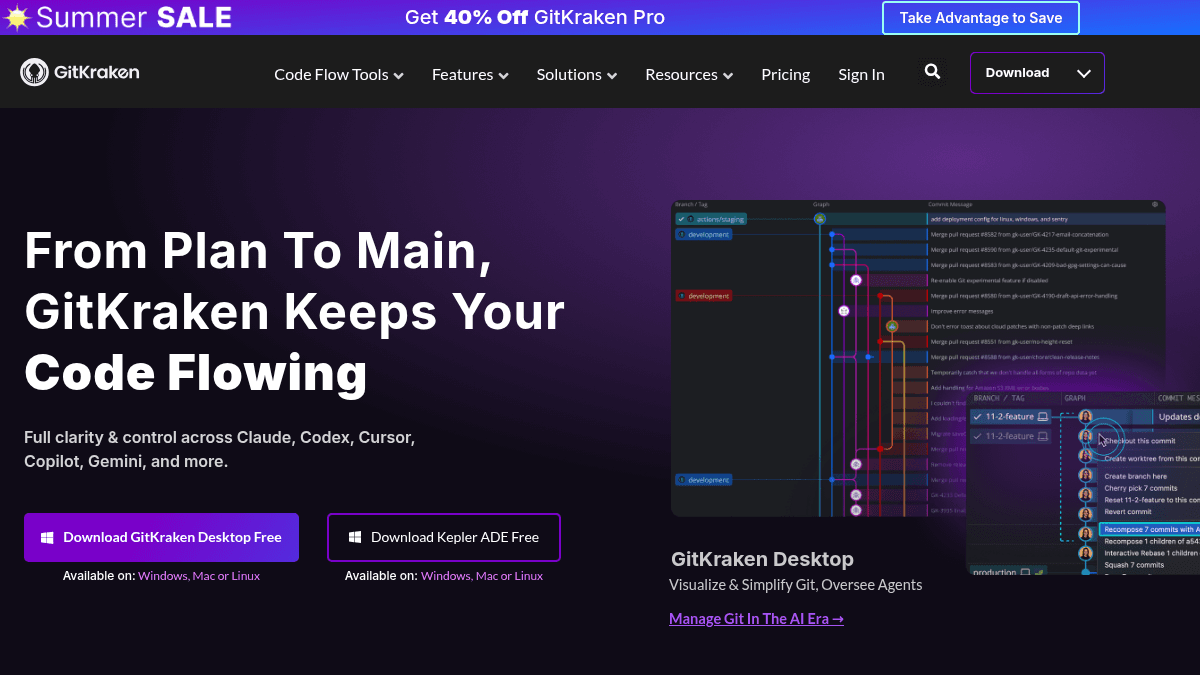
About GitKraken
Overview
GitKraken is a suite of Git tools designed for developers and engineering teams. The platform includes GitKraken Desktop, a Git GUI and CLI; GitLens for IDEs like VS Code and Cursor; Kepler, an agentic development environment; and GitKraken Insights for engineering intelligence. It addresses the code flow problem — the bottleneck between generating code quickly and actually shipping it.
Over 50 million developers and 100,000 organizations use GitKraken. The product targets individual developers, engineering teams, and enterprise organizations that need visual clarity, collaboration features, and observability across repos, pull requests, AI agents, and planning systems.
Key Benefits
- Visual commit graph and interactive rebase give developers full command of branches and history from a single view.
- AI merge conflict resolution reduces time spent resolving conflicts during collaborative development.
- Live synchronized commit graph and Git-enhanced terminal reduce context switching between the GUI and CLI.
- GitKraken Insights measures developer and agent usage, costs, and delivery impact for engineering leaders.
- Cloud Workspaces and Cloud Patches enable sharing repo state and patches across teams.
- Predictive merge conflict alerts help teams avoid conflicts before they happen.
How It Works
Developers install GitKraken Desktop on Windows, Mac, or Linux and connect their repos from GitHub, GitLab, Bitbucket, or Azure DevOps. They use the visual commit graph, interactive rebase, and merge conflict tools to manage branches and history. For IDE-based work, developers install GitLens for VS Code or Cursor to access code history, authorship, and blame directly in the editor. Engineering leaders set up GitKraken Insights to track delivery metrics and agent usage across the team.
Use Cases
- Solo developers use GitKraken Desktop to manage local and public repos with a visual Git interface.
- Engineering teams use Cloud Workspaces and the Team View in Launchpad to coordinate pull requests and monitor live activity status across members.
- Engineering leaders use GitKraken Insights to quantify developer output, agent costs, and delivery impact across teams.
- Developers working with AI coding agents use Kepler to orchestrate, observe, and control agent sessions inside a purpose-built environment.
- Enterprise organizations use self-hosted repo integrations, SAML, SSO, and org-level AI controls to meet security and compliance requirements.
- Open-source contributors use the free Community tier to work with public repos and access Git productivity features with certain restrictions.
Why Choose This Product
GitKraken is best suited for individual developers and teams that want visual Git tooling with AI-enhanced workflows, collaboration features, and observability. The free Community tier limits repository access to local and public remotes only, and AI credits are capped per plan. Teams that need private repo support, advanced AI features, or organization-level controls should consider the Pro or Advanced tiers.
GitKraken Pros & Cons
- Visual commit graph and interactive rebase
- AI merge conflict resolution
- Free Community tier with core Git tools
- Broad IDE support (VS Code, Cursor, Windsurf, Trae, Kiro)
- Integrates with GitHub, GitLab, Bitbucket, Azure DevOps, Jira
- AI credits allowance is limited on lower tiers
- Local workspaces only on free tier
- Public remotes only on free tier
- Maximum 2 seats on Pro tier
Key Features
GitKraken Desktop
The main application provides a visual commit graph, interactive rebase, merge conflict resolution, and one-click undo for Git operations.
GitLens for IDEs
A VS Code extension and IDE plugin that shows code history, authorship, blame, and rich context directly inside the editor.
Kepler ADE
A purpose-built agentic development environment for orchestrating, observing, and controlling AI coding agent sessions.
GitKraken MCP Server
A server that connects AI assistants to git history, branches, issues, and pull requests so agents have full project context.
Git-Enhanced Terminal
A Git-enhanced terminal with auto-suggest, auto-complete, live synchronized commit graph, and CLI diff view.
GitKraken AI Features
Weekly AI credits for AI commit messages, merge conflict resolution, commit composition, PR description generation, and branch change explanations.
Merge Conflict Tools
Predictive conflict alerts, conflict prevention, and a dedicated merge conflict tool and output editor.
Cloud Workspaces
Cloud-based shared workspaces, cloud patches, deep links, and the Launchpad for managing pull requests and activity.
GitKraken Insights
Engineering intelligence for measuring developer output, agent usage, costs, and delivery impact across teams.
AI Security Controls
Org-level AI controls, BYOK (bring your own key), private AI model providers, and enforceable AI security controls.
GitKraken Pricing
View full pricing →- Work with local repos and public remotes
- Merge conflict tool for public repos only
- GitLens for VS Code included
- Weekly AI credits allowance per user
- Git-Enhanced Terminal for public repos only
- Slack and Help Center support
- Work with private remotes
- 1,000,000 weekly AI credits per user
- AI commit messages and merge conflict resolution
- Maximum 2 seats
- Timely email support within 3 business days
- Launchpad and Cloud Workspaces
- 2,000,000 weekly AI credits per user
- Maximum 10 seats
- Maximum 10 teams
- Bring your own key (user level)
- Code Suggest (preview)
- Cloud Patches (preview)
- 3,000,000 weekly AI credits per user
- Maximum 100 seats
- Unlimited teams
- Private AI model providers (org level)
- Single Sign-On and SAML
- Customer Success Manager
| Feature | Community Free/mo | Pro $6/mo | Advanced $12/mo | Business $23/mo |
|---|---|---|---|---|
| Work with local repos and public remotes | ||||
| Merge conflict tool for public repos only | ||||
| GitLens for VS Code included | ||||
| Weekly AI credits allowance per user | ||||
| Git-Enhanced Terminal for public repos only | ||||
| Slack and Help Center support | ||||
| Work with private remotes | ||||
| 1,000,000 weekly AI credits per user | ||||
| AI commit messages and merge conflict resolution | ||||
| Maximum 2 seats | ||||
| Timely email support within 3 business days | ||||
| Launchpad and Cloud Workspaces | ||||
| 2,000,000 weekly AI credits per user | ||||
| Maximum 10 seats | ||||
| Maximum 10 teams | ||||
| Bring your own key (user level) | ||||
| Code Suggest (preview) | ||||
| Cloud Patches (preview) | ||||
| 3,000,000 weekly AI credits per user | ||||
| Maximum 100 seats | ||||
| Unlimited teams | ||||
| Private AI model providers (org level) | ||||
| Single Sign-On and SAML | ||||
| Customer Success Manager |
Estimate based on listed per-seat pricing. Volume discounts and add-ons may apply.
Pricing extracted from the product website and may change. Check the source for current details.
Frequently asked questions about GitKraken
Is GitKraken free?
GitKraken offers a free plan with optional paid upgrades. See the pricing section for what's included in each tier.
How much does GitKraken cost?
GitKraken offers the following plans: Community, Pro, Advanced, Business. See the pricing section for what's included in each tier and any per-seat or usage-based costs.
What platforms does GitKraken support?
GitKraken is available on: Windows, macOS, Linux.
How GitKraken compares
GitKrakenThis | |||
|---|---|---|---|
| Starting price | Free | Free | 69.00 |
| Pricing model | Freemium | Free | Freemium |
| Platforms | Windows, macOS, Linux | macOS, Windows | macOS, Windows |
| Top features |
|
|
|
| Rating | — | — | — |

