About Sourcetree
Overview
Sourcetree is a free Git client for Windows and Mac that replaces the command line with a visual, graphical interface. It simplifies how developers interact with Git repositories, making version control accessible to beginners while offering advanced features for experienced users.
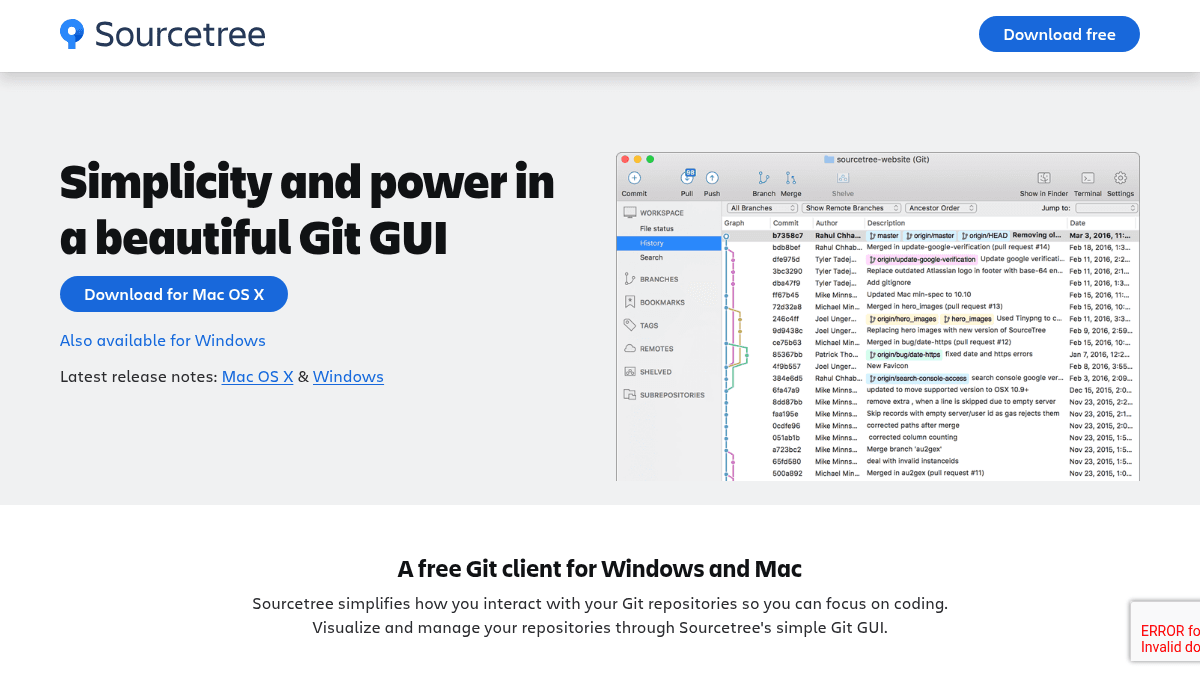
The product focuses on visualization and ease of use, displaying branch diagrams, commit histories, and staging areas clearly on screen. Sourcetree also supports Mercurial repositories and includes features like Git LFS support, interactive rebase, and git-flow branching out of the box.
Key Benefits
- Eliminates the need to use command-line Git, making version control accessible to beginners and non-technical team members.
- Visualizes branches, commits, and code changes through detailed branching diagrams that help teams track progress.
- Stage and discard changes at the file, hunk, or line level with confidence before committing.
- Supports both Git and Mercurial repositories on a single desktop client.
- Includes Git LFS support for tracking large assets and interactive rebase for creating clean commits.
- Offers smart git-flow branching to keep repositories clean and development efficient.
How It Works
You download Sourcetree for Mac or Windows, then open your Git or Mercurial repository in the GUI. From there, you browse branches and commits with a single click, stage changes by file or hunk, review changesets, cherry-pick between branches, and push with confidence. The interface displays the full project history and current state at a glance.
Use Cases
- Developers new to Git can learn branching, merging, and version control concepts through comprehensive tutorials and a visual interface instead of memorizing command-line syntax.
- Advanced developers use interactive rebase, cherry-picking, and stashing workflows to manage complex multi-branch projects more efficiently.
- Teams using Bitbucket for code management pair Sourcetree with Bitbucket's planning, collaboration, and deployment tools for an end-to-end development platform.
- Enterprise organizations deploy Sourcetree at scale across managed Windows environments using the enterprise install and update system.
- Projects managing large assets integrate Git LFS through Sourcetree to track binary files and dependencies in a single repository.
Why Choose This Product
Sourcetree is ideal for teams and individual developers who want to move away from the command line and interact with Git visually. It works best for organizations already using Bitbucket, though it supports any Git or Mercurial repository. The product is free and covers both beginner and advanced workflows, making it suitable for any team size or skill level.
Sourcetree Pros & Cons
- Free desktop application for Windows and Mac with no subscription required
- Supports both Git and Mercurial repositories on a single client
- Detailed visual branching diagrams make commit history and team progress easy to understand
- Advanced features like cherry-pick, rebase, and git-flow for experienced developers
- Integrates with Bitbucket for planning, collaboration, and deployment workflows
Key Features
Visual Repository Browser
Browse and visualize Git and Mercurial repositories through detailed branching diagrams and commit history displays.
Staging Control
Stage and discard changes at the file, hunk, or line level before committing to repositories.
Git LFS Support
Track large binary assets and dependencies in Git repositories using Git Large File Storage.
Interactive Rebase
Clean and organize commits with Sourcetree's interactive rebase tool for clear commit histories.
Git-flow Branching
Implement smart branching strategies with built-in git-flow support to keep repositories clean and organized.
Cherry-pick & Stash
Move specific commits between branches and temporarily stash changes for advanced workflow management.
Commit Search
Search for commits, file changes, and branches within Sourcetree's local search interface.
Remote Repository Manager
Search for and clone remote repositories directly through Sourcetree's user interface.
Submodule Support
Manage project dependencies and groupings using Git submodules for complex multi-project structures.
Sourcetree Pricing
Pricing extracted from the product website and may change. Check the source for current details.
How Sourcetree compares
S SourcetreeThis | |||
|---|---|---|---|
| Starting price | Free | 69.00 | Free |
| Pricing model | Free | Freemium | Freemium |
| Platforms | macOS, Windows | macOS, Windows | Windows, macOS, Linux |
| Top features |
|
|
|
| Rating | — | — | — |

