About Fontpair
Overview
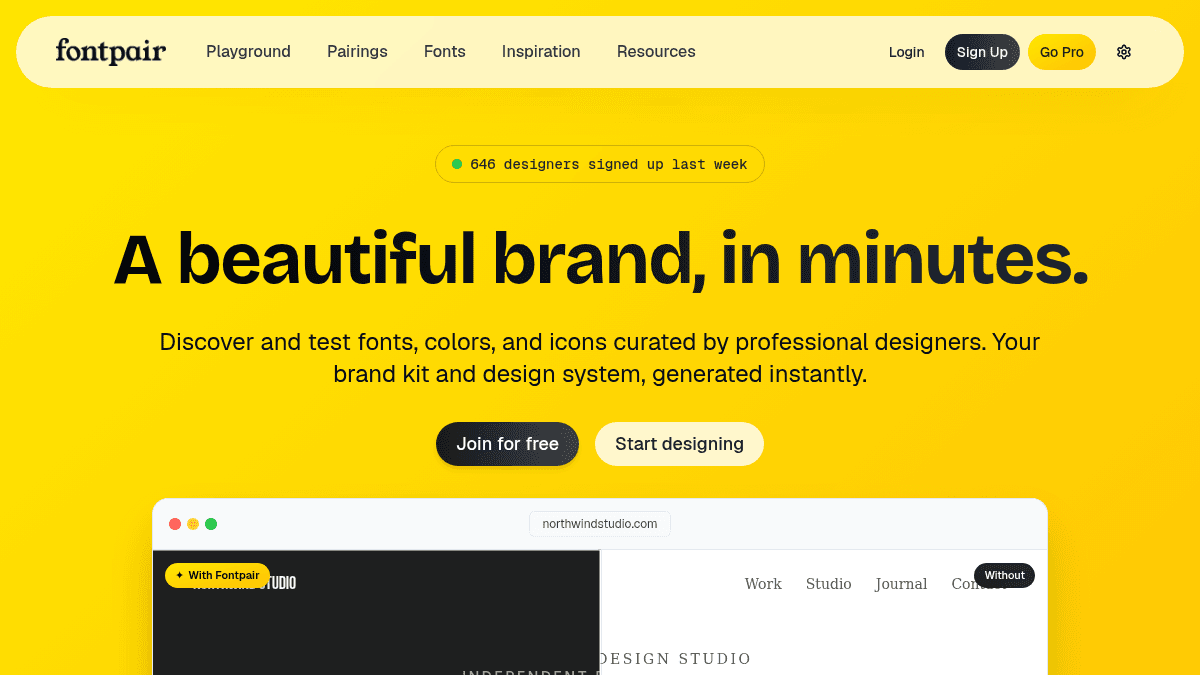
Fontpair is a free online tool that helps designers discover and test font pairings from Google Fonts. The platform provides over 1,000 curated font combinations so users can preview typography with their own content before committing to a design.
Designers, frontend engineers, and students use Fontpair to find complementary typefaces, generate color palettes, and export production-ready CSS, Tailwind, or SCSS code. The service includes a paid Pro tier that adds unlimited favorites, custom collections, AI design prompts, and WCAG contrast checking — all accessible via web browser or a Chrome extension.
Key Benefits
- Browse 1,000+ curated font pairings from Google Fonts.
- Preview any font pairing with your own text by clicking and typing directly on the page.
- Export CSS, Tailwind, SCSS, SVG, and Google Font embed code with one click.
- Generate color palettes from a screenshot by uploading an image of any website or design.
- Test fonts and colors in pre-built layouts such as articles, landing pages, and app interfaces.
- Access 5,000+ icons across 7 icon libraries from a single interface.
How It Works
You open Fontpair, browse or search through hundreds of curated font pairings, and click any text block to replace it with your own content. You switch layouts to see how the pairing behaves on an article, landing page, or app screen. When you are satisfied, you click one button to copy the CSS, Tailwind config, SCSS, SVG, or Google Font embed code and paste it directly into your project.
Use Cases
- Design educators teaching typography fundamentals — recommend Fontpair to students so they understand what makes font pairings work.
- Design students learning how fonts and colors interact — use Fontpair as a hands-on typography mentor.
- Product designers building design systems — use collections to organize typography decisions across multiple client projects.
- Senior graphic designers — discover fresh pairings they would not have thought of on their own.
- Frontend engineers — grab Tailwind config code that includes hex values and font names, paste it into a project, and avoid guessing.
Why Choose This Product
Fontpair is best suited for designers and frontend developers who want a fast, free way to test and export Google Font-based typography with real content. The free tier provides access to all pairings and basic preview tools, while the Pro tier adds unlimited favorites, collections, AI export prompts, and WCAG contrast checks. No limitations are mentioned for the free tier beyond the absence of Pro features.
Fontpair Pros & Cons
- 1,000+ curated font pairings from Google Fonts
- Free tier available with no time limit
- Copy production code (CSS, Tailwind, SCSS, SVG)
- Chrome extension for detecting fonts and colors on any site
- AI design prompt export for Cursor, Lovable, v0, Claude Code
Key Features
Curated font pairings
Browse over 1,000 curated font pairings, all sourced from Google Fonts, with new combinations added regularly.
Real content preview
Click any text block to replace it with your own content and see how the pairing looks with real copy.
Copy production code
Copy CSS, Tailwind, SCSS, SVG, or Google Font embed code with a single click.
Layout previews
Preview font and color combinations in article, landing page, and app interface layouts.
Screenshot color extraction
Upload a screenshot of any website or design and get the matching color palette instantly.
Icon library access
Browse 5,000+ icons across 7 icon libraries from a single search interface without switching tabs.
Chrome extension
Detect fonts, colors, and icons on any website and save them to your library using the Chrome extension.
AI design prompts
Copy a complete design system prompt with fonts, colors, and tokens formatted for Cursor, Lovable, v0, or Claude Code.
Custom collections
Save unlimited font pairings, colors, and icons into named collections for later reference.
Advanced search filters
Filter pairings, fonts, and palettes using advanced search criteria, including WCAG contrast ratio checks.
Fontpair Pricing
View full pricing →- Access to 1,000+ curated font pairings
- Basic preview with your own content
- Limited favorites
- Basic search
- Full access to 500+ curated font pairings
- Unlimited favorites on fonts, pairings, inspiration, palettes & gradients
- Organize into custom collections
- Chrome extension: save unlimited sites to your library
- Custom color picker in Playground
- Export AI design prompts for Cursor, Lovable, v0
- Ad-free experience
- Advanced search filters
- WCAG contrast checking
- Full access to 500+ curated font pairings
- Unlimited favorites on fonts, pairings, inspiration, palettes & gradients
- Organize into custom collections
- Chrome extension: save unlimited sites to your library
- Custom color picker in Playground
- Export AI design prompts for Cursor, Lovable, v0
- Ad-free experience
- Advanced search filters
- WCAG contrast checking
- Full access to 500+ curated font pairings
- Unlimited favorites on fonts, pairings, inspiration, palettes & gradients
- Organize into custom collections
- Chrome extension: save unlimited sites to your library
- Custom color picker in Playground
- Export AI design prompts for Cursor, Lovable, v0
- Ad-free experience
- Advanced search filters
- WCAG contrast checking
- Lifetime access to all future updates
| Feature | Free Free | Pro Monthly $8/mo | Pro Yearly $48/yr | Pro Lifetime $120 one-time |
|---|---|---|---|---|
| Access to 1,000+ curated font pairings | ||||
| Basic preview with your own content | ||||
| Limited favorites | ||||
| Basic search | ||||
| Full access to 500+ curated font pairings | ||||
| Unlimited favorites on fonts, pairings, inspiration, palettes & gradients | ||||
| Organize into custom collections | ||||
| Chrome extension: save unlimited sites to your library | ||||
| Custom color picker in Playground | ||||
| Export AI design prompts for Cursor, Lovable, v0 | ||||
| Ad-free experience | ||||
| Advanced search filters | ||||
| WCAG contrast checking | ||||
| Lifetime access to all future updates |
Pricing extracted from the product website and may change. Check the source for current details.
Frequently asked questions about Fontpair
What do I get with Fontpair Pro?
Pro unlocks unlimited favorites, custom collections, the Chrome extension with unlimited site saves, a custom color picker, AI design prompt exports for Cursor, Lovable, and v0, advanced search filters, WCAG contrast checking, and an ad-free experience.
What's the difference between monthly, yearly, and lifetime?
All three plans include the same Pro features. Monthly is $8/month and bills each month. Yearly costs $48/year (billed annually), which works out to $4/month. Lifetime is a one-time payment of $120 for permanent access.
Can I cancel my subscription anytime?
Yes. You can switch plans or cancel at any time from your account settings.
Is Fontpair free?
Fontpair offers a free plan with optional paid upgrades. See the pricing section for what's included in each tier.
How much does Fontpair cost?
Fontpair offers the following plans: Free, Pro Monthly, Pro Yearly, Pro Lifetime. See the pricing section for what's included in each tier and any per-seat or usage-based costs.
What platforms does Fontpair support?
Fontpair is available on: Web.
How Fontpair compares
F FontpairThis | ||||
|---|---|---|---|---|
| Starting price | Free | Free | Free | — |
| Pricing model | Freemium | Free | Freemium | Freemium |
| Platforms | Web | Web | Web | Web |
| Top features |
|
|
|
|
| Rating | — | — | — | — |

