About Fontjoy
Overview
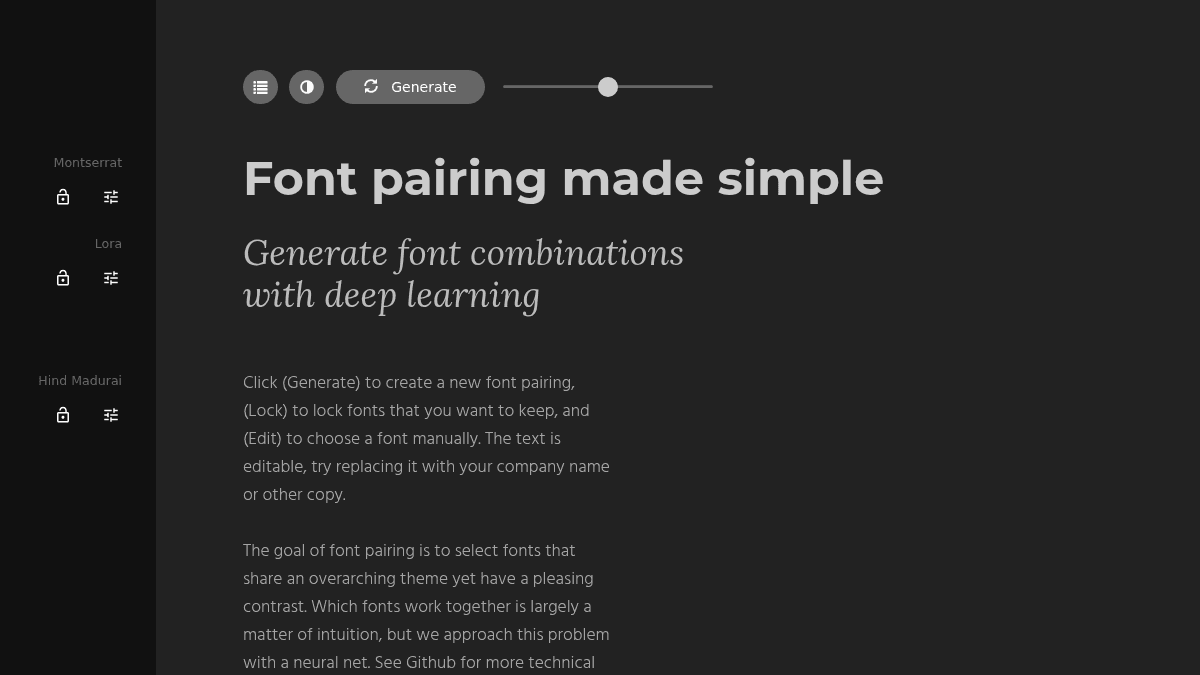
Fontjoy is a web-based tool that generates font pairings using a neural network. It helps designers choose typeface combinations that share an overarching theme while maintaining pleasing contrast.
The tool simplifies the process of selecting matching fonts. Unlike manually browsing type foundries or relying on design intuition alone, Fontjoy uses machine learning to surface cohesive pairings instantly.
Key Benefits
- Generate font pairings with one click using a deep learning neural net.
- Lock individual fonts to keep them while regenerating the remaining pair.
- Manually swap any font via the edit button to override the AI suggestion.
- Edit the preview text to test pairings with your own company name or copy.
How It Works
Click Generate to produce a new font pairing. If you like one of the fonts but not the other, click Lock on the font you want to keep and click Generate again — only the unlocked fonts change. Use Edit to pick a specific font from a list manually. The preview text is editable, so you can replace it with your own copy to see how the pairing reads.
Use Cases
- Web designers choosing complementary headline and body fonts for client projects.
- UI designers exploring type palettes during the early mockup phase.
- Hobbyist creators building personal websites or landing pages.
- Brand designers evaluating font combinations for logos and identity systems.
Why Choose This Product
Fontjoy is best suited for designers and creators who want rapid, AI-generated font pairing suggestions without manually browsing type libraries. It is free to use and requires no sign-up. The tool does not offer downloadable fonts or a font marketplace — it recommends pairings using fonts already available via Google Fonts.
Fontjoy Pros & Cons
- Free, no sign-up required
- One-click font pairing generation
- Lock and edit individual fonts
- Editable preview text for real-world testing
- Powered by a neural net trained on typography
Key Features
One-click generation
Clicking the Generate button produces a new font pairing from a neural network trained on visual contrast and theme.
Lock fonts
Locking a font preserves it in the current pairing while unlocked fonts are replaced on the next generation.
Manual font override
The Edit button opens a font picker to manually select any font from the available library.
Editable preview text
The preview text area is editable so users can type their own company name or sample copy.
Fontjoy Pricing
- Generate font pairings with deep learning
- Lock individual fonts to keep them
- Edit fonts manually from a list
- Edit preview text with your own copy
Pricing extracted from the product website and may change. Check the source for current details.
Frequently asked questions about Fontjoy
How does Fontjoy generate font pairings?
Fontjoy uses a neural network to evaluate which fonts share an overarching theme while maintaining pleasing contrast. The model is trained to find combinations that look cohesive together.
Is Fontjoy free to use?
Yes, Fontjoy is completely free to use. There is no sign-up or payment required to generate font pairings, lock fonts, or edit preview text.
Is Fontjoy free?
Yes — Fontjoy is free to use. See the pricing section for any optional add-ons.
How much does Fontjoy cost?
Fontjoy offers the following plans: Free. See the pricing section for what's included in each tier and any per-seat or usage-based costs.
What platforms does Fontjoy support?
Fontjoy is available on: Web.
