
About Artboard Studio
Overview
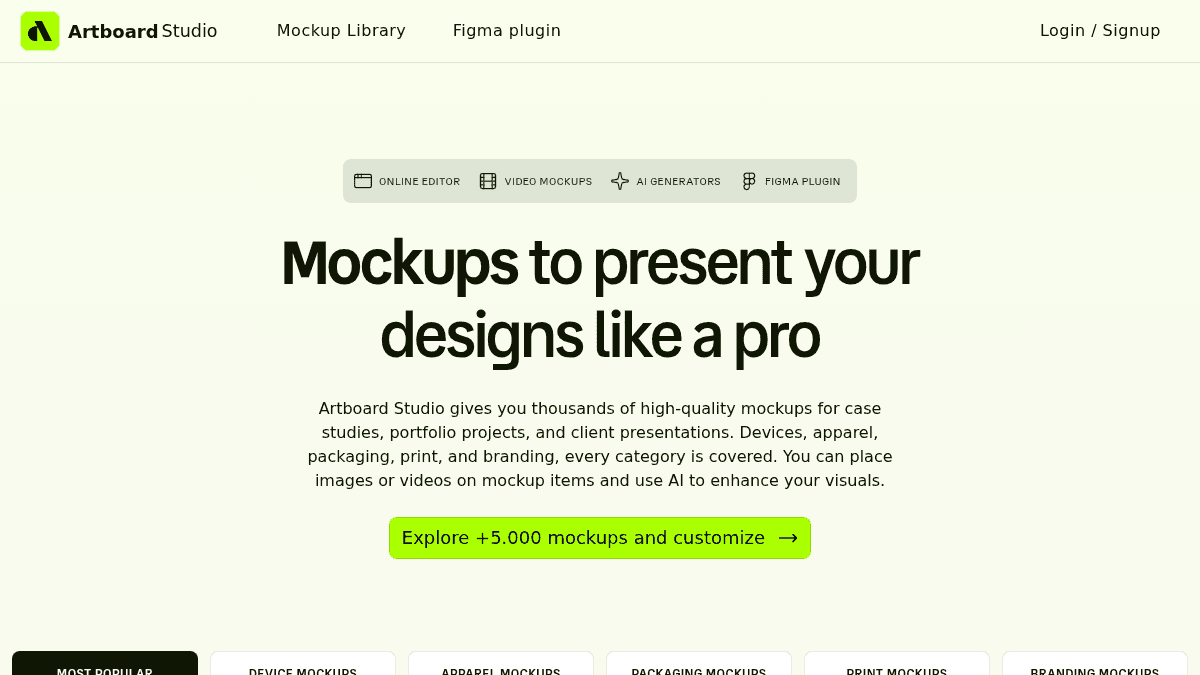
Artboard Studio is an online mockup generator and editor that lets designers place images and videos onto thousands of realistic mockups for devices, apparel, packaging, print, and branding. You edit directly in your browser using the online editor, or access the full library via Figma and Adobe Express plugins without leaving your design tool.
The product addresses the friction of traditional mockup creation, which typically requires Photoshop expertise and manual setup. Designers use Artboard Studio to produce client-ready presentations and portfolio visuals in minutes instead of hours, with no design software installation needed.
Key Benefits
- Access 5,000+ high-quality mockups across five categories (devices, apparel, packaging, print, branding) in a single library.
- Export videos to mockup surfaces and save as MP4 or WEBM files, ready for Dribbble, Behance, or client presentations.
- Edit entirely in your browser or stay in Figma and Adobe Express via plugins, with no software installation required.
- Use AI mockup generator to turn text prompts into ready-to-use mockups in seconds.
- Export images as PNG, JPEG, or WEBP with high-resolution output for presentations and portfolios.
How It Works
Open the online editor or Figma/Adobe Express plugin, select a mockup from the 5,000+ library, and place your image or video onto the mockup surface. Adjust backgrounds and other settings, then export your high-resolution file directly from the browser or plugin — no apps or Photoshop needed.
Use Cases
- Freelance graphic designers assembling portfolio case studies with polished device and packaging mockups for client pitches.
- In-house brand designers at agencies creating presentation decks with apparel and print mockups for client reviews and approvals.
- Product designers showcasing app interfaces on iPhone, iPad, and Android mockups within Figma during design handoff meetings.
- Dribbble and Behance contributors using video mockups and AI-generated scenes to add visual impact to shot submissions.
- Print designers and small studios producing mockups for books, posters, business cards, and brochures without Photoshop.
Why Choose This Product
Artboard Studio works best for designers and agencies who need fast, photorealistic mockup generation without Photoshop or design experience. The product is most valuable for those already in Figma or who value browser-based workflows. Free access to core features allows exploring the library before committing to paid plans.
Artboard Studio Pros & Cons
- 5,000+ ready-to-use mockups across five product categories (devices, apparel, packaging, print, branding)
- Video export capability lets you apply videos to mockup surfaces and generate client-ready files
- Native Figma and Adobe Express plugins keep your workflow in one tool without switching or exporting
Key Features
5,000+ Mockups
Library includes device mockups (iPhone, Android, laptop, iPad, desktop, watch), apparel (t-shirts, hoodies, caps, tote bags), packaging (boxes, bottles, bags, cups), print (posters, business cards, books, brochures), and branding (billboards, banners, signs, mugs).
Video Mockups
Place videos directly onto mockup surfaces and export high-quality MP4 or WEBM files ready for Dribbble, Behance, or client presentations.
Figma Plugin
Access the full 5,000+ mockup library directly inside Figma without switching apps, exporting, or interrupting your workflow.
AI Generator
Turn text prompts into ready-to-use mockups in seconds by describing your scene and choosing a style, with no manual setup or stock hunting required.
Browser-Based Editor
Edit mockups entirely online in your browser, adjust backgrounds, and export high-resolution PNG, JPEG, or WEBP images without installing software.
Adobe Express Plugin
Install the Artboard mockups plugin in Adobe Express to access the full mockup library and stay within your preferred design tool.
Artboard Studio Pricing
- Access to mockup library and online editor
- Basic export functionality
- Unlimited image and video exports
- Unlimited image and video exports
- One-time purchase with no recurring payments
| Feature | Free Free | Lite Plan $9/mo | Pro Plan $19/mo | Lifetime Mockup $129 one-time |
|---|---|---|---|---|
| Access to mockup library and online editor | ||||
| Basic export functionality | ||||
| Unlimited image and video exports | ||||
| One-time purchase with no recurring payments |
Pricing extracted from the product website and may change. Check the source for current details.
Frequently asked questions about Artboard Studio
Is Artboard Studio free?
Yes, you can start for free. Paid plans include Lite at $9/month (billed annually), Pro at $19/month (billed annually) with unlimited exports, and Lifetime Mockup at $129 one-time with no recurring payments.
Do I need Photoshop or special software?
No. Artboard Studio runs entirely in your browser with no installation required. You can also use optional Figma and Adobe Express plugins if you prefer working within those tools.
Can I use video mockups?
Yes. You can place videos onto mockup surfaces and export high-quality MP4 or WEBM files ready for Dribbble, Behance, or client presentations.
What export formats are available?
Images export as PNG, JPEG, or WEBP, and videos export as MP4 or WEBM files.
How much does Artboard Studio cost?
Artboard Studio offers the following plans: Free, Lite Plan, Pro Plan, Lifetime Mockup. See the pricing section for what's included in each tier and any per-seat or usage-based costs.
What platforms does Artboard Studio support?
Artboard Studio is available on: Web.
How Artboard Studio compares
Artboard StudioThis | |||
|---|---|---|---|
| Starting price | Free | Free | Free |
| Pricing model | Freemium | Free | Paid |
| Platforms | Web | Web | Web, macOS, Windows |
| Top features |
|
|
|
| Rating | — | — | — |
