About Angle 4
Overview
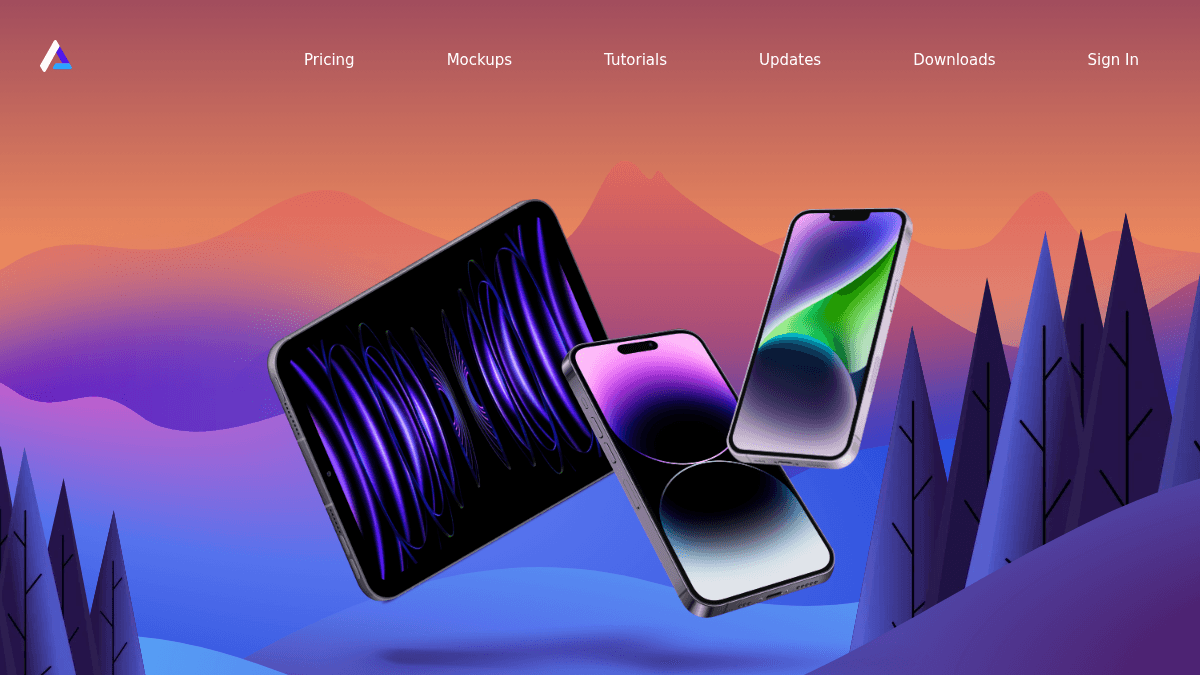
Angle is a library of over 7,600 vector device mockups for Figma, Sketch, and XD. It helps designers present their app designs inside realistic device frames — iPhone, iPad, Android, and Mac — without building mockups from scratch.
Unlike generic placeholder generators, Angle provides a dedicated library of components, compositions, and plugins for each design tool. It is built for UI and product designers who need polished, device-accurate mockups for client presentations, portfolio work, and marketing materials.
Key Benefits
- Over 7,600 vector mockups covering iPhone, iPad, Android, and Mac devices including iPhone 14, Plus, Pro, Pro Max, and Mini.
- Free upgrades for new devices for one full year after purchase.
- Commercial use allowed with the Full Library and Lifetime tiers.
- Native plugins for Figma, Sketch, and XD with dedicated components and symbols.
- Loved by over 12,000 designers including professionals at InVision and Flawless App.
How It Works
You purchase the Full Library or Lifetime tier, then download the mockup package for your design tool of choice — Figma, Sketch, or XD. You open the plugin or component library inside your tool, select a device frame, and drag your app design into the mockup. The vector assets scale cleanly, and you export the final presentation-ready image.
Use Cases
- Freelance UI designers creating client pitch decks with realistic device frames.
- In-house product designers preparing App Store and Google Play store screenshots.
- Marketing teams producing social media visuals and landing page hero images featuring app interfaces.
- Portfolio designers showcasing case studies with polished, consistent mockups.
- Indie app developers building product pages and press kits without hiring a designer.
Why Choose This Product
Angle is best suited for designers and developers who regularly present app designs and want a large, ready-to-use mockup library with native Figma, Sketch, and XD support. The Free tier offers sample mockups for personal use only, while the Full Library and Lifetime tiers unlock commercial use and one year of free device upgrades. Team licenses require contacting sales.
Angle 4 Pros & Cons
- 7600+ vector device mockups included
- Free upgrades for new devices for one year
- Native plugins for Figma, Sketch, and XD
- Commercial use allowed on paid tiers
- Loved by 12,000+ designers
- No free tier for commercial use
- Team licenses require contacting sales
- Free upgrades limited to one year on Full Library tier
Key Features
Device Mockup Library
All plansOver 7,600 vector mockups for iPhone, iPad, Android, and Mac devices including iPhone 14, Plus, Pro, Pro Max, and Mini.
Design Tool Plugins
All plansNative plugins and component libraries for Figma, Sketch, and Adobe XD with dedicated symbols and components.
Free Device Upgrades
Full Library+Full Library tier includes free upgrades for new devices for one full year after purchase.
Vector Scalability
All mockups are vector-based, allowing clean scaling to any resolution without quality loss.
Commercial License
Full Library+Full Library and Lifetime tiers grant commercial use rights for client projects and marketing materials.
Lifetime Upgrades
LifetimeLifetime tier includes unlimited upgrades for new devices with no time limit.
Angle 4 Pricing
View full pricing →- Sample mockups
- Personal use only
- Figma, Sketch and XD Plugins
- 1000+ mockups
- Upgrades for one full year
- Commercial use allowed
- Figma, Sketch and XD Plugins
- Everything from Full Library
- Unlimited upgrades
- Early supporter limited plan
| Feature | Free Free | Full Library $79 one-time | Lifetime $149 one-time |
|---|---|---|---|
| Device Mockup Library | |||
| Design Tool Plugins | |||
| Free Device Upgrades | |||
| Commercial License | |||
| Lifetime Upgrades |
Pricing extracted from the product website and may change. Check the source for current details.
Frequently asked questions about Angle 4
Which payment method do you accept?
Angle accepts credit card and PayPal payments.
How does your license work?
You may use Angle mockups for personal and commercial projects. One license per user. Team licenses require contacting Angle. You may not redistribute or resell the mockups.
Do I need to pay for newer devices?
As long as you are within your one-year period of free upgrades, you always get access to the updated package for Sketch, Figma, and XD.
Figma or Sketch?
Angle supports both Figma and Sketch equally. Figma is recommended for collaboration and feedback, while Sketch is more mature and truly native. Angle is 100% invested in both.
Is Angle 4 free?
Angle 4 is a paid product. See the pricing section for current plans and starting prices.
How much does Angle 4 cost?
Angle 4 offers the following plans: Free, Full Library, Lifetime. See the pricing section for what's included in each tier and any per-seat or usage-based costs.
How Angle 4 compares
A Angle 4This | |||
|---|---|---|---|
| Starting price | Free | Free | Free |
| Pricing model | Paid | Freemium | Freemium |
| Platforms | Web, macOS, Windows | Web | Web |
| Top features |
|
|
|
| Rating | — | — | — |
