About shotsnapp
Overview
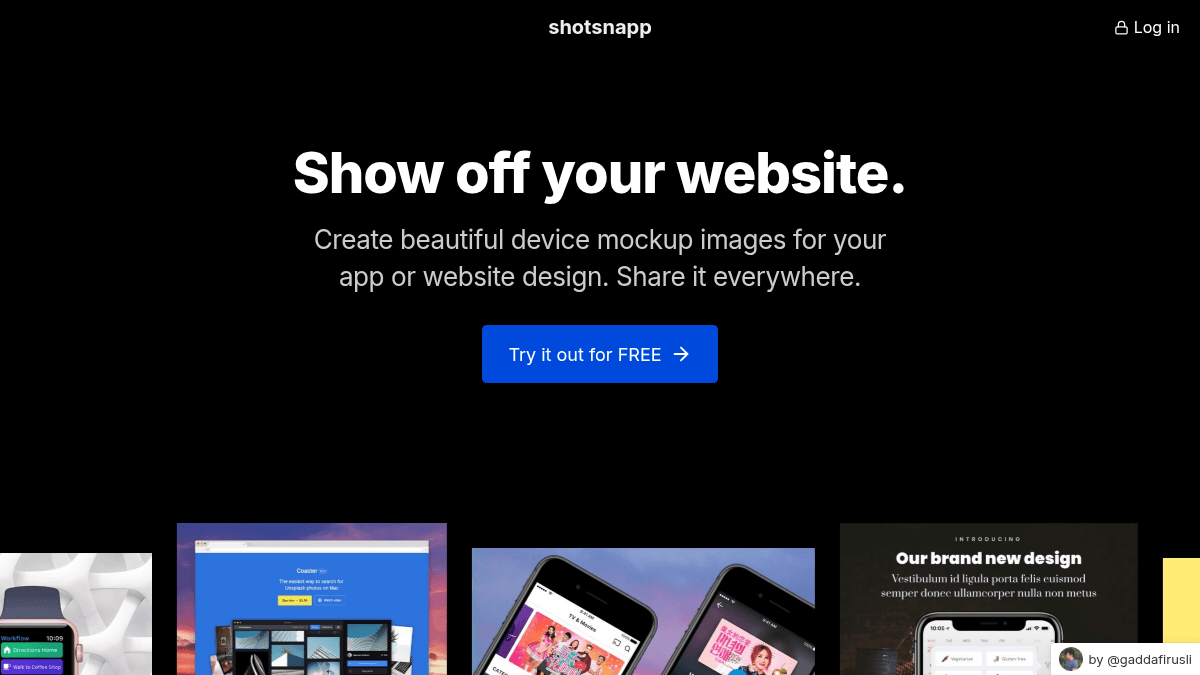
shotsnapp is a web-based tool that creates polished device mockup images from app screenshots or design files. Users select a device type, upload their design, customize appearance, and export the result as PNG or JPEG for presentations, marketing, or social media.
The tool targets app developers, designers, and marketers who need to present their work quickly without learning complex design software. It differs from desktop tools like Adobe XD or Figma mockup plugins by running entirely in-browser with zero installation and offering pre-built templates that eliminate manual framing setup.
Key Benefits
- Create device mockups in seconds with a simple three-step workflow: choose device, upload image, customize and export.
- Access a curated collection of photos from Unsplash to enhance mockup backgrounds and presentation quality.
- Choose from pre-designed templates that handle styling details automatically, reducing manual design work.
- Export finished mockups as PNG or JPEG images ready for social media, presentations, or documentation.
- No subscription required—purchase one year of PRO access for a flat $48 fee with no recurring charges.
How It Works
Users visit the website and select a device from the collection (phones, tablets, laptops, smartwatches). They upload a screenshot or design image, then adjust appearance settings like fonts, shadows, and backgrounds using the in-browser editor. Finally, they download the finished mockup in PNG or JPEG format.
Use Cases
- Mobile app developers creating marketing screenshots for app store listings and promotional materials.
- UI/UX designers presenting client work in polished device frames for portfolio and pitch decks.
- Marketing teams producing social media graphics that showcase app or website features with professional framing.
- Freelance web designers generating device mockups for client presentations without purchasing design software.
Why Choose This Product
shotsnapp works best for creators and small teams who need fast, presentable mockups without paying subscription fees or mastering complex tools. The one-time $48 PRO upgrade is suited for users who frequently work with multiple devices or custom fonts, while the free tier covers basic single-object mockups with core templates and features.
shotsnapp Pros & Cons
- Free tier available with core mockup functionality
- One-time payment model ($48/year) with no subscriptions
- Integrated Unsplash photo library for backgrounds
- Pre-designed templates eliminate manual styling work
- Runs entirely in browser with no installation required
Key Features
Device Selection
Choose from a collection of mobile phones, tablets, laptops, smartwatches and other device types to frame your design.
Custom Fonts
Apply custom typography to improve the presentation and visual impact of your mockup designs.
Pre-designed Templates
Use a curated selection of ready-made templates that handle styling details automatically for faster creation.
Background Photos
Enhance mockups with beautiful photos from Unsplash integrated directly into the tool.
Multiple Export Formats
Download completed mockups as PNG or JPEG images ready for social media, presentations, and web use.
Unlimited Objects
Add multiple text elements and design layers to a single canvas with the PRO tier for complex compositions.
shotsnapp Pricing
- One object per canvas
- Free templates
- Curated Unsplash photos
- Export as PNG or JPEG
- Unlimited objects and text on canvas
- Unlimited pre-designed templates
- Search all Unsplash photos
- More device model styles and variations
- Export as PNG or JPEG
| Feature | Basic Free | Pro $48/yr |
|---|---|---|
| One object per canvas | ||
| Free templates | ||
| Curated Unsplash photos | ||
| Export as PNG or JPEG | ||
| Unlimited objects and text on canvas | ||
| Unlimited pre-designed templates | ||
| Search all Unsplash photos | ||
| More device model styles and variations |
Pricing extracted from the product website and may change. Check the source for current details.
Frequently asked questions about shotsnapp
Is shotsnapp free?
Yes, shotsnapp offers a free Basic tier with one object per canvas, free templates, curated Unsplash photos, and PNG/JPEG export. A PRO tier costs $48 for one year of unlimited objects, templates, and full Unsplash access.
What devices can I create mockups for?
shotsnapp includes a collection of mobile phones, tablets, laptops, smartwatches, and other device types. The PRO tier provides access to more device model styles and variations.
How much does shotsnapp cost?
shotsnapp offers the following plans: Basic, Pro. See the pricing section for what's included in each tier and any per-seat or usage-based costs.
What platforms does shotsnapp support?
shotsnapp is available on: Web.
How shotsnapp compares
S shotsnappThis | |||
|---|---|---|---|
| Starting price | Free | Free | Free |
| Pricing model | Freemium | Free | Paid |
| Platforms | Web | Web | Web, macOS, Windows |
| Top features |
|
|
|
| Rating | — | — | — |