
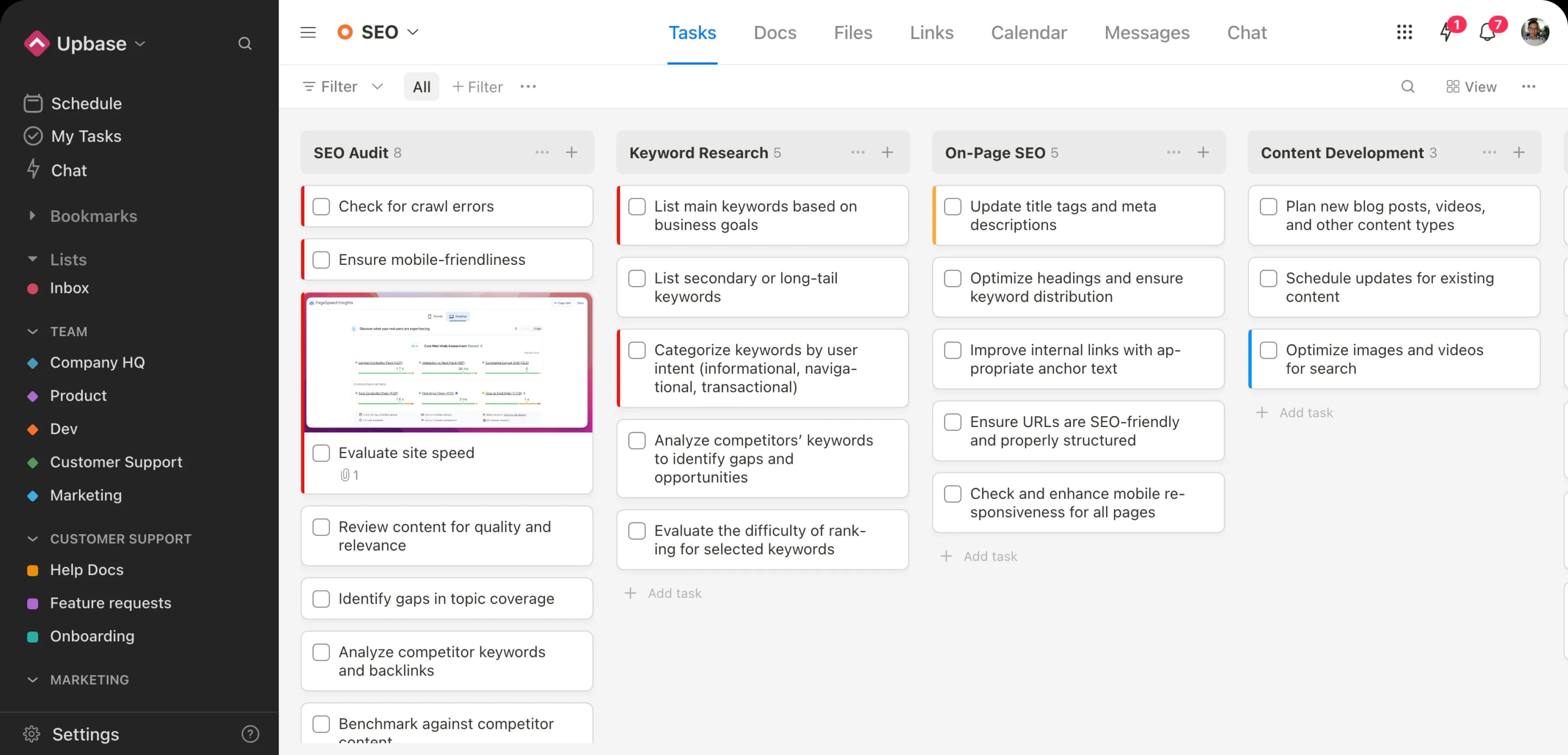
About Upbase: Project Management Tool for Agencies & Client Work
Overview
Upbase is a project management platform built for small agencies and service teams that run client work. It brings project management, client collaboration, and profit tracking into one simple workspace, free forever with no credit card required. More than 12,500 businesses worldwide use it.
Generic tools like Asana, ClickUp, and Notion were built around projects, not clients. Upbase is purpose-built for agencies, giving them client-level visibility, profitability insight, and controlled sharing in a single place.
Key Benefits
- Tracks revenue, labor cost, expenses, and margin by project and client in real time
- Gives a client-level dashboard showing what is off track, overdue, and awaiting client input
- Shares individual tasks or files with clients while keeping internal work private
- Plans work across Timeline, Weekly, Monthly, and Calendar views, including Google Calendar events
- Tracks time across projects and by client for accurate billing and timesheets
- Uses an AI assistant to brainstorm, tidy text, and break work into action-ready steps
How It Works
New users start free with up to three clients and no credit card. Teams create projects, assign tasks, and track time as they work, while Upbase records revenue, labor, and expenses automatically. They share only chosen tasks and files with clients through granular guest sharing, then review profitability and client status on the dashboard.
Use Cases
- Marketing agencies run multiple client projects with a single view of what is due and at risk
- Web design and branding agencies share deliverables and collect sign-offs without exposing internal notes
- Service businesses track billable hours and retainers by client for accurate invoicing
- Distributed teams plan work across time zones with the planner and Google Calendar sync
- Small agency owners monitor which clients are profitable and which drain margins
Why Choose This Product
Upbase positions itself against Asana, ClickUp, and Notion, which it says are project-first and lack built-in profitability and client-level dashboards. By contrast, Upbase includes client-facing dashboards, item-level sharing, native time tracking and timesheets, and unlimited free clients and guests on paid plans. It is designed to be simple enough that teams pick it up without a manual.
Upbase: Project Management Tool for Agencies & Client Work Pros & Cons
- Free forever plan with no credit card required
- Built-in profitability tracking by project and client
- Client-level dashboard with granular item-level guest sharing
- Native time tracking and client timesheets
- Google Calendar integration and multi-view planner
- API access is still in progress, not yet available
- Free plan caps projects at 5 and free guests at 3
- File uploads limited to 5MB on the free plan
Key Features
Profitability tracking
Tracks revenue, labor cost, expenses, and margin per project and client in real time.
Client Dashboard
All plansShows a real-time snapshot of a client's status across all projects, including what is overdue and at risk.
Multi-view Planner
Offers Timeline, Weekly Planner, Weekly Calendar, and Monthly Calendar views with Google Calendar events included.
Time tracking and timesheets
Tracks time across projects and by client for accurate invoicing, timesheets, and profitability reporting.
Granular guest sharing
Shares individual tasks or files with clients while keeping internal notes and work private.
AI assistant
Premium+Helps brainstorm, tidy up text, and break work into action-ready steps.
Contextual communication
Chats and leaves feedback directly on tasks and files to keep conversations in context.
Client Overview
Centralizes client contacts, notes, contracts, NDAs, briefs, and files in one shared and version-controlled place.
Upbase: Project Management Tool for Agencies & Client Work Pricing
View full pricing →- Unlimited tasks
- 5 projects
- 3 free guests
- Unlimited members and storage
- Daily planner and time tracking
- iOS and Android mobile apps
- Everything in Free, plus
- Custom fields and unlimited projects
- Unlimited free guests
- Automations and Google Calendar integration
- Timeline view, timesheets, and recurring tasks
- AI assistant and priority support
- Fixed price, no per-user charges
- Unlimited users
- Custom fields and unlimited projects
- Unlimited free guests
- Automations and Google Calendar integration
- AI assistant and priority support
| Feature | Free Free/mo | Premium $10/mo | Unlimited $99/mo |
|---|---|---|---|
| Unlimited tasks | |||
| 5 projects | |||
| 3 free guests | |||
| Unlimited members and storage | |||
| Daily planner and time tracking | |||
| iOS and Android mobile apps | |||
| Everything in Free, plus | |||
| Custom fields and unlimited projects | |||
| Unlimited free guests | |||
| Automations and Google Calendar integration | |||
| Timeline view, timesheets, and recurring tasks | |||
| AI assistant and priority support | |||
| Fixed price, no per-user charges | |||
| Unlimited users |
Pricing extracted from the product website and may change. Check the source for current details.
Frequently asked questions about Upbase: Project Management Tool for Agencies & Client Work
Can I use Upbase for free?
Yes. Upbase is free forever with up to three clients and no credit card required. The free plan includes unlimited tasks, 5 projects, 3 free guests, unlimited members, daily planner, and time tracking.
How does Upbase's pricing work?
Upbase offers a free forever tier plus Premium at $10 per user per month and an Unlimited plan at $99 per month for unlimited users. Annual billing saves up to 33%.
What is Client Dashboard?
The Client Dashboard gives a real-time snapshot of a client's status across all projects, including what is off track, overdue, and what needs client input. It works as an account review, risk radar, and delivery accountability system.
How is Upbase different from the big players?
Upbase says Asana, ClickUp, and Notion are project-first and not designed with clients in mind. Upbase is client-first, with built-in profitability tracking, client-level dashboards, item-level sharing, and native time tracking and timesheets.
Do I need to train my team or clients to use Upbase?
No. Upbase is designed to be simple and easy to pick up, so teams do not need a manual and clients do not need hand-holding.
How do I get started with Upbase?
You can get started free with up to three clients and no credit card, then upgrade only when you are confident the product fits your work.