
About TinyPNG
Overview
TinyPNG (operated by Tinify) is an online image compression and conversion tool that reduces WebP, PNG, and JPEG file sizes by up to 80% without visible quality loss. It is designed for website owners, developers, and designers who want faster site loading times.
Unlike manual image editors, TinyPNG applies smart lossy compression automatically in the browser — no software installation is needed. The service also supports converting between AVIF, JXL, WebP, PNG, and JPEG formats in a single workflow.
Key Benefits
- Reduces image file sizes by up to 80% while maintaining visual quality.
- Supports compression and conversion for AVIF, JXL, WebP, PNG, and JPEG formats.
- Free online compressor handles up to 20 images per batch with a 5 MB per-file limit.
- Developer API automates compression, resizing, cropping, and conversion for integration into any workflow.
- Image CDN combines multiple content delivery networks with image optimization for faster delivery.
- Official plugins available for WordPress and Figma for automatic compression on upload or export.
How It Works
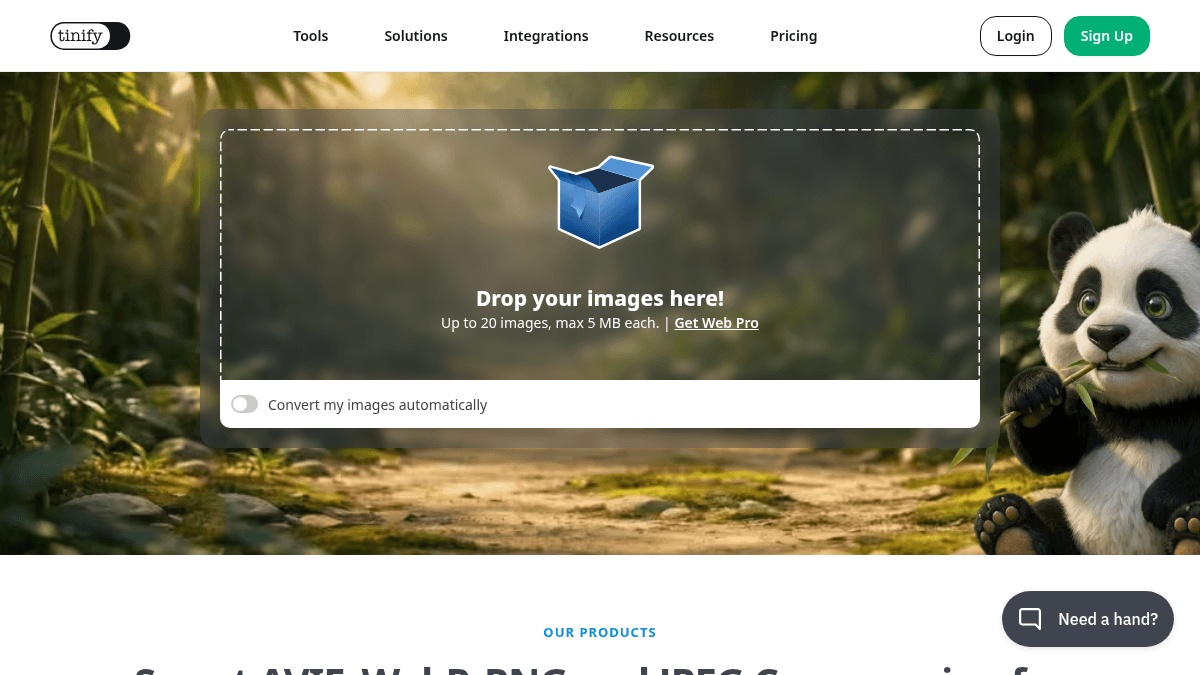
You go to the TinyPNG homepage and drop your images onto the upload area — up to 20 files at once, each no larger than 5 MB. The service automatically compresses and optionally converts your images to your chosen output format. You then download the optimized files, or use the Developer API to automate the same process inside your own build pipeline or application.
Use Cases
- Web developers and site owners compress images before uploading to their CMS to reduce page load times and improve SEO rankings.
- E-commerce teams batch-compress thousands of product images to lower hosting bandwidth costs and accelerate page loads.
- WordPress site administrators use the official plugin to automatically compress every image uploaded to the media library.
- Designers export compressed assets directly from Figma using the official plugin without leaving the design tool.
- CTOs and engineering teams integrate Tinify's API into build scripts to compress images programmatically during deployment.
Why Choose This Product
TinyPNG is best suited for anyone who needs fast, automatic image compression without visible quality loss — from individual website owners to large development teams. The free web tool is ideal for occasional use, while the Developer API and Image CDN serve higher-volume or automated workflows. The service is not designed for offline or desktop-native use, and the free web tool imposes per-batch and file-size limits.
TinyPNG Pros & Cons
- Free online compressor for up to 20 images per batch
- Supports AVIF, JXL, WebP, PNG, and JPEG formats
- Developer API for automated compression workflows
- Official WordPress and Figma plugins
- Image CDN with multiple CDN providers
- Max 5 MB per file for free web tool
- Max 20 images per batch on free web tool
- Free API limited to 500 compressions per month
- Per-request fees for API beyond free tier
Key Features
Browser-based compression
Compress images up to 5 MB each via drag-and-drop in the browser with no software installation.
Developer API
Automate compression, resizing, cropping, and format conversion using Tinify's Developer API.
Image CDN
Deliver optimized images through multiple CDNs combined with image optimization features.
WordPress plugin
Automatically compress and convert images upon upload to the WordPress media library.
Figma plugin
Export and compress design assets directly from Figma without leaving the editor.
Multi-format conversion
Convert between AVIF, JXL, WebP, PNG, and JPEG formats in a single compression session.
Batch processing
Compress up to 20 images at once in a single browser session.
API documentation
Use Tinify's compression within any programming environment via documented API endpoints.
Website image analyzer
Analyze any website to discover potential image optimization savings and compression opportunities.
GitHub Actions
Use GitHub integration
TinyPNG Pricing
View full pricing →Pricing extracted from the product website and may change. Check the source for current details.
Frequently asked questions about TinyPNG
Why should I compress my images for my website?
TinyPNG reduces file sizes by up to 80% without sacrificing quality, leading to faster page loads.
Is TinyPNG free?
TinyPNG offers a free plan with optional paid upgrades. See the pricing section for what's included in each tier.
What platforms does TinyPNG support?
TinyPNG is available on: Web.
How TinyPNG compares
TinyPNGThis | ||||
|---|---|---|---|---|
| Starting price | Free | Free | Free | Free |
| Pricing model | Freemium | Free | Free | Freemium |
| Platforms | Web | Web | macOS | Web |
| Top features |
|
|
|
|
| Rating | — | — | — | — |


