About ImageOptim
Overview
ImageOptim is a free, open-source macOS application that compresses image files to reduce their size without visible quality loss. It removes private metadata such as EXIF data and GPS coordinates so images are safe to publish online.
It targets web publishers who want faster page loads, app developers who need smaller app bundles, and anyone sharing photos who wants to strip hidden personal data. Unlike cloud services like TinyPNG or JPEGMini, ImageOptim runs locally on the Mac and combines multiple open-source optimization engines in one drag-and-drop tool.
Key Benefits
- Image file sizes are reduced by applying advanced compression that preserves visual quality.
- Invisible junk such as EXIF metadata, embedded thumbnails, comments, and unnecessary color profiles is removed automatically.
- Best optimization tools — MozJPEG, pngquant, Pngcrush, 7zip, SVGO, and Google Zopfli — are combined into a single drag-and-drop workflow.
- Lossy minification mode is available in Preferences for even smaller file sizes when quality can be lowered slightly.
- The app is free and open-source (GPL v2 or later) with no DRM or App Store restrictions.
- Lossy compression can be applied to JPEG, PNG, SVG, and animated GIF files.
How It Works
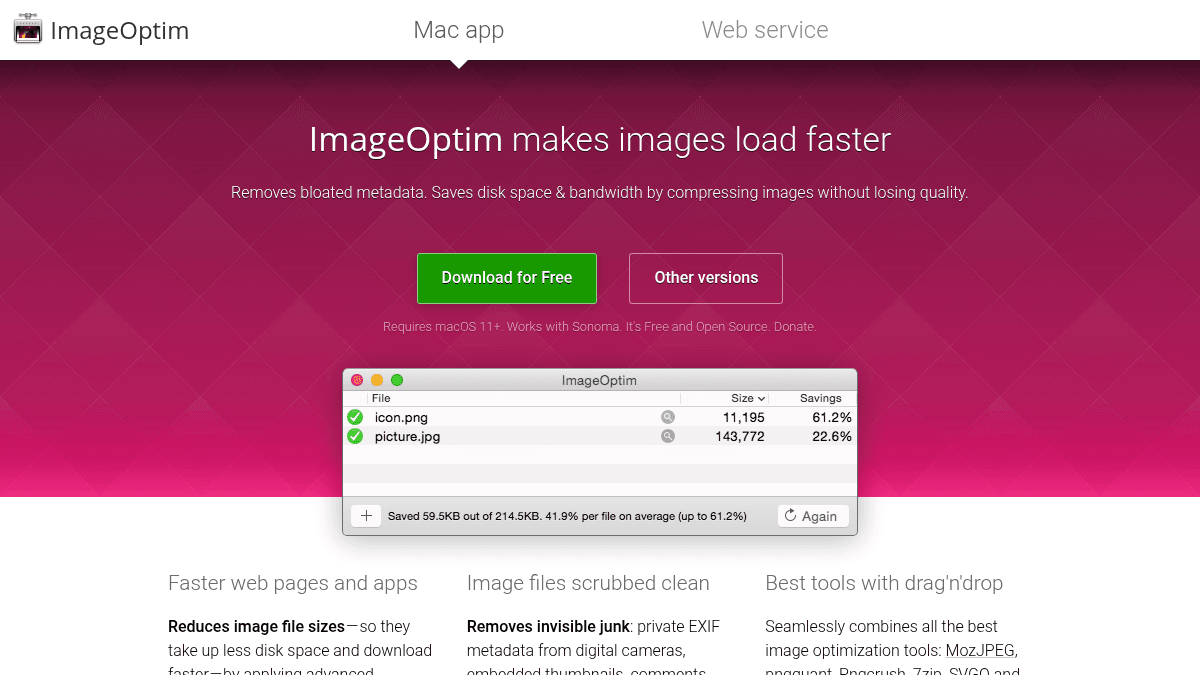
You drag images onto ImageOptim's window or Dock icon, or use the Services menu in Finder or the Markup menu in Apple Mail. ImageOptim automatically runs several optimization tools in sequence and combines their results to produce the smallest file size. You can also launch it from the command line or from Sketch, and configure lossy optimizations in the Preferences panel for smaller output.
Use Cases
- Web publishers who want faster page loads by shrinking images saved for web in Photoshop.
- Mac and iOS app developers who need smaller application bundles and configure Xcode to allow better optimization.
- Photographers and bloggers who want to publish images without exposing private information such as GPS position and camera serial numbers.
- Designers using Sketch who want to drop in an image and compress it directly.
- Users who need to compress animated GIFs, SVGs, and PNGs using lossy methods for the smallest possible output.
Why Choose This Product
The product is best suited for macOS users who want a free, open-source, locally-run image optimizer that combines multiple compression engines. It works especially well for cases where removing private metadata is important and for advanced users who want to tweak lossy minification settings. A limitation is that it requires macOS 11+ and does not support Windows or Linux.
ImageOptim Pros & Cons
- Free and open-source
- Combines multiple compression engines in one tool
- Removes private EXIF metadata automatically
- Supports lossy and lossless compression
- Integrates with Finder, Mail, Sketch, and command line
Key Features
Lossless Compression
Image sizes reduce by applying advanced compression that preserves visual quality.
Metadata Scrubbing
Removes invisible junk such as EXIF metadata, embedded thumbnails, comments, and unnecessary color profiles.
Multi-Engine Optimization
Combines MozJPEG, pngquant, Pngcrush, 7zip, SVGO, and Google Zopfli in one drag-and-drop workflow.
Lossy Minification
When enabled in Preferences, applies lossy compression to JPEG, PNG, SVG, and animated GIF for smaller files.
macOS Integration
Supports drag and drop, Dock icon drop, Finder Services menu, Apple Mail Markup menu, command line, and Sketch.
Open Source
The software is free and open-source under GPL v2 or later.
ImageOptim Pricing
Pricing extracted from the product website and may change. Check the source for current details.
Frequently asked questions about ImageOptim
How does ImageOptim compare to TinyPNG, MozJPEG or Guetzli?
You can get the same or better compression if you enable the Lossy minification option in ImageOptim preferences. Tools like TinyPNG, MozJPEG, and JPEGMini use lossy compression that lowers quality, which ImageOptim does not do by default but can if you allow it.
Can I keep embedded copyright and camera information?
Yes. Uncheck 'Strip JPEG metadata' in Preferences.
It's slow on PNG files. How can I make it faster?
In Preferences, uncheck PNGOUT and Zopfli. Without those tools optimization runs much quicker but is a bit less effective.
Will ImageOptim be in the App Store?
No, and you should beware of knock-offs. Apple does not allow the permissive GPL license terms ImageOptim uses. ImageOptim is given away DRM-free and you can get it from the official website.
Is ImageOptim free?
Yes — ImageOptim is free to use. See the pricing section for any optional add-ons.
What platforms does ImageOptim support?
ImageOptim is available on: macOS.
How ImageOptim compares
I ImageOptimThis | ||||
|---|---|---|---|---|
| Starting price | Free | Free | Free | Free |
| Pricing model | Free | Freemium | Free | Freemium |
| Platforms | macOS | Web | Web | Web |
| Top features |
|
|
|
|
| Rating | — | — | — | — |


