
About Riverside
Overview
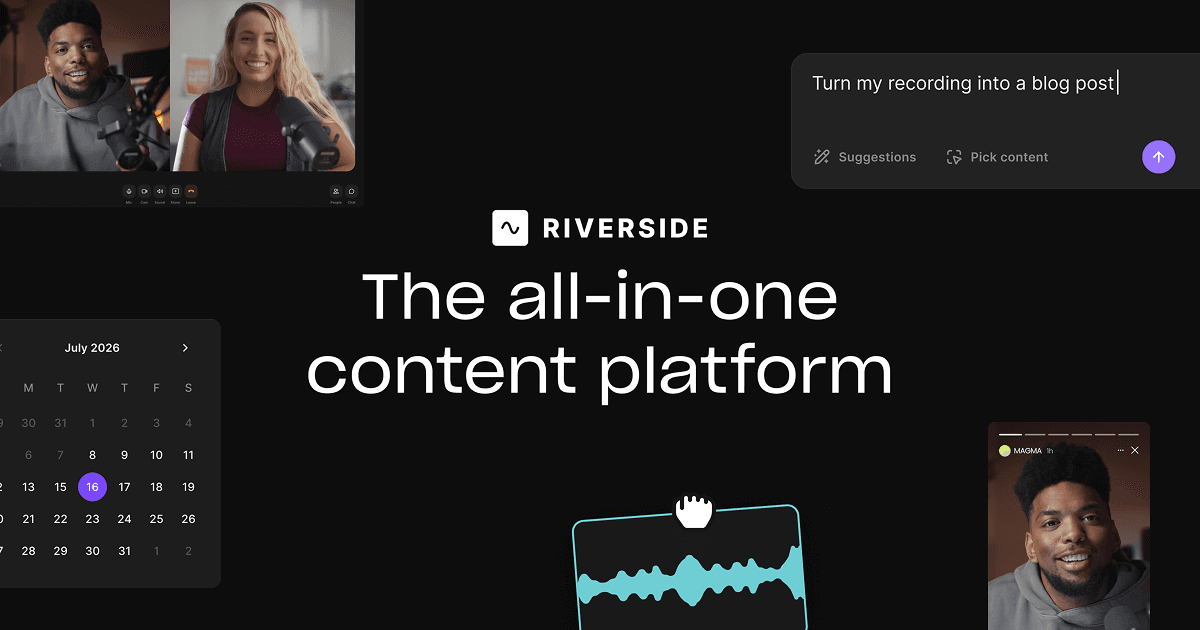
Riverside is an AI-powered platform for recording, editing, repurposing, and distributing studio-quality podcasts, interviews, webinars, and live streams. It records locally on each participant's device to preserve quality regardless of internet connection, then uploads to the cloud in real time.
Founded in 2020 by brothers Gideon and Nadav, Riverside pairs studio-grade capture with a text-based editor and a suite of AI tools that handle audio cleanup, translation, captioning, and promotional asset generation.
Key Benefits
- Record up to 4K video and uncompressed 48kHz WAV audio in separate tracks
- Local recording on each device keeps quality intact when the internet lags or drops
- Edit by searching, cutting, and pasting right in the auto-generated transcript
- Generate clips, posts, thumbnails, and headlines with the AI Co-Creator
- Translate and dub content into more than 30 languages
- Stream live in HD to multiple destinations at once
How It Works
Creators start a session and invite guests with a link, who join from their browser without an account. Each participant's audio and video records locally and uploads to the cloud in the background. After recording, Riverside generates a transcript and show notes; users edit by manipulating text, apply AI cleanup tools, and publish directly to podcast and video platforms.
Use Cases
- Podcasters record remote interviews and publish to Spotify, Apple, and YouTube
- Marketers turn webinars into clips, summaries, and lead-generating content
- Content creators repurpose one recording into social clips and promotional assets
- Teams run branded live streams and multistream to multiple platforms
- Video marketers produce B-roll, captions, and translations without a full studio crew
- Learning and internal communications teams record async updates and tutorials
Why Choose This Product
Riverside combines studio-quality local recording with editing, hosting, and distribution in a single workflow. Its AI tools handle repetitive tasks like transcription, filler-word removal, captions, and translations, while separate track recording keeps raw files available for handoff to tools like Adobe Premiere or Final Cut Pro. Free and Pro tiers let creators start without a credit card and upgrade as their audience grows.
Key Features
Local 4K recording
Records up to 4K video and uncompressed 48kHz WAV audio in separate tracks, unaffected by internet connection.
AI audio enhancement
Polishes sound, removes noise, and makes any microphone sound professional-grade.
Text-based editing
Lets users search, cut, copy, and paste directly in the transcript to edit video.
AI Co-Creator
Generates clips, posts, thumbnails, and headlines optimized for each channel.
AI translation & dubbing
Translates and dubs content into more than 30 languages with lip-synced output.
Podcast hosting
Publishes to Spotify, Apple, YouTube, and more with built-in analytics.
Live streaming
Streams in full HD to LinkedIn, YouTube, Instagram, Twitch, and more simultaneously.
AI cleanup tools
Removes filler words, fixes eye contact, and generates B-roll from a prompt.
Riverside Pricing
View full pricing →- 2 hours of multi-track recordings
- Full suite of editing tools
- Up to 720p video quality
- Riverside watermark on all content
- Unlimited single track recording and editing
- Magic Clips and unlimited video calls
- Studio-quality video and sound with up to 4K video
- 48kHz audio with no watermark
- Teleprompter and unlimited text-based editing
- AI editing agent, B-roll, and filler word removal
- Unlimited transcriptions, Magic Clips, and show notes
- Podcast hosting with analytics and publishing
- Social media scheduling and AI thumbnails
- Newsletter and creator website
- Podcast hosting for 2 shows
- Full HD 1080p live streaming to unlimited destinations
- Custom studio overlays and omnichat
- 2 studios and 20 hours of track downloads
- Host webinars with up to 100 registrants
- Recurring webinars and pre-recorded sessions
- Lead capture with branded registration forms
- Q&A, live call-ins, polls, and reactions
- HubSpot integration to sync leads
- 3 studios and 25 hours of track downloads
- Unlimited studios and separate track downloads
- Scale up to 10,000 webinar registrants
- Async and simultaneous recording
- Custom branding and production workspaces
- SSO (Okta, Azure), API access, and SOC2 compliance
- Dedicated CSM and 24/7 priority support
| Feature | Free Free/mo | Pro $29/mo | Grow $39/mo | Webinar $99/mo | Business Custom |
|---|---|---|---|---|---|
| 2 hours of multi-track recordings | |||||
| Full suite of editing tools | |||||
| Up to 720p video quality | |||||
| Riverside watermark on all content | |||||
| Unlimited single track recording and editing | |||||
| Magic Clips and unlimited video calls | |||||
| Studio-quality video and sound with up to 4K video | |||||
| 48kHz audio with no watermark | |||||
| Teleprompter and unlimited text-based editing | |||||
| AI editing agent, B-roll, and filler word removal | |||||
| Unlimited transcriptions, Magic Clips, and show notes | |||||
| Podcast hosting with analytics and publishing | |||||
| Social media scheduling and AI thumbnails | |||||
| Newsletter and creator website | |||||
| Podcast hosting for 2 shows | |||||
| Full HD 1080p live streaming to unlimited destinations | |||||
| Custom studio overlays and omnichat | |||||
| 2 studios and 20 hours of track downloads | |||||
| Host webinars with up to 100 registrants | |||||
| Recurring webinars and pre-recorded sessions | |||||
| Lead capture with branded registration forms | |||||
| Q&A, live call-ins, polls, and reactions | |||||
| HubSpot integration to sync leads | |||||
| 3 studios and 25 hours of track downloads | |||||
| Unlimited studios and separate track downloads | |||||
| Scale up to 10,000 webinar registrants | |||||
| Async and simultaneous recording | |||||
| Custom branding and production workspaces | |||||
| SSO (Okta, Azure), API access, and SOC2 compliance | |||||
| Dedicated CSM and 24/7 priority support |
Pricing extracted from the product website and may change. Check the source for current details.
Frequently asked questions about Riverside
Is Riverside free?
Riverside offers a free plan with optional paid upgrades. See the pricing section for what's included in each tier.
How much does Riverside cost?
Riverside offers the following plans: Free, Pro, Grow, Webinar, Business. See the pricing section for what's included in each tier and any per-seat or usage-based costs.
What platforms does Riverside support?
Riverside is available on: Web, macOS, iOS, Android.