
About OpenShot Video Editor
Overview
OpenShot is a free, open-source video editor for Linux, Mac, and Windows. It is designed to be easy to use, quick to learn, and surprisingly powerful, letting anyone cut, slice, and edit video without subscriptions, watermarks, or project limits.
Software developer Jonathan Thomas created OpenShot in August 2008 in North Texas, USA. In 2012 he incorporated OpenShot Studios, LLC to protect the work of contributors, and the project is released under the GNU General Public License version 3.
Key Benefits
- Free to download and use forever, with no subscriptions, watermarks, or project limits
- Runs on Linux, macOS, and Windows with project files that move between platforms
- Color grade footage with wheels, curves, LUTs, histograms, waveforms, vectorscopes, and RGB parade scopes
- Animate position, scale, rotation, opacity, volume, and effect settings with timeline keyframes
- Apply effects such as chroma key, blur, brightness, lens flare, and interactive video masks
- Record screen, webcam, and microphone directly into a project
How It Works
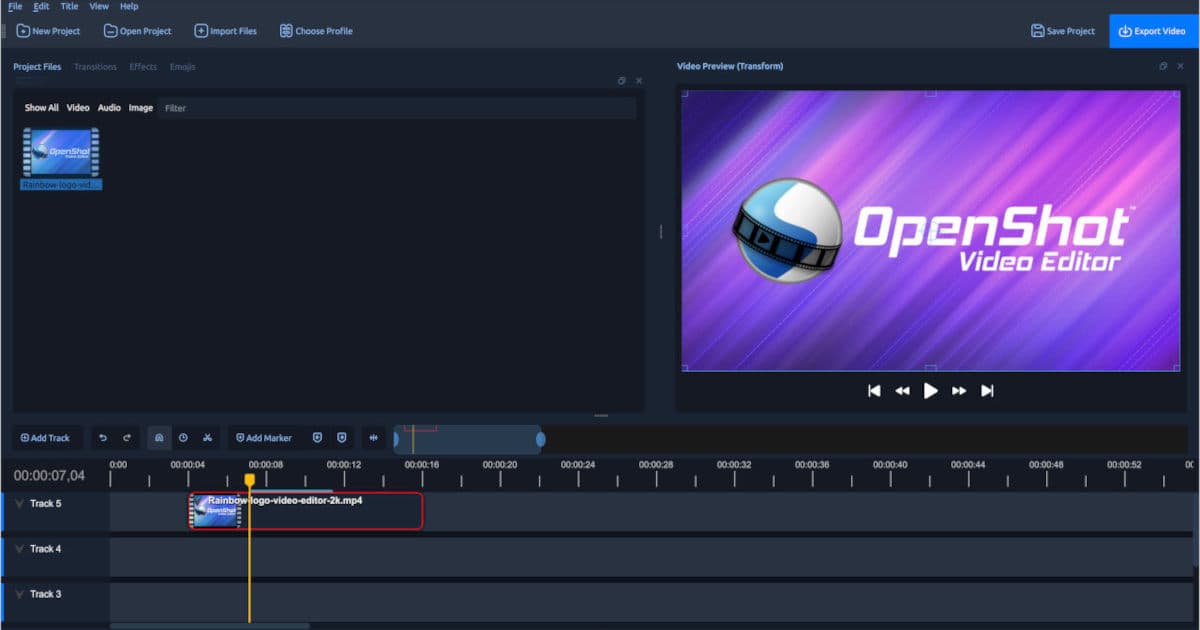
You drag video, audio, and images onto unlimited timeline tracks, then trim and arrange clips using snapping, audio waveforms, and frame-accurate controls. Add transitions, titles, effects, and keyframe animation, and finish by exporting your completed edit.
Use Cases
- Content creators trim, slice, and animate footage for social videos and tutorials
- Video editors color grade clips with scopes and apply chroma key and masks
- Educators and trainers capture screen, webcam, and microphone recordings in one project
- Musicians and podcasters turn audio into animated waveforms and spectrum visualizations
- Film students add 2D and 3D titles, including Blender-powered animated titles
Key Features
Color grading
Adjust shadows, midtones, and highlights with color wheels, curves, LUTs, and live waveform, histogram, vectorscope, and RGB parade scopes.
Video effects
Apply brightness, contrast, chroma key, blur, lens flare, and other effects, and animate their properties with keyframes.
Keyframe animation
Animate position, rotation, scale, opacity, volume, and effect settings with linear, constant, or Bézier interpolation.
Timeline editing
Trim, slice, resize, snap, zoom, and step through projects frame by frame across unlimited tracks.
Transitions
Choose from more than 400 transition patterns and overlap clips to create transitions automatically.
Video masks
Mark positive and negative regions with points or rectangles and preview the isolated subject before applying it.
Audio visualizations
Display audio as animated bars, radial patterns, or waveforms and render visualizations into the finished video.
2D and 3D titles
Edit from more than 40 vector title templates or render animated 3D titles powered by Blender.
In-app recording
Record a full screen, window, or region along with webcam and microphone audio from the recording panel.
OpenShot Video Editor Pricing
Pricing extracted from the product website and may change. Check the source for current details.