
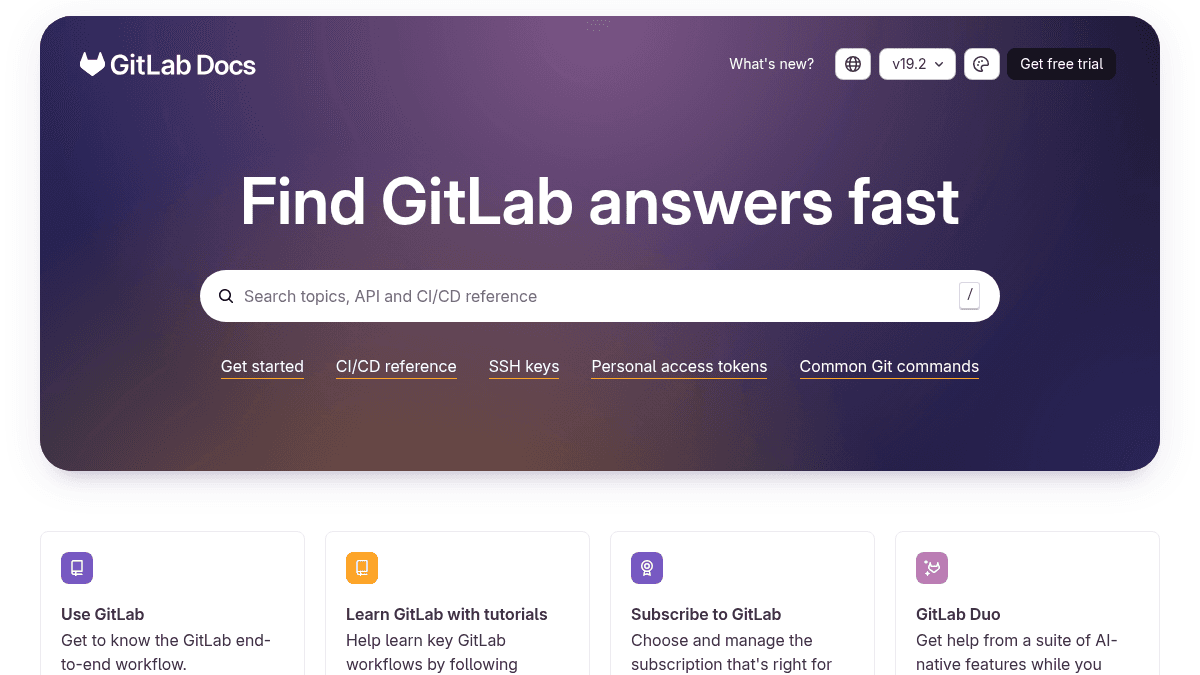
About GitLab Docs
Overview GitLab is a complete DevOps platform delivered as a single application. It combines version control, CI/CD, security scanning, and monitoring into one toolchain. Teams use GitLab to plan, build, test, secure, deploy, and monitor software from a unified interface. The platform supports both cloud-hosted and self-managed deployments. It serves developers, DevOps engineers, security teams, and enterprise organizations that need end-to-end software delivery without juggling multiple point solutions. Key Benefits Single application covers the entire software development lifecycle from planning to monitoring. CI/CD pipelines let you build, test, and deploy code automatically on every commit. Built-in security testing resolves vulnerabilities before code reaches production. AI-native features through GitLab Duo assist developers throughout their workflow. Self-managed installation options include Linux packages, Kubernetes Helm charts, Docker images, and cloud provider marketplace deployments. Reference architectures support from 1,000 up to 50,000 concurrent users. How It Works You create a project in GitLab and push your code using standard Git commands. GitLab automatically triggers CI/CD pipelines that run tests, scan for security vulnerabilities, and deploy your application. You monitor performance and incidents from the same dashboard where you plan work and review merge requests. Use Cases DevOps engineers set up automated CI/CD pipelines that build, test, and deploy applications across multiple environments. Security teams configure vulnerability scanning rules and review findings directly inside merge requests before code is merged. Platform engineers deploy GitLab on Kubernetes using the Helm chart or Operator for cloud-native infrastructure management. Enterprise architects follow reference architecture guides to scale GitLab installations for 1,000 to 50,000 concurrent users. Open-source contributors work through GitLab's contribution guide to submit patches and participate in product development. Why Choose This Product GitLab fits teams that want a single integrated platform instead of stitching together separate tools for source control, CI/CD, security scanning, and monitoring. Self-managed organizations can pick from multiple installation methods including Linux packages, Kubernetes, Docker, or self-compilation. The platform explicitly requires technical effort for self-managed setups and enforces a Cloudflare security check on its cloud-hosted sign-in page.
GitLab Docs Pros & Cons
- Single application covers entire DevOps lifecycle
- CI/CD pipelines built into the platform
- Self-managed install options for Linux, Kubernetes, Docker
- Reference architectures for up to 50,000 users
- AI-native features via GitLab Duo
- Cloudflare security check may block automated access or bots
- Self-Managed install requires technical expertise
Key Features
CI/CD pipelines
GitLab CI/CD automatically builds, tests, and deploys your application every time code is pushed to the repository.
Security testing
GitLab scans your application for vulnerabilities and provides findings within merge requests before code is merged.
AI-native assistant
GitLab Duo delivers a suite of AI-native features that help developers throughout the software development lifecycle.
Self-managed deployment
You can install GitLab on your own infrastructure using Linux packages, Kubernetes, Docker, or self-compilation.
Reference architectures
GitLab provides recommended reference architectures for installations supporting 1,000 to 50,000 concurrent users.
Project planning
You can plan, prioritize, and track work using GitLab's project management features including milestones, issues, and boards.
Monitoring and incidents
GitLab provides tools to monitor application performance and respond to incidents directly from the platform.
Deployment management
You can deploy and manage dependencies across multiple environments using GitLab's deployment features.
Extensibility and APIs
GitLab provides APIs and integration points to connect with external tools and build custom development workflows.
Project configuration
You can configure projects to match your organization's structure, permissions, and workflow preferences.
GitLab Docs Pricing
View full pricing →Pricing extracted from the product website and may change. Check the source for current details.
Frequently asked questions about GitLab Docs
How do I get started with GitLab for free?
GitLab offers both a free trial and subscription-based plans. You choose and manage the subscription that fits your organization—details are available on the GitLab pricing page.
What are the installation options for GitLab?
Self-managed GitLab can be installed via the Linux package, Kubernetes Helm chart or Operator, Docker images, self-compilation, or directly from cloud providers like AWS, Azure, and GCP.
What AI features does GitLab Duo offer?
GitLab Duo provides a suite of AI-native features that run throughout the development lifecycle, assisting with tasks such as code reviews, merge request descriptions, and pipeline troubleshooting.
Is GitLab Docs free?
GitLab Docs offers a free plan with optional paid upgrades. See the pricing section for what's included in each tier.
What platforms does GitLab Docs support?
GitLab Docs is available on: Web.