About Fork
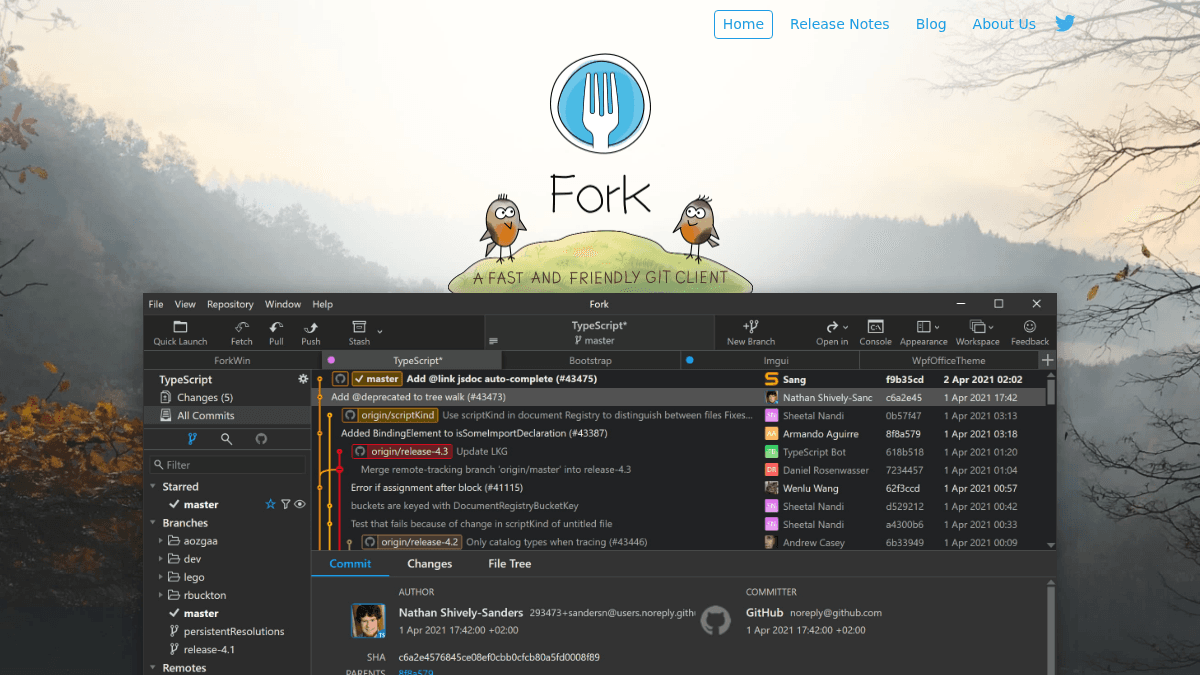
Overview Fork is a fast and friendly git client for Mac and Windows. It provides a visual interface for common git operations including fetch, pull, push, commit, branching, merging, rebasing, and stashes. Built by a small family team of software developers, Fork aims to be a more approachable alternative to command-line git and other GUI clients. It is designed for developers who want a clear visual view of their repository history, working directory changes, and side-by-side diffs without sacrificing advanced features like interactive rebase and merge conflict resolution. Key Benefits Offers a free evaluation period before requiring a one-time purchase of $59.99. Provides a visual interactive rebase tool to edit, reorder, and squash commits. Includes a built-in merge conflict helper and resolver for resolving conflicts easily. Supports image diffs for common image formats directly in the diff viewer. Gently informs users about GitHub notifications without being intrusive. Supports Git LFS, GPG, submodules, and git-flow workflows. How It Works You download Fork for Mac or Windows and open or clone a repository. The commit list shows working directory changes with side-by-side diffs, and you stage or unstage changes line-by-line before committing. You perform fetch, pull, push, branching, merging, rebasing, and stashing through the visual interface, and resolve merge conflicts using the built-in conflict helper and resolver. Use Cases Individual software developers who want a visual git client with interactive rebase and blame views for daily version control work. Team leads who need to review side-by-side diffs and manage merge conflicts across multiple branches. Developers working with Git LFS or GPG who need a client that supports these protocols natively. Developers managing submodules and git-flow workflows who want a GUI that handles these complex operations. Developers who want to browse repository file trees at any commit and restore lost commits using Reflog. Why Choose This Product Fork is best suited for developers on Mac and Windows who want a fast, visual git client with a one-time purchase model and a free evaluation period. It is built by a small independent team and covers both basic and advanced git operations including interactive rebase, blame, merge conflict resolution, Git LFS, GPG, and git-flow.
Fork Pros & Cons
- One-time purchase, no subscription
- Free evaluation available before buying
- Visual interactive rebase tool
- Built-in merge conflict resolver
- Supports Git LFS, GPG, and git-flow
- Mac and Windows only — no Linux support
- No free tier, only free evaluation
Key Features
Interactive Rebase
Edit, reorder, and squash commits using a visual interactive rebase interface.
Merge Conflict Resolver
Resolve merge conflicts easily using the built-in merge-conflict helper and resolver.
Image Diffs
View diffs for common image formats directly in the diff viewer.
Commit List
View working directory changes with side-by-side diffs in the commit list.
GitHub Notifications
Receive gentle, non-intrusive notifications about GitHub activity.
History & Blame
Find all commits where a file or directory changed, and see the last commit that changed each line.
Reflog & Stashes
Restore lost commits with Reflog and see stashes directly in the commit list.
Repository Manager
Create, clone, or add existing repos and open recent repositories quickly.
Advanced Diff Viewer
Spot changes in source code quickly with a clear side-by-side diff view.
Fork Pricing
- Free evaluation available
- Works on Mac OS X 10.11+
- Works on Windows 7+
- All features included in one purchase
Pricing extracted from the product website and may change. Check the source for current details.
Frequently asked questions about Fork
Is Fork free?
Fork is a paid product. See the pricing section for current plans and starting prices.
How much does Fork cost?
Fork offers the following plans: Fork. See the pricing section for what's included in each tier and any per-seat or usage-based costs.
What platforms does Fork support?
Fork is available on: macOS, Windows.