About Feather
Overview
Feather is a collection of open source icons, each designed on a 24x24 grid with an emphasis on simplicity, consistency, and readability. It gives developers and designers a ready-to-use icon set that avoids the bloat and visual inconsistency common in mixed-source icon libraries.
Feather targets web developers, UI designers, and open source contributors who need a clean, unified icon system they can drop into any project without licensing concerns.
Key Benefits
- Every icon is drawn on a 24x24 grid, ensuring consistent sizing and visual alignment across the entire set.
- All icons are open source, meaning you can use, modify, and distribute them freely.
- Icons are available at version 4.29.0, reflecting an actively maintained and versioned release cycle.
- Customizable stroke width, size, and color let you adapt icons to match any design system without editing source files.
How It Works
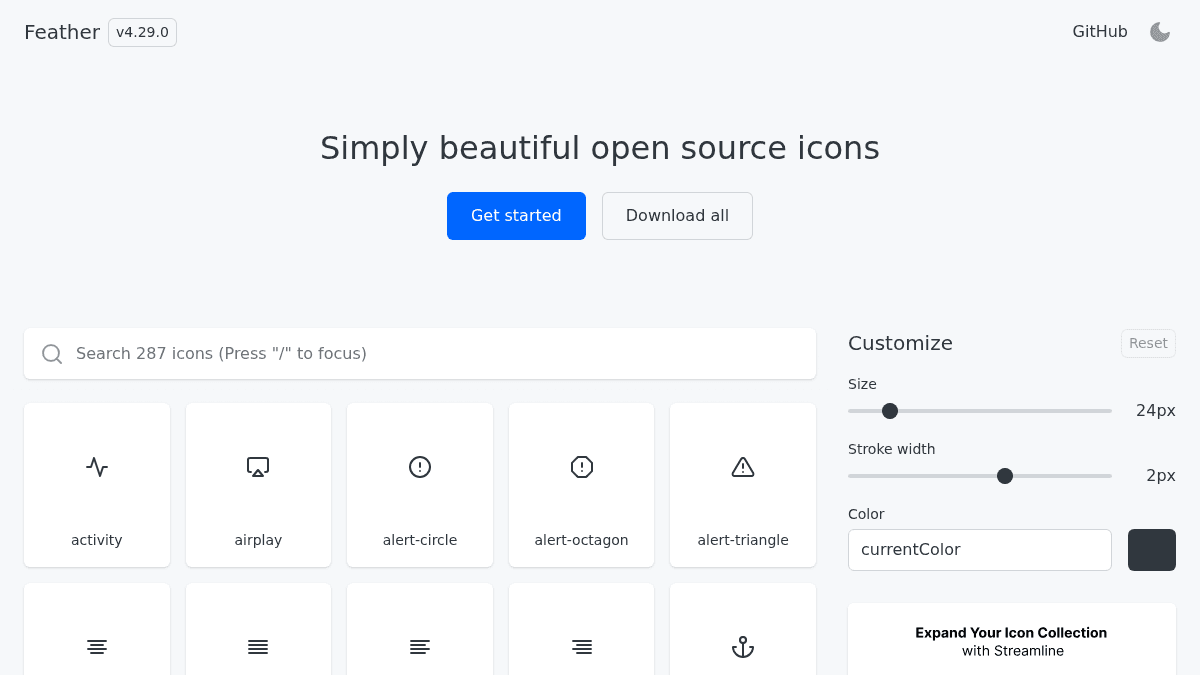
You visit feathericons.com, browse the icon collection, and adjust the size (default 24px), stroke width (default 2px), and color using the on-screen controls. You then download individual icons or the full icon set as a batch, or get started via the GitHub repository for code-level integration.
Use Cases
- Front-end web developers who need a consistent, lightweight icon set for UI components without custom SVG work.
- Product designers building design systems who require icons with uniform stroke weight and grid alignment.
- Open source project contributors looking for freely licensed icons to include in public repositories.
- Indie developers and solo makers who want a polished icon library without paying for a commercial license.
- Design students building portfolio projects who need professional-quality icons on zero budget.
Why Choose This Product
Feather suits developers and designers who prioritize visual consistency and open licensing above icon quantity. The customizable stroke, size, and color controls make it adaptable without requiring a design tool, though users needing a very large or specialized icon catalog may need to supplement with additional sets.
Feather Pros & Cons
- Completely free and open source
- Every icon uses a consistent 24x24 grid and stroke weight
- Customizable size, stroke width, and color via on-site controls
- Bulk download of all icons available
- Actively versioned and maintained (v4.29.0)
Key Features
Customizable Styling
Users can adjust icon size, stroke width, and color directly on the site before downloading.
24x24 Grid Design
Every icon is drawn on a 24x24 pixel grid to ensure consistent sizing and visual alignment across the full set.
Bulk Download
A "Download all" option lets users grab the entire icon collection in a single action.
Open Source License
All icons are open source, allowing free use, modification, and distribution in personal and commercial projects.
Versioned Releases
Feather is actively maintained and versioned, with the current release being v4.29.0.
Feather Pricing
Pricing extracted from the product website and may change. Check the source for current details.
How Feather compares
F FeatherThis | ||||
|---|---|---|---|---|
| Starting price | Free | — | Free | — |
| Pricing model | Free | Freemium | Free | unknown |
| Platforms | Web | Web | Web | Web |
| Top features |
|
|
|
|
| Rating | — | — | — | — |


