
About CloudConvert
Overview
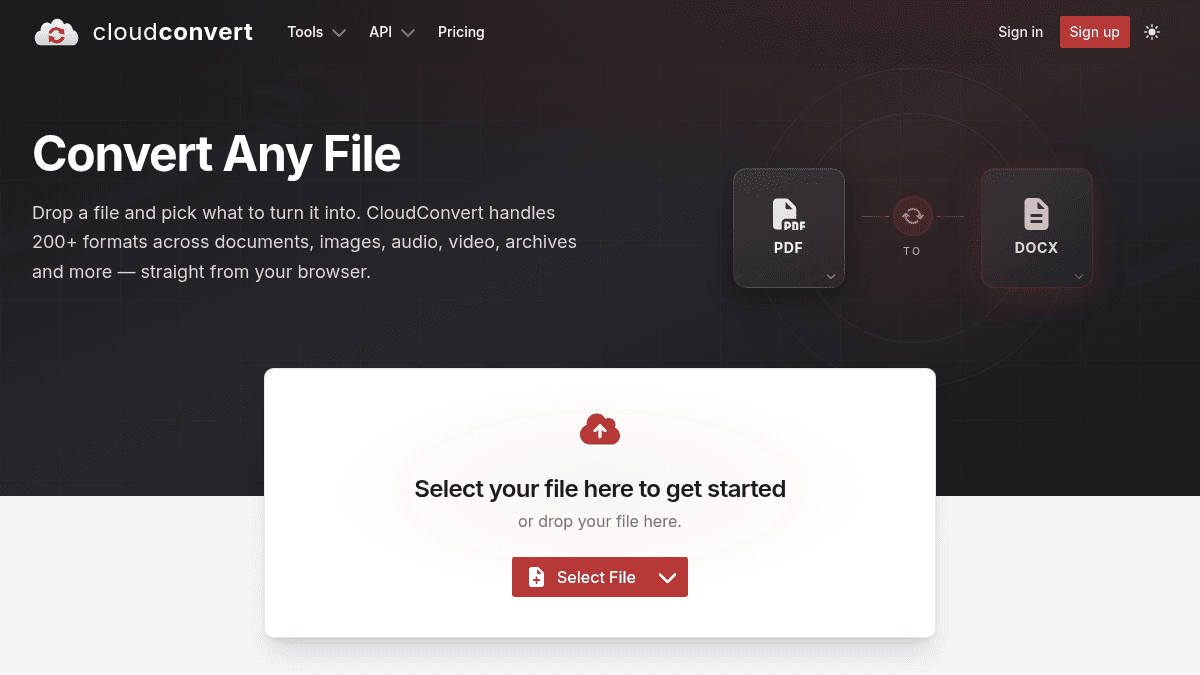
CloudConvert is an online file conversion service that handles 200+ formats across documents, images, audio, video, spreadsheets, slides, ebooks, archives, CAD drawings, vectors, and fonts. Users can convert files straight from the browser without installing software.
The service solves the problem of format incompatibility between different authoring tools and delivery platforms. Unlike desktop-only converters or single-format tools, CloudConvert supports 212 formats across 11 categories and offers both a free web interface and a paid API for automated workflows.
Key Benefits
- Supports 212 file formats across 11 categories including documents, images, video, audio, archives, CAD, and fonts.
- Files are automatically deleted after processing; the platform holds ISO information security management certification.
- Conversion jobs can include import, convert, and export tasks connected to your own storage via the API.
- Free tier offers 10 conversions per day with 1 GB max file size and 5-minute processing limit.
- Paid packages offer one-time purchases with credits that never expire, starting at $18.
How It Works
You drop a file onto the web page, select the target format from the format catalog, and click to start the conversion. For automated workflows, you send a POST request to the API specifying import, convert, and export tasks with your source URL, target format, and storage connection.
Use Cases
- Office workers converting PDF to DOCX or DOCX to PDF for document collaboration.
- Designers transforming images between RAW, PNG, JPEG, and SVG formats for client deliverables.
- Video editors converting between codecs, resolutions, and bitrates for production pipelines.
- Archivists compressing files or converting between archive formats like ZIP, RAR, and 7z.
- Developers building automated file conversion into their applications using the JSON-based API.
- Students converting ebook formats or exporting slides to PDF for study material.
Why Choose This Product
CloudConvert is suited for anyone who needs reliable file conversion without installing software — from casual users converting one document to developers embedding conversion into production workflows. The free tier supports testing and light use, while paying users get unlimited file sizes, processing time, and concurrent tasks.
CloudConvert Pros & Cons
- 212 formats across 11 categories supported
- Free tier: 10 conversions per day, no credit card
- ISO information security management certified
- One-time package credits never expire
- REST API for automated conversion workflows
- Free tier limited to 1 GB file size
- Free tier limited to 5 min processing time
- Subscription credits do not roll over monthly
Key Features
Multi-format conversion
All plansSupports 212 file formats across 11 categories including documents, images, video, audio, archives, CAD, and fonts.
Automatic file deletion
All plansFiles are removed after processing according to the retention policy; CloudConvert does not sell or mine customer file data.
REST API with tasks
All plansBuild jobs from import, convert and export tasks connected to your own storage and application logic via the /v2/jobs API endpoint.
Per-format conversion controls
All plansImage, document, video, and audio jobs expose controls for codec, bitrate, resolution, and quality relevant to the output type.
Team billing
Package+Organizations can use one central billing account with unlimited team members while files and conversions remain private.
Credit-based pricing
Conversions consume one credit per minute of processing time with base credit costs varying by type; only successful conversions are charged.
Auto-refill option
Package+Package accounts can be automatically refilled with credits when they run out, configurable in billing settings.
SSO and compliance
EnterpriseEnterprise tier includes SSO/SAML 2.0, custom security reviews, data processing agreements, and custom contracts.
CloudConvert Pricing
View full pricing →- 10 conversion credits per day
- 1 GB max file size
- 5 minutes max processing time
- 5 concurrent tasks
- Low processing priority
- 1,000 conversion credits that never expire
- Unlimited max file size
- Unlimited max processing time
- Unlimited concurrent tasks
- High processing priority
- Standard support
- 1,000 conversion credits per month
- Unlimited max file size
- Unlimited max processing time
- Unlimited concurrent tasks
- High processing priority
- Up to 50% cheaper per credit than packages
- Custom credit volume
- Dedicated capacity optional
- Priority support
- 99.9% SLA
- SSO / SAML 2.0
- Custom contracts & NDAs
| Feature | Free Free | Package $18 one-time | Subscription $10/mo | Enterprise Custom |
|---|---|---|---|---|
| Multi-format conversion | ||||
| Automatic file deletion | ||||
| REST API with tasks | ||||
| Per-format conversion controls | ||||
| Team billing | ||||
| Auto-refill option | ||||
| SSO and compliance |
Pricing extracted from the product website and may change. Check the source for current details.
Frequently asked questions about CloudConvert
What is the difference between a package and a subscription?
Packages are one-time purchases where credits never expire. Subscriptions charge a monthly fee for a fixed amount of credits at a lower per-credit price, but unused credits do not roll over at the end of the month. Subscriptions can be up to 50% cheaper than packages.
Can I combine packages and subscriptions?
Yes. Credits from your monthly subscription are consumed first, and then your package credits are consumed.
Can I cancel or change my subscription?
You can cancel your subscription at any time with no minimum term. You can also switch to a different subscription at any time, but any remaining conversion credits will expire.
When do I pay for conversion credits?
Each conversion has a base credit cost — typically 1 credit per minute of conversion time. Some premium conversions (like Office to PDF or PDF to Office) have higher base costs. Only successful conversions are charged.
Is CloudConvert free?
CloudConvert offers a free plan with optional paid upgrades. See the pricing section for what's included in each tier.
How much does CloudConvert cost?
CloudConvert offers the following plans: Free, Package, Subscription, Enterprise. See the pricing section for what's included in each tier and any per-seat or usage-based costs.
How CloudConvert compares
CloudConvertThis | ||
|---|---|---|
| Starting price | Free | $6.99/mo |
| Pricing model | Freemium | Freemium |
| Platforms | Web | Web |
| Top features |
|
|
| Rating | — | — |
