About X-Icon Editor
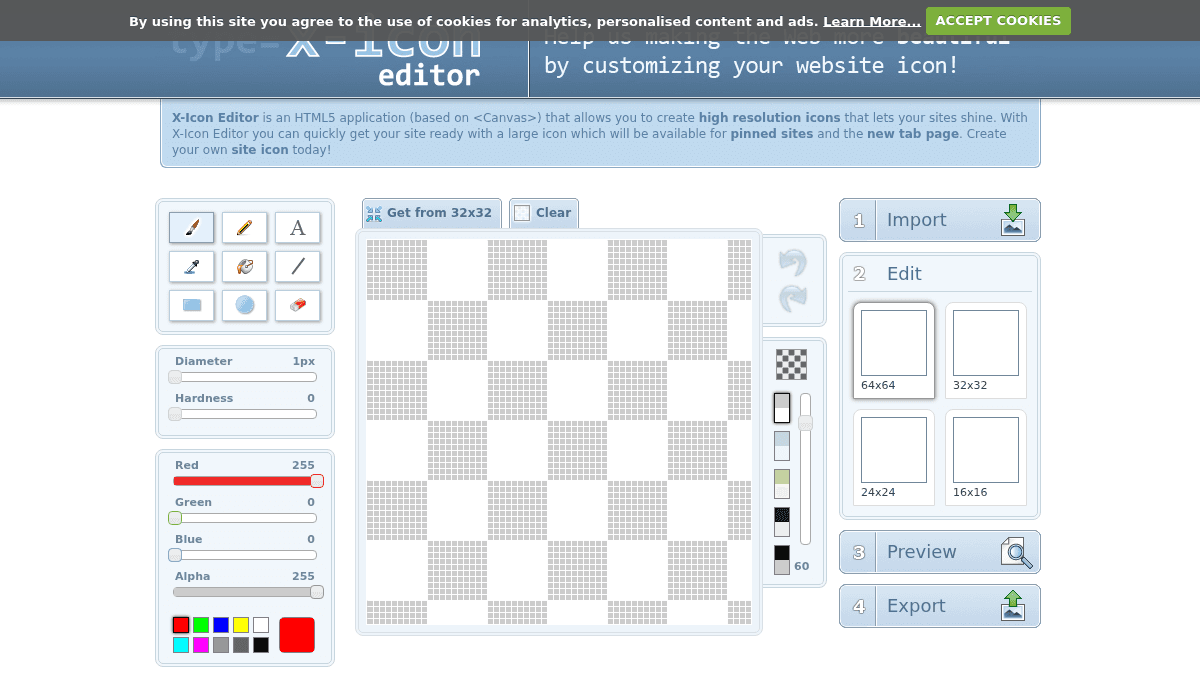
Overview X-Icon Editor is an HTML5 application built on the Canvas element that lets you create high-resolution icons and favicons directly in your browser. It solves the problem of needing desktop software to produce properly sized site icons for pinned sites and the new tab page. The tool is designed for web developers and site owners who need to generate icons at multiple sizes — 16x16, 24x24, 32x32, and 64x64 — from a single source image. Unlike traditional icon editors that require installation, X-Icon Editor runs entirely in the browser with no downloads needed. Key Benefits Creates icons at four sizes — 16x16, 24x24, 32x32, and 64x64 — from one upload. Runs entirely in the browser as an HTML5 Canvas application with no software installation required. Supports importing JPG, GIF, BMP, PNG, and ICO file formats. Includes a built-in cropping tool to adjust images before icon generation. Provides a live preview feature to test the icon in a new browser window before exporting. How It Works You upload an image in JPG, GIF, BMP, PNG, or ICO format. You crop the image to your desired area, then select which output sizes you need — 16x16, 24x24, 32x32, or 64x64. You click "Ok" to generate the icon, then preview it in a new browser window and export the final file. Use Cases Web developers who need to generate favicons for client websites at multiple resolutions. Site owners preparing their site for pinned tabs and the new tab page in modern browsers. Designers who want a quick browser-based tool to convert images into .ico format without installing software. Small business owners managing their own website who need a favicon but lack design software. Why Choose This Product X-Icon Editor is best suited for web developers and site owners who need a fast, no-installation way to create multi-resolution favicons. It works entirely in the browser and supports common image formats. The tool is limited to icon creation only and does not offer advanced image editing features beyond cropping and size selection.
X-Icon Editor Pros & Cons
- Free to use with no account required
- Runs entirely in the browser — no installation needed
- Supports multiple output sizes (16x16 to 64x64)
- Accepts JPG, GIF, BMP, PNG, and ICO input formats
- Includes built-in cropping and preview tools
- Limited to icon/favicon creation only — no advanced image editing
- Best experience requires Internet Explorer 9 or above per the site
Key Features
Image Import
Supports uploading JPG, GIF, BMP, PNG, and ICO file formats for icon creation.
Crop Tool
Lets you crop imported images to the exact area you want before generating icons.
Multi-Size Export
Exports icons at 16x16, 24x24, 32x32, and 64x64 pixel sizes from a single source image.
Live Preview
Opens the generated icon in a new browser window so you can inspect it before exporting.
ICO Export
Exports the final icon in .ico format ready for use as a favicon on your website.
Favicon Code Snippet
Provides the HTML link tag needed to reference the favicon in your site's head element.
X-Icon Editor Pricing
Pricing extracted from the product website and may change. Check the source for current details.