About Sphinx
Overview
Sphinx is a documentation generator used to create intelligent and beautiful technical documentation. It converts reStructuredText or MyST Markdown into HTML, LaTeX (PDF), ePub, Texinfo, and other output formats.
Originally created for Python documentation, Sphinx is now used by major projects such as the Linux Kernel and Project Jupyter. It is designed for developers and technical writers who need highly structured, cross-referenced documentation.
Key Benefits
- Generate API documentation automatically from Python, C++, and other code docstrings.
- Create cross-references within a project and across different projects.
- Output documentation in multiple formats including HTML, LaTeX/PDF, ePub, and Texinfo.
- Extend functionality through a robust extension mechanism with numerous built-in and third-party extensions.
- Support documentation translations into multiple languages via internationalization (i18n).
- Choose from built-in and third-party HTML themes, with the ability to customize or create new themes.
How It Works
You author documentation files in reStructuredText or MyST Markdown, define the document structure in a configuration file, then run the Sphinx build command. Sphinx parses the source files, resolves cross-references, and generates the selected output format.
Use Cases
- Open-source project maintainers — publish API reference documentation and user guides for their libraries.
- Python package authors — generate API docs automatically from docstrings using Autodoc.
- Technical writers at software companies — create structured, cross-referenced manuals in multiple output formats.
- Documentation teams — manage translations of docs into multiple languages through Sphinx’s internationalization support.
- Large-scale software projects — serve as the documentation engine for projects like Python and the Linux Kernel.
Why Choose This Product
Sphinx is best suited for developers and writers who maintain technical or API documentation that requires cross-referencing, multiple output formats, and code integration. It is free and open-source with an active community, but beginners may need to learn reStructuredText or MyST Markdown syntax.
Sphinx Pros & Cons
- Free and open-source software
- Used by major projects like Python and Linux Kernel
- Supports multiple output formats (HTML, PDF, ePub)
- Automatic API doc generation from docstrings
- Extensible via built-in and third-party extensions
Key Features
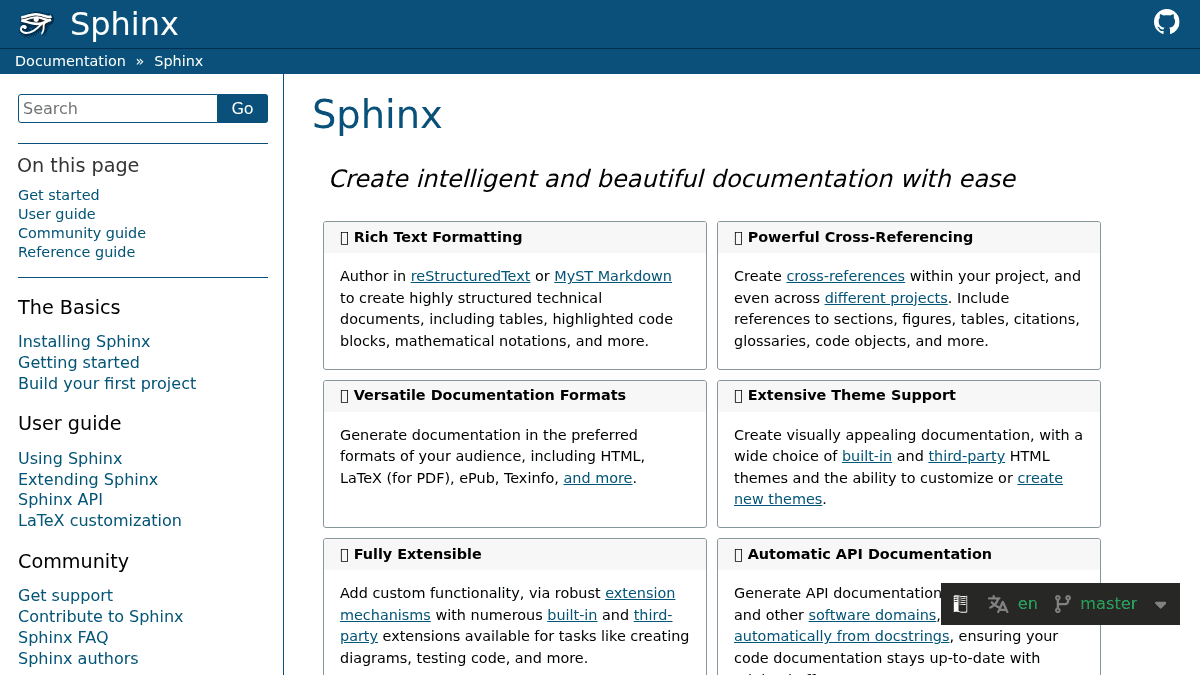
Rich Text Formatting
Author documents using reStructuredText or MyST Markdown with support for tables, code blocks, and math.
Powerful Cross-Referencing
Create cross-references to sections, figures, tables, citations, glossaries, and code objects within and across projects.
Versatile Output Formats
Output documentation as HTML, LaTeX/PDF, ePub, Texinfo, and other formats.
Extensive Theme Support
Select from built-in and third-party HTML themes, or create custom themes.
Fully Extensible
Add custom functionality through a robust extension system with many built-in and third-party extensions.
Automatic API Documentation
Generate API documentation automatically from Python, C++, and other code docstrings.
Internationalization
Support documentation translations into multiple languages for a global audience.
Active Community Support
Backed by an active community with tutorials, forums, and examples.
Sphinx Pricing
- Author in reStructuredText or MyST Markdown
- Cross-referencing within and across projects
- Multiple output formats (HTML, PDF, ePub, Texinfo)
- Customizable HTML themes
- API documentation generation from docstrings
- Internationalization support
Pricing extracted from the product website and may change. Check the source for current details.
Frequently asked questions about Sphinx
Is Sphinx free?
Yes — Sphinx is free to use. See the pricing section for any optional add-ons.
How much does Sphinx cost?
Sphinx offers the following plans: Free. See the pricing section for what's included in each tier and any per-seat or usage-based costs.
What platforms does Sphinx support?
Sphinx is available on: Web.
How Sphinx compares
S SphinxThis | |||
|---|---|---|---|
| Starting price | Free | Free | Free |
| Pricing model | Free | Free | Free |
| Platforms | Web | Web | Web |
| Top features |
|
|
|
| Rating | — | — | — |
