
About Instagantt
Overview
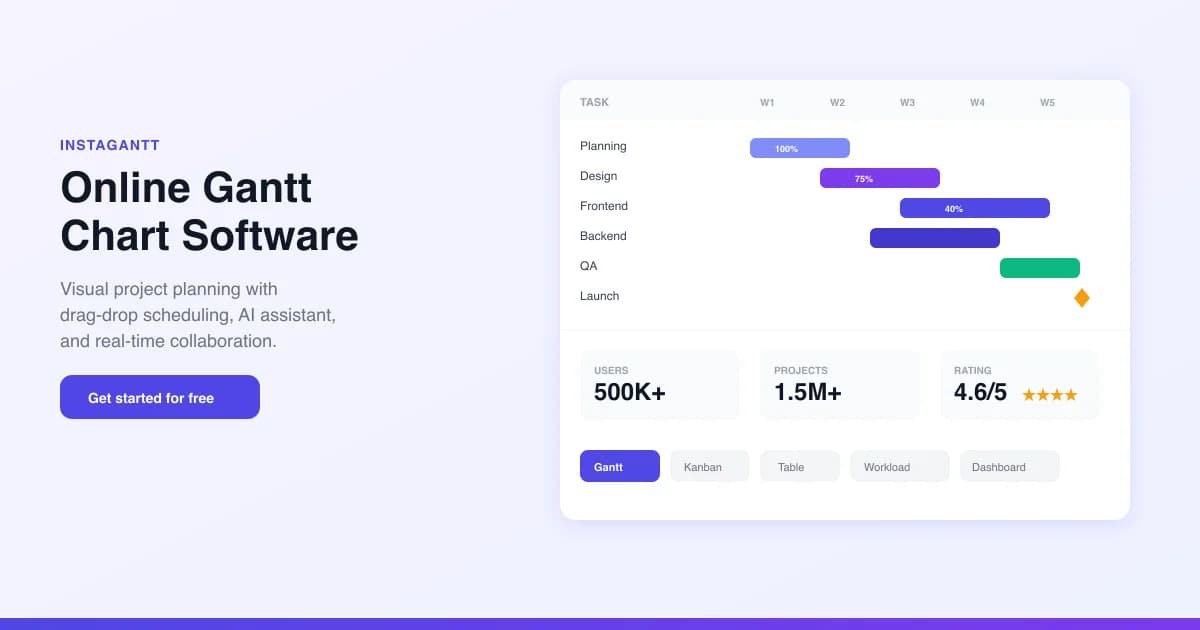
Instagantt is a web-based Gantt chart tool founded in 2013 that turns project plans into visual timelines. More than 500,000 project managers use it to plan, schedule, and track work with drag-and-drop scheduling, task dependencies, milestones, baselines, and AI-powered project generation.
The tool is rated 4.6 out of 5 from 1,017 reviews and serves users in over 190 countries. It works standalone or through a two-way Asana integration, and a free forever plan is available with no credit card required.
Key Benefits
- Plan projects visually with drag-and-drop scheduling that syncs changes instantly
- Generate complete Gantt charts from plain-English descriptions using the AI Assistant
- Sync bidirectionally with Asana so changes reflect in both tools in real time
- Monitor team capacity with the Workload view to prevent burnout
- Track time and costs with hourly rates and multi-currency budgets
- Share read-only public snapshots with stakeholders who have no account
How It Works
Sign up free without a credit card, then either connect an Asana workspace or build a standalone project. Describe your project in plain English to let the AI Assistant generate tasks, dependencies, milestones, and timelines, or create tasks manually. Drag tasks on the timeline to reschedule, link dependencies, and share public snapshot links or PDF and PNG exports with stakeholders.
Use Cases
- Product managers plan feature releases with dependencies between discovery, design, development, and QA phases
- Marketing teams schedule campaigns with color-coded phases and milestone approvals
- Operations managers balance operator workloads and assign tasks by capacity
- Consulting firms manage multiple client projects from a portfolio dashboard
- Engineering leads track product launches and redistribute work before deadlines slip
- Event planners use pre-built templates to schedule venues, vendors, and deliverables
Why Choose This Product
Instagantt pairs a short learning curve with full Gantt chart capabilities that include dependencies, critical path analysis, baselines, and workload management. The two-way Asana integration lets teams keep their existing workflows while overlaying visual timelines, and the AI Assistant turns a text prompt into a structured plan in seconds. It works standalone as well, so teams that do not use Asana can plan directly in the tool.
Instagantt Pros & Cons
- Free forever plan with no credit card required
- Two-way Asana integration with real-time sync
- AI Assistant generates full Gantt charts from a text description
- Trusted by 500K+ users with a 4.6/5 rating
- 7-day free trial plus a 100% refund within 7 days of upgrade
- AI Assistant is available on the Standalone version only
- Free plan is limited to 3 projects on the Asana version
- Teams plan defaults to 3 collaborators, with extra seats at $8/mo each
- Free tier excludes workload management and multi-project dashboard
Key Features
AI Assistant
Individual+Generates a fully structured Gantt chart with tasks, dependencies, milestones, and durations from a plain-English project description.
Gantt Chart View
Drag-and-drop scheduling with task hierarchy, sections, subtasks, and color-coded timelines.
Kanban Board
Board view for agile workflows with custom statuses and card-based task management that syncs with the Gantt chart.
Workload View
TeamsShows each team member's assignments and capacity, highlighting overallocation so managers can redistribute work.
Asana Integration
All plansTwo-way real-time sync of tasks, subtasks, assignees, dates, and custom fields between Asana and the Gantt chart.
Task Dependencies
Links tasks with finish-to-start and start-to-start dependencies and auto-detects the critical path.
Milestones & Baselines
Sets milestone markers and creates baseline snapshots to compare planned versus actual schedules.
Time & Cost Tracking
Built-in time tracking with per-hour rates and multi-currency budget monitoring.
Portfolio Dashboard
TeamsReal-time project dashboard with progress bars, cost tracking, and a multi-project portfolio overview.
Share & Export
Individual+Public snapshot links for stakeholders plus high-resolution PDF, PNG, and CSV exports.
Instagantt Pricing
View full pricing →- Up to 3 Asana projects
- Gantt chart view with task management
- FS and SS task dependencies
- Public snapshot links
- Asana bidirectional sync
- CSV export
- Unlimited projects
- All chart views
- Finish-to-start and start-to-start dependencies
- Milestones and baselines with critical path analysis
- AI Assistant (Standalone only)
- Workload view, custom fields, PDF and image export
- Everything in Individual
- 3 collaborators included, +$8/mo each additional
- Team workload management and resource allocation
- Folders (project groups) and portfolio view
- Team availability and time off
- Priority email plus chat support
| Feature | Free Free one-time | Individual $10/mo | Teams $20/mo |
|---|---|---|---|
| AI Assistant | |||
| Workload View | |||
| Asana Integration | |||
| Portfolio Dashboard | |||
| Share & Export |
Pricing extracted from the product website and may change. Check the source for current details.
Frequently asked questions about Instagantt
Is there a free plan?
Yes. Instagantt offers a free forever plan that includes up to 3 Asana projects, Gantt chart view, task management, and CSV export. No credit card is required to get started.
How does Instagantt integrate with Asana?
Instagantt connects directly to your Asana workspace and syncs bidirectionally in real time. All Asana tasks, subtasks, assignees, dates, and custom fields appear as a Gantt chart, and changes made in either tool sync instantly to the other.
Can I use Instagantt without Asana?
Yes. While the Asana integration is a key feature, you can create standalone projects directly in Instagantt without connecting to Asana, and you can also import projects via CSV files.
Is there a free trial?
Yes. Any new Instagantt Standalone account includes a 7-day free trial with full access to all features. No credit card is required to start, and you can request an extension or upgrade after the trial.
How much does the paid plan cost?
The Individual plan is $12/month ($10/month billed annually) with unlimited projects. The Teams plan is $24/month ($20/month billed annually) for 3 users, with additional users at $8/month each.
Can I change plans later?
Yes. You can switch between Individual and Team plans at any time, and the cost difference is charged or credited on a prorated basis. Downgrading never deletes your projects or data.