
About Groundhogg | CRM for WordPress
Overview
Groundhogg is a self-hosted, open-source CRM and marketing automation plugin built specifically for WordPress. It combines contact management, email marketing, and automation flows inside the WordPress admin dashboard, and it is designed for agencies, businesses, and nonprofits.
Founder Adrian Tobey built Groundhogg in 2018 after growing frustrated with the rising costs and lack of control of SaaS CRMs. A production-ready version shipped in early 2019, and the product has been under continuous development since.
Key Benefits
- Flat-rate pricing never increases with contact list size.
- Self-hosted deployment keeps all customer data on your own servers.
- Open-source GPL code lets you customize and redistribute the plugin.
- Native integrations with popular WordPress plugins appear directly in the flow editor.
- Drag-and-drop flow editor automates the customer journey without code.
- Email broadcasts, timed sequences, and real-time analytics for opens, clicks, and bounces.
How It Works
Install Groundhogg as a WordPress plugin on your own server and connect your preferred SMTP service. Build automation flows by dragging steps into the editor, segment contacts with tags or search filters, and schedule email broadcasts or timed sequences to the right people.
Use Cases
- Agencies manage multiple client sites with white-label branding on the Agency plan.
- Ecommerce stores automate post-purchase thank-you funnels and update broadcasts with WooCommerce and Easy Digital Downloads.
- Membership sites and course creators restrict content and communicate with members.
- Coaches and consultants book appointments and send targeted email sequences.
- Nonprofits segment donors and manage outreach with unlimited contacts at a flat rate.
Why Choose This Product
Groundhogg differentiates itself through self-hosted, open-source architecture and flat-rate pricing. Because it runs inside WordPress, it can read data from your other plugins directly, removing the need for third-party integration services like Zapier.
Groundhogg | CRM for WordPress Pros & Cons
- Flat-rate pricing never increases with list size
- Self-hosted, open-source GPL code you can customize
- Native integrations with WordPress plugins
- 14-day money-back guarantee and free trial
- White-glove installation and onboarding call
Key Features
Contact Management
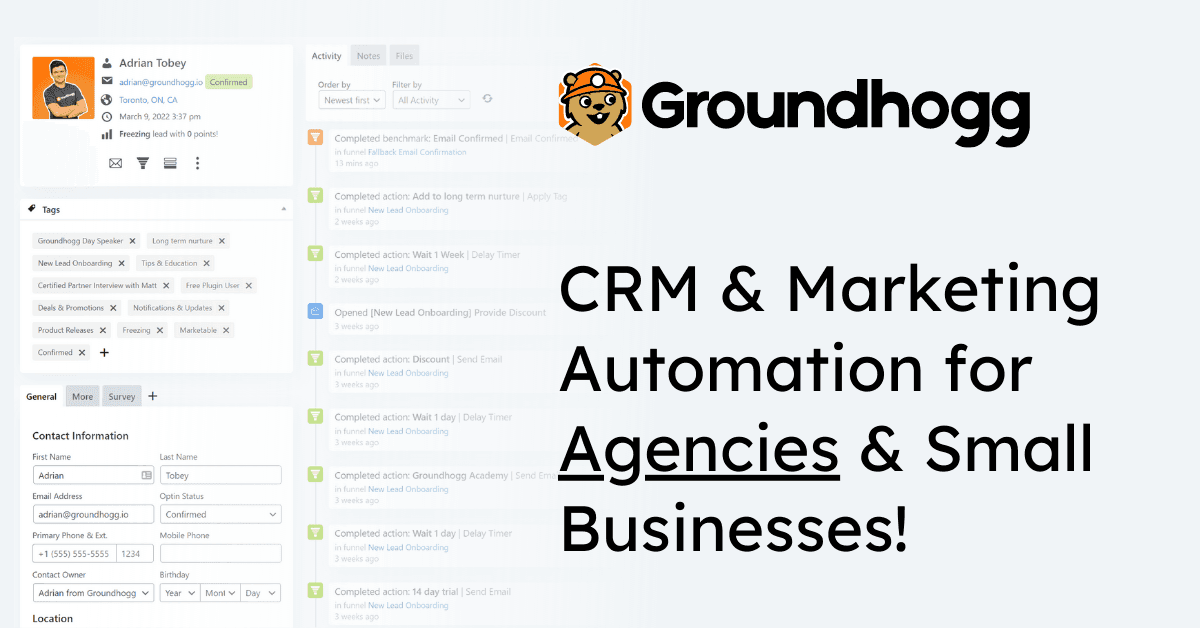
Manage contacts, custom fields, notes, tasks, files, and activity history directly inside the WordPress admin dashboard.
Flow Automation
Build marketing automation flows by dragging steps into the do-this-until-that editor with over a dozen pre-built templates.
Tags & Segmentation
Segment contacts with tags or advanced search filters across dozens of criteria from your plugins.
Email Editor
Create personalized emails with a drag-and-drop block editor or HTML editor using replacement codes.
Email Broadcasts
Schedule broadcast emails to whole segments of your list and see results in real time.
Flow Analytics
Track opens, clicks, unsubscribes, and bounces for flows and broadcasts, with custom report dashboards.
Conditional Logic
Create sophisticated automations and conditional content that tailor the journey to each contact's needs on the Pro plan.
Activity Timeline
See a historical timeline of all a contact's activity automatically collected and saved to the contact record.
Groundhogg | CRM for WordPress Pricing
View full pricing →- Premium support
- Use on 1 site
- Basic Add-ons
- Premium Flow Steps
- Superlinks
- Use on up to 3 sites
- Form Plugin Integrations
- Sales Add-ons
- CRM Add-ons
- Marketing Add-ons
- Use on up to 5 Sites
- SMTP Integrations
- SMS Integrations
- Ecommerce Integrations
- Membership Integrations
- Conditional Logic
- White Label Branding
- Use on up to 25 sites
- All Integrations
- All Add-ons
- Use for clients
| Feature | Basic $20/mo | Plus $40/mo | Pro $50/mo | Agency $100/mo |
|---|---|---|---|---|
| Premium support | ||||
| Use on 1 site | ||||
| Basic Add-ons | ||||
| Premium Flow Steps | ||||
| Superlinks | ||||
| Use on up to 3 sites | ||||
| Form Plugin Integrations | ||||
| Sales Add-ons | ||||
| CRM Add-ons | ||||
| Marketing Add-ons | ||||
| Use on up to 5 Sites | ||||
| SMTP Integrations | ||||
| SMS Integrations | ||||
| Ecommerce Integrations | ||||
| Membership Integrations | ||||
| Conditional Logic | ||||
| White Label Branding | ||||
| Use on up to 25 sites | ||||
| All Integrations | ||||
| All Add-ons | ||||
| Use for clients |
Pricing extracted from the product website and may change. Check the source for current details.
Frequently asked questions about Groundhogg | CRM for WordPress
Why is Groundhogg's pricing flat-rate?
Groundhogg never charges more for additional contacts, users, flows, or email sends. Pricing is based on features, not usage or growth, so you pay a flat rate for access to more features rather than a success tax as your list grows.
Is Groundhogg self-hosted?
Yes. Groundhogg is 100% self-hosted, so all data lives on your own servers and stays there. Neither Groundhogg nor any other service can access your customers' personal information, and most businesses use it anonymously.
Why does SMTP matter for email deliverability?
By bringing your own SMTP service, you take control of your email deliverability. Groundhogg integrates with the most popular SMTP services and even lets you use multiple at the same time.
Why does open-source matter for Groundhogg?
Groundhogg's code is all GPL and open-source, so you can customize it, redistribute it, or use it however helps your business. Developers can add features, and business owners benefit because the CRM would keep working even if the company ceased to exist.
Is there a money-back guarantee?
Yes. If Groundhogg isn't right for you, you can get a full refund within the first 14 days of your purchase, no questions asked. You can also try it for 14 days before committing.
Can I use unlimited contacts?
Yes. All Groundhogg paid plans include unlimited contacts, regardless of your list size. The company never charges more for more contacts.