
About OpenRevenue
Overview
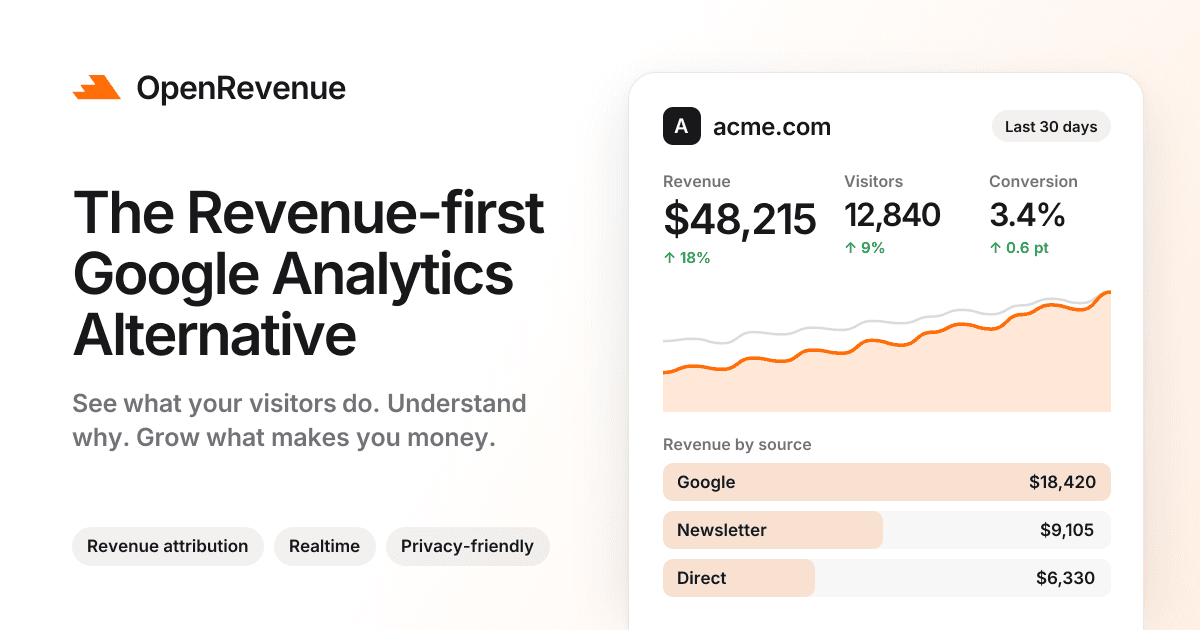
OpenRevenue is a revenue-first web analytics dashboard positioned as a simpler alternative to Google Analytics. It combines live traffic, visitor journeys, funnels, Core Web Vitals, and revenue attribution in one workspace, so teams see which pages, sources, and campaigns actually earn money.
The product runs without third-party cookies and stores no personal data, so most sites can drop the consent banner entirely. One plan includes every feature, and the price scales only with monthly event volume.
Key Benefits
- Revenue attribution ties every sale back to the page, source, and campaign that earned it.
- The tracking script weighs around 2kb and loads asynchronously, so page speed and Core Web Vitals stay intact.
- Cookieless tracking by default removes the need for a consent banner on most sites.
- Realtime views update active pages, countries, and sources with no delay and no sampling.
- Events are stored in ClickHouse, which keeps dashboards loading fast as traffic grows.
- One plan covers 100,000 events per month with unlimited websites and forever data retention.
How It Works
Add one lightweight snippet to your site — setup guides cover HTML, Next.js, React, Vue, Nuxt, SvelteKit, Astro, and Angular — and stats start flowing within minutes. Connecting a payment provider such as Stripe, Polar, or Paddle places revenue beside each page, source, and campaign, while custom events track clicks, form submissions, and signups. Invite teammates with owner, admin, or member roles, and share read-only dashboards or realtime views with clients and investors.
Use Cases
- Product teams use funnels and visitor journeys to see exactly where visitors drop off and fix the leaking steps.
- Marketing teams connect Stripe, Polar, or Paddle to learn which channels and campaigns return revenue.
- Founders check the realtime dashboard and AI Assistant for plain-language answers about their traffic.
- SEO and content teams link Google Search Console to read search terms alongside traffic sources.
- Agencies and indie developers publish public stats pages so clients and communities follow progress without an account.
- Growth teams track traffic arriving from ChatGPT, Claude, Perplexity, and other AI assistants.
Why Choose This Product
OpenRevenue sells a single plan rather than a tier matrix: revenue analytics, funnels, profiles, realtime stats, and the public REST API come with every volume level, so customers pay only for events. The tracker is roughly 2kb against the larger Google Analytics script, realtime heartbeats never count toward usage, and accounts open with a full-access 7-day trial that needs no credit card.
OpenRevenue Pros & Cons
- 7-day free trial with full feature access and no credit card
- Single plan includes every feature at every event volume
- Around 2kb tracking script, many times lighter than Google Analytics
- Cookieless tracking removes the need for a consent banner on most sites
- Events stored in ClickHouse for fast dashboards, plus unlimited websites
- Exceeding the monthly event allowance stops new events from being recorded until you upgrade
- White-label embeddable widgets cost an extra $19 per month per project
- Customers remain responsible for their own legal basis and privacy notices
Key Features
Realtime Dashboard
A live globe shows visitors the moment they land, with active pages, countries, and sources updating without delay or sampling.
Revenue Attribution
Connecting a payment provider places each sale next to the referrer, page, and campaign that produced it.
Funnel Analysis
Funnels map the steps that matter and show the exact percentage where visitors drop off.
Visitor Journeys
Each visitor profile follows a person from first click to conversion, with sessions and the moments that mattered.
AI Traffic Tracking
A dedicated view reports how much traffic ChatGPT, Claude, Perplexity, and other AI assistants send your way.
Core Web Vitals
Performance tracking measures Core Web Vitals on every real page load so slow pages surface before they cost visitors.
AI Assistant
Users ask questions about their traffic in plain words and get instant answers, charts, and filters built for them.
Cookieless Tracking
OpenRevenue avoids third-party cookies and stores no personal data, so most sites can remove the cookie banner.
Custom Events
Custom events track button clicks, form submissions, signups, or any other interaction that pushes visitors to convert.
Public Stats and Widgets
Every project can enable a read-only public share page and embed a realtime counter, traffic badge, or 30-minute chart.
OpenRevenue Pricing
View full pricing →- 100,000 events per month with a slider from 10K to 25M events
- Forever data retention
- Profiles and visitor journeys
- Revenue analytics and realtime dashboard
- Unlimited websites and public API access
- Priority human support
- Custom event volume and SLAs
- SAML 2.0 and OIDC SSO
- Organization workspaces
- White-label widgets included
- Priority onboarding and support
- MSA / DPA / invoice billing
| Feature | Single plan $19/mo | Enterprise Custom |
|---|---|---|
| 100,000 events per month with a slider from 10K to 25M events | ||
| Forever data retention | ||
| Profiles and visitor journeys | ||
| Revenue analytics and realtime dashboard | ||
| Unlimited websites and public API access | ||
| Priority human support | ||
| Custom event volume and SLAs | ||
| SAML 2.0 and OIDC SSO | ||
| Organization workspaces | ||
| White-label widgets included | ||
| Priority onboarding and support | ||
| MSA / DPA / invoice billing |
Pricing extracted from the product website and may change. Check the source for current details.
Frequently asked questions about OpenRevenue
How does the free trial work?
Every account starts with a 7-day free trial with full access to every feature and no credit card required. When the trial ends you pick a plan, and the data you already collected stays right where you left it.
Do I need a cookie banner to use OpenRevenue?
No. OpenRevenue works without third-party cookies and stores no personal data, so in most cases you can drop the cookie banner entirely. The tracker may use a first-party visitor and session identifier, and you remain responsible for your own legal basis and notices.
Will the tracking script slow down my site?
The script weighs around 2kb and loads asynchronously, so it has no measurable impact on page speed or Core Web Vitals. Events then load from ClickHouse, a database built for analytics.
How does OpenRevenue pricing work?
One simple plan scales from 10K to 25M events per month, and every feature is included at every tier. You only pay for the volume you need, billed monthly or yearly with two months free on annual billing.
What happens if I go over my plan limits?
Pageviews and custom events count toward usage, while realtime pings do not. If you exceed your tier, new events stop being recorded until you upgrade, but your existing dashboard stays readable.
How is OpenRevenue different from Google Analytics?
OpenRevenue is built to be checked in seconds rather than configured for hours. It puts realtime stats, revenue attribution, funnels, and visitor journeys in one clean dashboard, with no sampling and no confusing menus.