
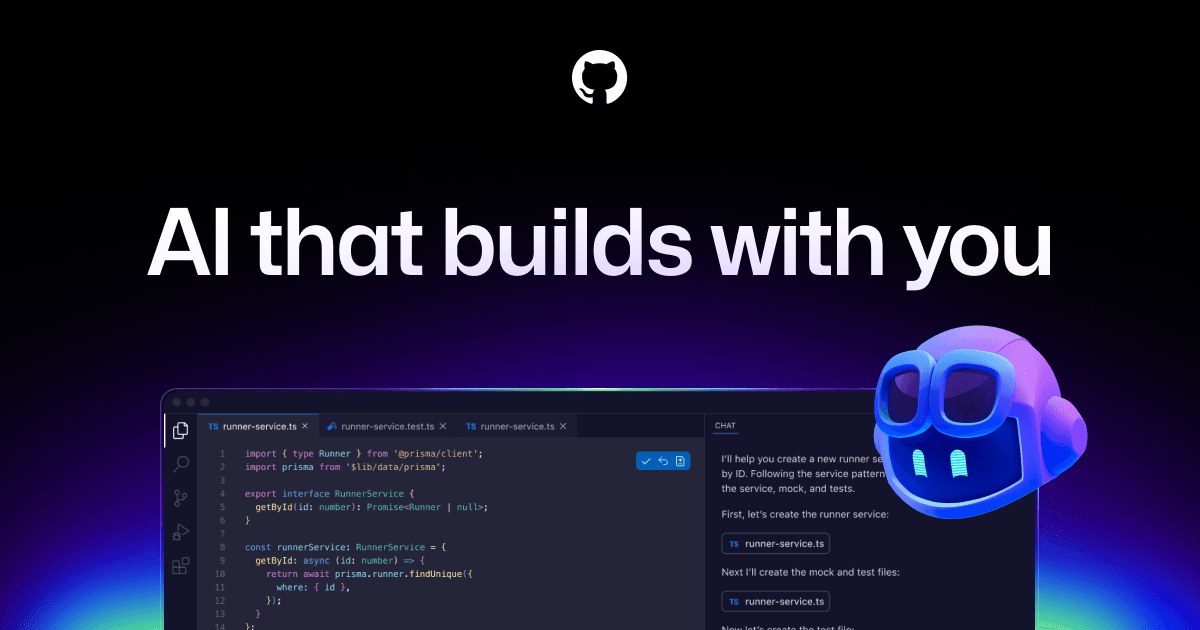
About GitHub Copilot
Overview
GitHub Copilot is an AI coding agent built natively into GitHub that accelerates every workflow from the editor to the enterprise. It provides contextualized assistance across the software development lifecycle, including inline code suggestions, chat, agent mode, and cloud agents. GitHub Copilot is the most widely adopted AI developer tool, serving millions of individual users and tens of thousands of business customers.
The tool lets you choose from leading LLMs optimized for speed, accuracy, or cost, and use your own custom agents or the third-party agents you already rely on. Copilot works in GitHub, your IDE, the CLI, project tools, chat apps, and custom MCP servers, with enterprise governance controls and security for MCP integrations.
Key Benefits
- Autocomplete code and next edits inside supported IDEs
- Chat with Copilot in the editor, terminal, GitHub.com, and mobile
- Assign tasks to agents such as Copilot, Claude by Anthropic, and OpenAI Codex
- Launch, track, and merge agent work from one native desktop workspace
- Select from leading LLMs tuned for speed, accuracy, or cost
- Control MCP server access with allow lists and audit logs
How It Works
Developers work in their editor, CLI, or GitHub.com, where Copilot offers inline suggestions and chat. For larger work, you assign tasks to agents that plan, explore, and execute autonomously in the background, then review and merge the completed changes from a desktop workspace. Organizations manage agent usage, budgets, and governance from a single control plane.
Use Cases
- Individual developers autocomplete code and get inline explanations in the IDE
- Freelancers and open source maintainers use chat and agent mode across individual plans
- Engineering teams run Copilot code review on all pull requests
- Enterprises enforce governance, audit logs, data privacy, and IP indemnity at scale
- Students and verified accounts access the GitHub Copilot Student plan
- Organizations pool credits for sustained, high-volume agent workflows
Why Choose This Product
Copilot is built natively into GitHub and the GitHub.com platform, offering a free tier, multiple model choices, and a desktop workspace for managing agent-driven work. Enterprise customers gain governance, data privacy, and IP indemnity, while individual plans give low-cost access to code completion, cloud agents, and code review.
GitHub Copilot Pros & Cons
- Built natively into GitHub and GitHub.com
- Free tier with 2,000 completions per month
- Choice of multiple leading LLMs for speed, accuracy, or cost
- Cloud agents and code review available across paid plans
- Enterprise governance with audit logs and IP indemnity
- Chat functionality limited to VS Code, JetBrains, and Visual Studio
- Paid usage beyond allowance consumes GitHub AI Credits
- Non-licensed code review on github.com requires admin policy enablement
Key Features
Code completion
Provides inline suggestions for whole lines or entire functions and unlimited next edit suggestions in supported paid plans.
Chat assistance
Offers contextual chat across the IDE, CLI, GitHub.com, and GitHub Mobile to explain concepts and answer questions.
Agent mode
Lets you assign tasks to agents like Copilot, Claude by Anthropic, and OpenAI Codex that plan, explore, and execute work autonomously.
Desktop workspace
Launches work from GitHub, tracks progress across multiple agents, reviews changes, and merges completed work in one native desktop app.
Model selection
Enables choosing from leading LLMs optimized for speed, accuracy, or cost, including premium models like Opus.
Copilot Spaces
Creates a shared source of truth with context from docs and repositories to keep teams consistent.
Enterprise governance
Provides audit logs and a single control plane to manage agent usage and enforce governance policies.
MCP security
Controls which MCP servers developers can access from their IDEs and uses allow lists to prevent unauthorized access.
Code review
Runs Copilot code review on pull requests in github.com, including pull requests from users without a Copilot license.
GitHub Copilot Pricing
View full pricing →- 2,000 completions per month
- Access to Haiku 4.5, GPT-5 mini, and more
- Copilot CLI
- Community support
- Access to Cloud agent and code review
- Unlimited code completion and next edit suggestions
- Access to 3rd party agents (Claude Code and Codex)
- Model selection
- $15 monthly total credits for Pro
- Access to premium models, including Opus
- Audit logs
- 4x+ included usage than Pro
- $70 monthly total credits for Pro+
- Priority access to new models and features
- 2.9x+ included usage than Pro+
- $200 monthly total credits for Max
- Unlimited code completion and next edit
- Access to cloud agent and code review
- Access to broad model catalog
- Access to 3rd party agents
- Access control, budget control, and governance
- IP indemnity and data privacy
- 1,900 credits per user
- Priority access to new models and features
- 2,000 more credits per user
| Feature | Free Free/mo | Pro $10/mo | Pro+ $39/mo | Max $100/mo | Business $19/mo | Enterprise $39/mo |
|---|---|---|---|---|---|---|
| 2,000 completions per month | ||||||
| Access to Haiku 4.5, GPT-5 mini, and more | ||||||
| Copilot CLI | ||||||
| Community support | ||||||
| Access to Cloud agent and code review | ||||||
| Unlimited code completion and next edit suggestions | ||||||
| Access to 3rd party agents (Claude Code and Codex) | ||||||
| Model selection | ||||||
| $15 monthly total credits for Pro | ||||||
| Access to premium models, including Opus | ||||||
| Audit logs | ||||||
| 4x+ included usage than Pro | ||||||
| $70 monthly total credits for Pro+ | ||||||
| Priority access to new models and features | ||||||
| 2.9x+ included usage than Pro+ | ||||||
| $200 monthly total credits for Max | ||||||
| Unlimited code completion and next edit | ||||||
| Access to broad model catalog | ||||||
| Access to 3rd party agents | ||||||
| Access control, budget control, and governance | ||||||
| IP indemnity and data privacy | ||||||
| 1,900 credits per user | ||||||
| 2,000 more credits per user |
Estimate based on listed per-seat pricing. Volume discounts and add-ons may apply.
Pricing extracted from the product website and may change. Check the source for current details.
Frequently asked questions about GitHub Copilot
What is GitHub Copilot?
GitHub Copilot is an AI coding assistant backed by leaders in AI that provides contextualized assistance throughout the software development lifecycle, from inline suggestions and chat in the IDE to code explanations and answers to docs in GitHub. It integrates with leading editors including Visual Studio Code, Visual Studio, JetBrains IDEs, and Neovim, and is built natively into GitHub.
Who is eligible to access GitHub Copilot for free?
GitHub Copilot Free is a free pricing tier with limited functionality for individual developers. Users assigned a Copilot Business or Enterprise seat are not eligible, and users with access to Copilot Pro through a paid subscription, trial, or a verified OSS, student, faculty, or MVP account may choose to use Free instead.
What languages, IDEs, and platforms does GitHub Copilot support?
Copilot is trained on all languages that appear in public repositories, with quality depending on the volume of training data for each language. It is available as an extension in Visual Studio Code, Visual Studio, Vim, Neovim, JetBrains IDEs, and Azure Data Studio, plus GitHub CLI and GitHub Mobile.
Does GitHub Copilot copy and paste code?
No. Copilot generates suggestions using probabilistic determination. The AI models may be trained on public code but do not contain any code, so suggestions are not copied from any codebase. The extension examines context around your cursor and sends it to the model to make a probabilistic determination of what comes next.
What are GitHub AI Credits?
GitHub AI Credits are how you pay for AI usage in Copilot, with 1 credit equal to $0.01 USD. Every plan includes a monthly allowance used for chat, agents, Copilot CLI, and Spaces. Code completions and next edit suggestions do not use credits and remain unlimited on paid plans.
What happens when I hit my usage limit?
You can wait for your allowance to reset monthly, keep working with paid usage by setting a dollar budget, or switch to a less expensive model to stretch your allowance. On Business and Enterprise, admins set usage limits and decide whether additional paid usage is allowed, otherwise Copilot pauses until the next cycle.