
About GanttPRO
Overview
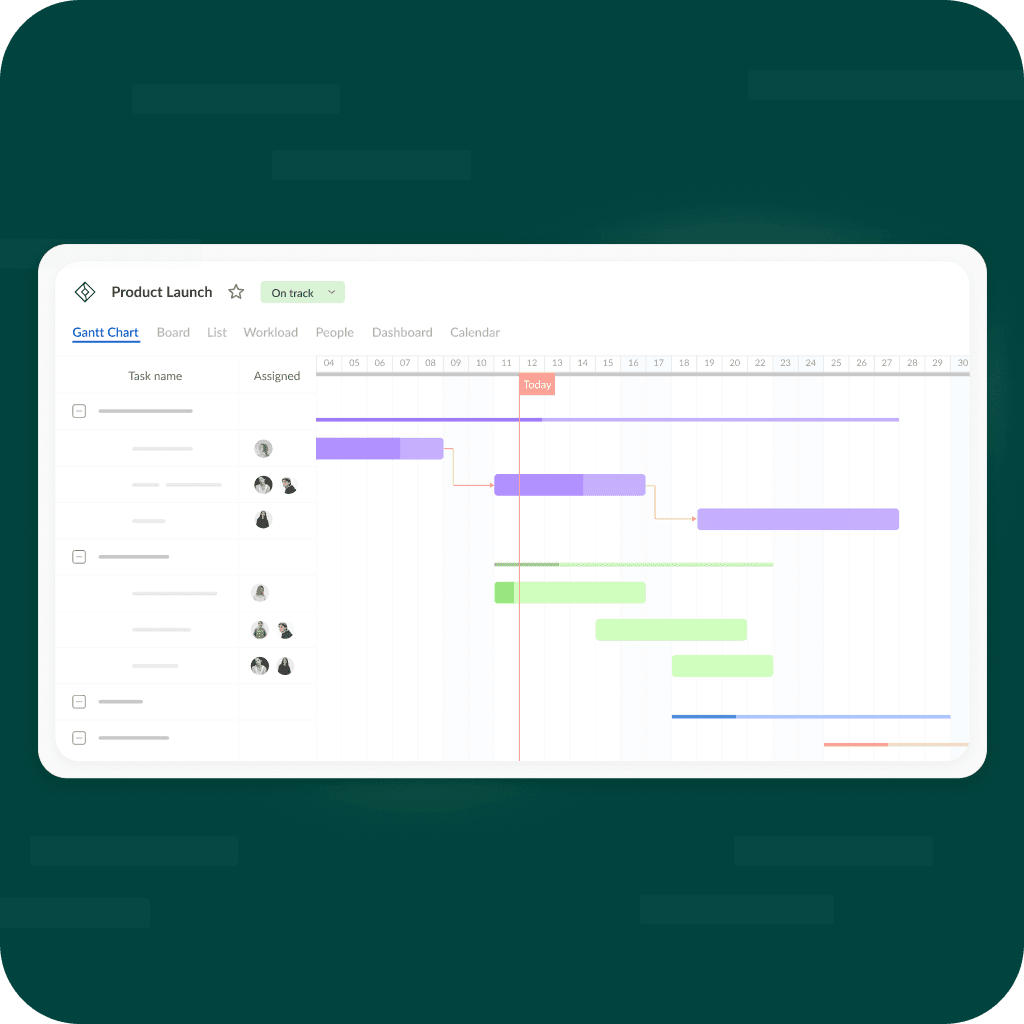
GanttPRO is an online Gantt chart maker for planning, scheduling, and managing projects. Project managers use its interactive Gantt charts to determine project duration, allocate resources, and sequence work through a work breakdown structure and task dependencies. More than one million project managers build and manage Gantt charts with the tool.
Key Benefits
- Build interactive Gantt charts that generate automatically as you add tasks, dates, and resources
- Use auto scheduling and the critical path to protect the project completion date
- Collaborate in real time with comments, attachments, and notifications
- Share plans by private link or export to PDF, PNG, XLSX, and XML
- Track workload and logged time to balance team resources
- Start with a free 14-day fully-featured trial, no credit card required
How It Works
Sign up and create a new project or begin from a free industry template. Add tasks, dates, and resources, and GanttPRO builds the Gantt chart automatically. Work alone or with your team, apply dependencies and the critical path, then share the plan when needed.
Use Cases
- Project managers schedule tasks, dependencies, and critical paths for traditional or hybrid methodologies
- Team leads monitor workload and reallocate members to avoid overwork and underutilization
- Marketing and event teams plan campaigns with free industry templates
- Software development and web design teams schedule milestones and releases
- Owners and Admins produce reports on logged time to guide resource and budget decisions
- Stakeholders view shared project plans through dynamic or static links
Why Choose This Product
GanttPRO centers on advanced planning with a clear Gantt chart view. It combines scheduling tools with workload management, time tracking, and reporting, and connects natively to Slack, Microsoft Teams, Google Drive, and Jira Cloud.
GanttPRO Pros & Cons
- Free 14-day fully-featured trial with no credit card required
- More than 1 million project managers use the tool
- Native integrations with Slack, Microsoft Teams, Google Drive, and Jira Cloud
- Workload management, time tracking, and reporting on Business tier
- Mobile apps for iOS and Android plus cross-platform web access
- No permanent free plan, only a 14-day trial
- Reports, workload, and time tracking require the Business tier or above
- Enterprise plan requires 5+ users with an annual subscription
- Project data cannot be modified offline
Key Features
Gantt chart maker
All plansInteractive Gantt charts build automatically as you add tasks, dates, and resources.
Auto scheduling
All plansRecalculates task dates and dependencies automatically when timelines change.
Critical path
All plansHighlights the tasks that directly affect the project completion date.
Task dependencies
All plansSequence work with a work breakdown structure and task relations.
Multiple views
Switch between Gantt, board, list, and portfolio views to suit the project.
Workload management
Business+Monitor team workload and reallocate members to balance tasks.
Time tracking
Business+Log actual time spent on tasks and milestones, with comments.
Reports
Business+Owners and Admins generate reports on logged time that can be exported to Excel.
Team collaboration
All plansComment on tasks and attach files so all information stays in GanttPRO.
Notifications
All plansReceive real-time alerts for assignments, mentions, and project changes.
GanttPRO Pricing
View full pricing →- Gantt charts
- Project calendar
- Auto scheduling
- Virtual resources
- Everything in Core
- Overdue tasks
- Custom fields and filters
- Calendar exceptions
- Custom project templates
- Everything in Advanced
- Workload management
- Portfolios and reports
- Budget planning
- Time tracking
- Everything in Business
- SAML single sign-on
- Custom roles and rights
- Product training
- Resource conversion
| Feature | Core $7/mo | Advanced $10/mo | Business $17/mo | Enterprise $35/mo |
|---|---|---|---|---|
| Gantt chart maker | ||||
| Auto scheduling | ||||
| Critical path | ||||
| Task dependencies | ||||
| Workload management | ||||
| Time tracking | ||||
| Reports | ||||
| Team collaboration | ||||
| Notifications |
Pricing extracted from the product website and may change. Check the source for current details.
Frequently asked questions about GanttPRO
Is GanttPRO a free Gantt chart software?
GanttPRO is not a free Gantt chart maker. It offers a 14-day fully-featured trial during which you can create Gantt charts online for free. After the trial ends, you choose a subscription plan that suits your needs.
Can I use GanttPRO on any device?
Because GanttPRO is cloud-based, you can create Gantt charts and manage projects on any operating system and device, including Windows, Mac OS, and Linux. iOS and Android apps are also available for managing projects from your mobile phone.
Do you offer free Gantt chart templates?
Yes. GanttPRO provides free Gantt chart templates for project management across various industries, including marketing, construction, event planning, software development, and web design. You can work on them in GanttPRO or download them for free in Excel and Google Sheets.
Can I access my Gantt chart offline?
As GanttPRO is a SaaS tool, you cannot modify data offline. However, you can save your chart as a PNG or PDF, take a snapshot, or print it to view the plan even without internet access.
Can I try GanttPRO for free?
Yes, GanttPRO offers a 14-day free fully-featured trial with no credit card required. You can invite your team and create projects during the trial, and all your work is saved after you purchase a subscription.
What payment options do you accept?
GanttPRO accepts major credit cards and PayPal. For companies, payments can also be arranged via Wire Transfer or Purchase Order by contacting the sales team.