About Ezgif
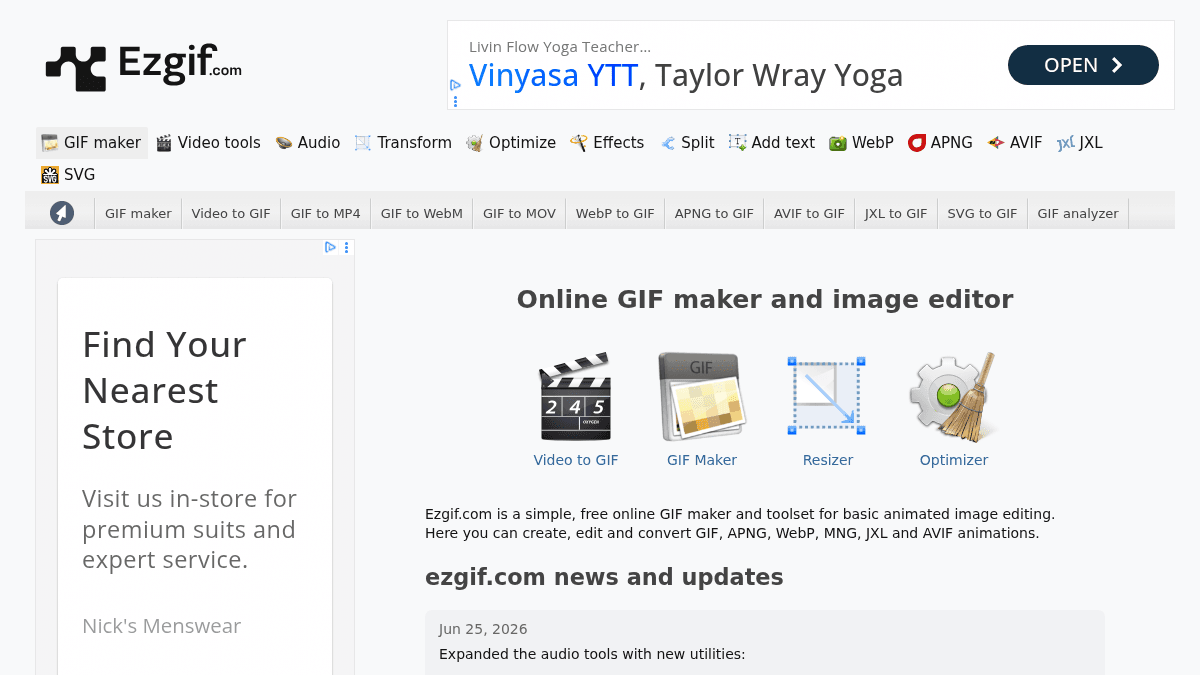
Overview Ezgif is a free online animated GIF editor and image converter that runs entirely in the browser. It lets users create, edit, and convert animated GIF, WebP, APNG, AVIF, JXL, and MNG files without installing any software. The toolset includes a GIF maker, video-to-GIF converter, resizer, optimizer, effects, splitter, and caption tools. Unlike desktop-only editors like Photoshop, Ezgif works on any device with a web browser and requires no account or payment. Key Benefits All tools are free to use with no account registration or payment required. Supports over a dozen animation formats including GIF, WebP, APNG, AVIF, JXL, MNG, and SVG. Includes video-to-GIF and GIF-to-video converters for MP4, WebM, and MOV formats. Audio tools support MP3, WAV, FLAC, M4A, and OGG with compression, fade, speed, and waveform generation. Metadata remover strips GPS location, camera details, timestamps, and embedded thumbnails from images. Background removal tool includes edge cleanup for cleaner transparency results. How It Works You upload a file from your device or paste a URL into the tool of your choice — GIF maker, video-to-GIF, resizer, optimizer, or effects. The tool processes the file on the server and displays a preview of the result. You download the output file directly from the browser with no account or payment required. Use Cases Social media managers who need to convert video clips into shareable GIFs for posts and replies. Web developers who need to optimize and resize animated images for faster page load times. Graphic designers who convert between animation formats like WebP, APNG, AVIF, and GIF for cross-platform compatibility. Content creators who add captions, crop, reverse, or apply effects to animated images and videos. Privacy-conscious users who strip EXIF metadata from images before sharing them online. Audio editors who compress, fade, speed up, or generate waveform images from audio files. Why Choose This Product Ezgif is best suited for anyone who needs quick, browser-based animated image editing without signing up or paying. It covers a wide range of formats and includes tools for video, audio, and metadata handling. The site does not offer desktop apps, batch processing, or advanced video editing features found in professional software.
Ezgif Pros & Cons
- Completely free with no account required
- Supports 15+ animation and image formats
- Includes video, audio, and metadata tools
- No software installation needed — works in browser
- Regularly updated with new features and formats
- No desktop or mobile apps available
- No batch processing for multiple files at once
- Limited to basic editing — no advanced video editing
Key Features
GIF Maker
Creates animated GIFs from uploaded images or video files with customizable frame delay and loop count.
Format Converter
Converts between GIF, WebP, APNG, AVIF, JXL, MNG, SVG, MP4, WebM, and MOV formats.
Resizer & Cropper
Resizes and crops animated images and videos to specific dimensions.
Optimizer
Reduces file size of animated GIFs and images by adjusting compression and color settings.
Effects & Filters
Applies brightness, contrast, saturation, grayscale, sepia, blur, and sharpen effects to videos and images.
Caption & Text Tool
Adds top or bottom captions to animated images and video files with semi-transparent backgrounds.
Audio Tools
Compresses, fades, speeds up, and generates waveform images from MP3, WAV, FLAC, M4A, and OGG files.
Metadata Remover
Strips EXIF data including GPS location, camera details, timestamps, and embedded thumbnails from image files.
Format Converter
Converts between GIF, WebP, APNG, AVIF, JXL, MNG, SVG, MP4, WebM, MOV, and legacy formats like FLIF and BPG.
Video Tools
Cuts, reverses, rotates, crops, and captures screenshots from video files in MP4, WebM, and MOV formats.
Ezgif Pricing
Pricing extracted from the product website and may change. Check the source for current details.