About Carbone
Overview
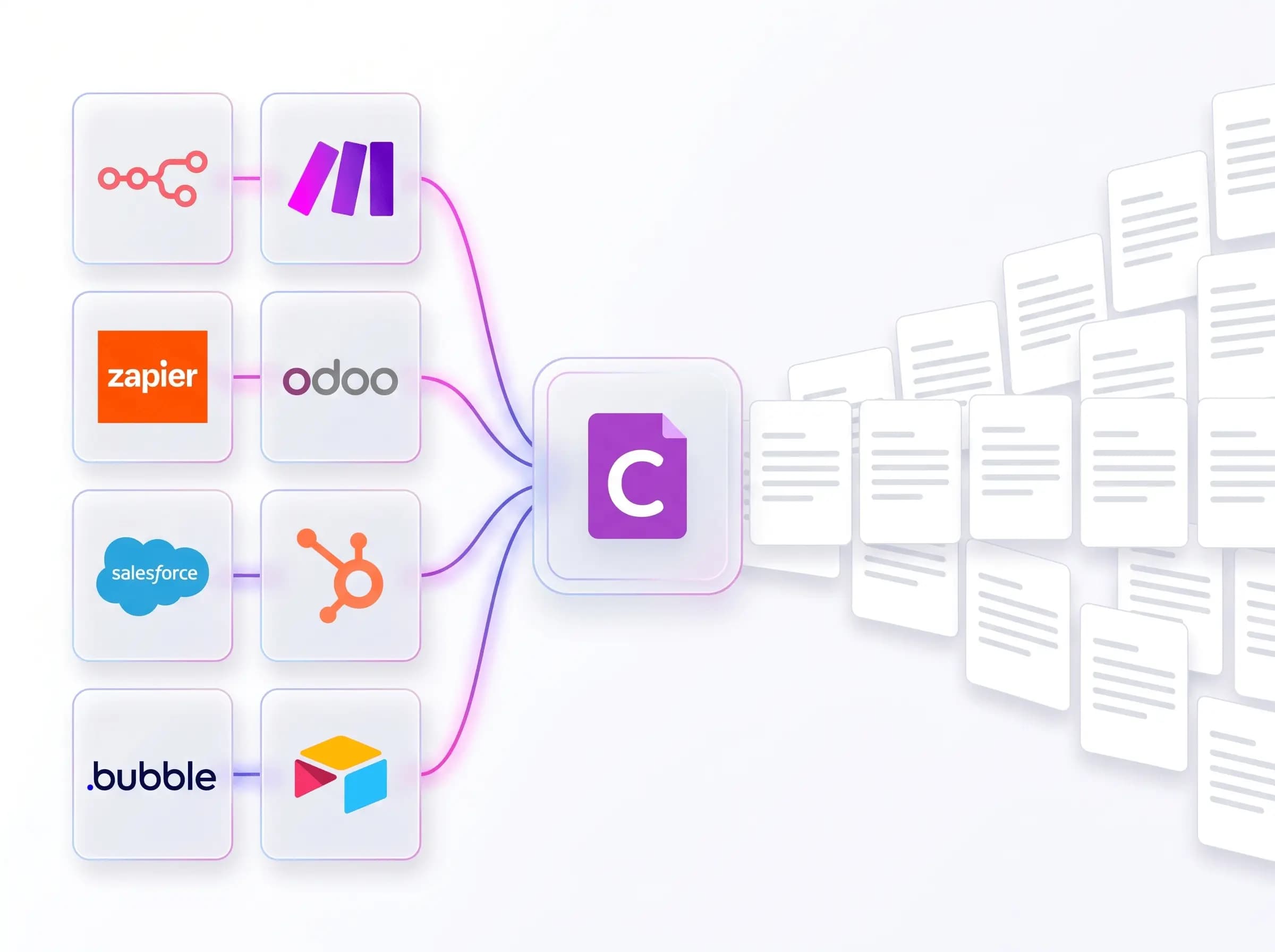
Carbone is an open-source report and document generator that turns JSON data into PDF, DOCX, XLSX, PPTX, ODS, HTML, and other files. Teams design templates in tools they already know, such as Microsoft Word, Excel, PowerPoint, LibreOffice, and Canva, then insert placeholder tags. Carbone also works with no-code tools such as Make, n8n, and Zapier.
Carbone separates template design from data, so non-developers can update reports without waiting for engineers. Customers update their reports in less than five minutes instead of several weeks. More than 800 paid customers in over 40 countries use Carbone, which has generated 181,434,163 documents since 2021, and the company donates 2% of revenue to non-profits.
Key Benefits
- Preserves your existing JSON data structure regardless of template design.
- Reduces your dependency on developers' availability for report changes by 90 percent.
- Keeps templates working across releases, since a Carbone v2 template remains fully compatible with v7.
- Generates single documents or millions through the Carbone API at a predictable, low cost per file, from your own application or no-code tools like Make, n8n, and Zapier.
- Deploys in Cloud, On-Premise, AWS, or Docker environments without altering your codebase.
- Connects AI assistants such as Claude, ChatGPT, and Copilot through the official MCP server.
How It Works
First, design a template in a familiar tool and insert curly-brace tags wherever data belongs. Next, send your JSON data to the Carbone API, which merges the data with the template. Finally, receive the finished PDF, DOCX, XLSX, or other file that Carbone produces.
Use Cases
- Sales operations teams generate quotes and contracts from Salesforce or HubSpot data.
- Marketing and customer success teams update client-facing documents without developer involvement.
- HubSpot integrators produce contracts, invoices, quotes, and training certificates for their clients.
- Software developers add document generation to Java, PHP, Go, and NodeJS applications.
- AI product teams turn output from ChatGPT or Claude into finished PDF, DOCX, XLSX, and PPTX files.
- IT teams run Carbone on-premises or in a private cloud to keep control over their information.
Why Choose This Product
Carbone does not replace the design tools that users already own, which sets it apart from many reporting tools. The Community Edition runs without a license, while a license enables Enterprise features such as dynamic images, charts, barcodes, and HTML. The company states that it does not store, sell, or use customer data to train AI.
Carbone Pros & Cons
- Free Community Edition runs without a license
- Templates built in Word, Excel, PowerPoint, LibreOffice, and other tools
- Deployment in Cloud, On-Premise, AWS, Docker, or Private Cloud
- Trusted by 800+ paid customers in 40+ countries
- Enterprise features such as dynamic images, charts, and barcodes need a license
- Chat support runs 9 AM to 6 PM UTC+2, with email replies outside those hours
Key Features
Universal Templates
Insert curly-brace tags into DOCX, ODT, ODS, XLSX, XML, MD, or HTML files designed in tools such as Microsoft Office, LibreOffice, or Canva.
Data Structure Preservation
Adjusts the ordering, grouping, and formatting of JSON data without coding or preprocessing steps.
Advanced Document Elements
Supports charts, barcodes, images, infinite nested loops, pagination, headers, footers, and multi-language content, with some elements requiring an Enterprise license.
Backward Compatibility
Templates built with Carbone v2 remain fully compatible with Carbone v7, backed by 5,000 automated tests.
Fast Document Rendering
The Carbone 5.15.0 benchmark reports 13,856 PDF documents per minute with Carbone ICE on a simple document using 4 CPUs.
AI Document Generation
All plansConnects AI assistants through the official MCP server and the open-source Carbone Skill to design templates from natural language.
API Document Generation
Generates single documents or millions from your application at a predictable, low cost per file.
No-Code Automation
All plansWorks with Zapier, Airtable, N8N, Make, Bubble, and Odoo extensions for no-code document workflows.
Flexible Deployment
Runs in Cloud, On-Premise, AWS, Docker, or Private Cloud environments without altering your codebase.
Expert Chat Support
Essential+Chat tickets are answered by the Carbone team, with P1 priority on Essential and P2 priority on Advanced.
Carbone Pricing
View full pricing →- AI document generation through the MCP server
- Zapier, Airtable, N8N, Make, Bubble, and Odoo extensions
- Templates, analytics, and parallel render limits set by the plan
- Community Edition runs without a license
- Chat support with P1 priority, under 24 hours average resolution
- AI document generation through the MCP server
- Zapier, Airtable, N8N, Make, Bubble, and Odoo extensions
- Templates, analytics, and parallel render limits set by the plan
- Chat support with P2 priority, under 1 hour average resolution
- Expert onboarding and template design help, 10 hours per year
- AI document generation through the MCP server
- Zapier, Airtable, N8N, Make, Bubble, and Odoo extensions
| Feature | Free Free | Essential $29/mo | Advanced $159/mo |
|---|---|---|---|
| AI Document Generation | |||
| No-Code Automation | |||
| Expert Chat Support |
Pricing extracted from the product website and may change. Check the source for current details.
Frequently asked questions about Carbone
Which file formats can Carbone generate?
Carbone generates PDF, DOCX, XLS, XLSX, ODT, PPTX, ODS, CSV, and XML documents, and the homepage also lists HTML. Templates can be created in Microsoft Office, LibreOffice, Google Docs, and other design tools.
Is Carbone free to use?
The pricing page lists a Free plan at 0 per month, with Essential at 29 per month and Advanced at 159 per month. Without a license, Carbone runs the free Community Edition.
Does Carbone store or use my data to train AI?
No. Carbone states that it does not store, sell, or use customer data to train AI.
Will my templates break after a Carbone update?
Carbone states that each new feature is integrated without breaking existing ones. A template created with Carbone v2 remains fully compatible with Carbone v7, and the company runs 5,000 fully automated tests.
Where can I deploy Carbone?
Carbone runs on Cloud, On-Premise, AWS, and Docker, and the pricing page also lists Private Cloud hosting. Switching between these options does not require altering your codebase.
Can AI assistants use Carbone to create documents?
Yes. AI assistants such as Claude, ChatGPT, and Copilot connect through the official MCP server. The open-source Carbone Skill lets AI agents design templates from natural language, and this is included in every plan.