
About Carbon Voice
Overview
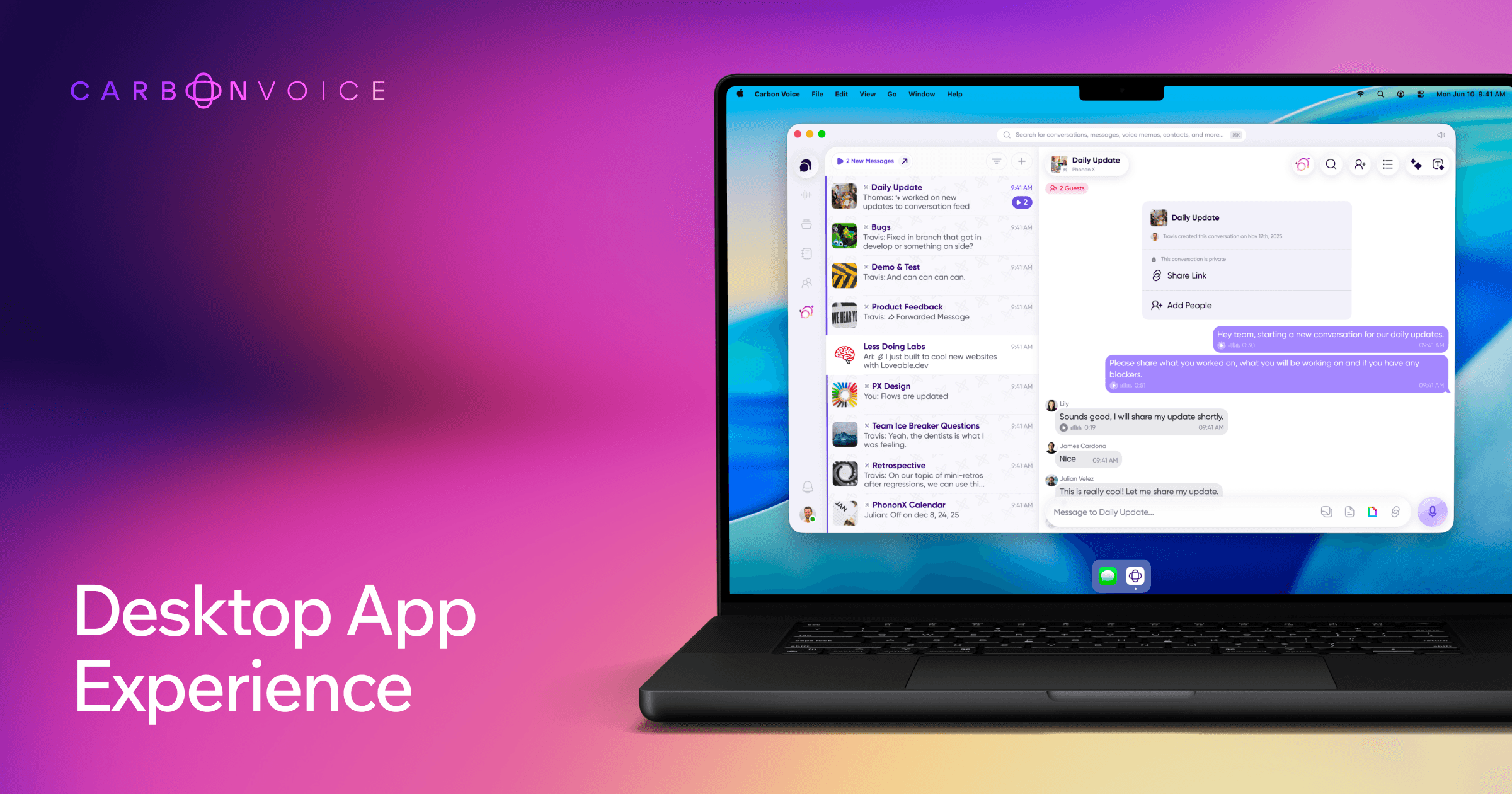
Carbon Voice is a voice-first communication app with a desktop client built for people who work at a computer. You press ⌥V from any application, talk, and Carbon Voice transcribes the message and files it where you want it. Quick keys 0–9 dial straight into a team conversation, a voice memo folder, or an AI agent.
The desktop app swaps scheduled calls for shared voice ideas: record a thought, get a link, and paste it anywhere. Carbon Voice reports that teams see up to 60% fewer meetings. Chats, memo folders, and agents sync across web, iOS, Android, Mac, Windows, and Apple Watch, so you can record on your phone and review at your desk.
Key Benefits
- Start recording with a single ⌥V keystroke without switching apps.
- Program keys 0–9 to reach teammates, open folders, or launch agents instantly.
- Every voice memo is transcribed automatically and saved to the folder you choose.
- Replace scheduling with recorded ideas delivered as links anyone can play and answer.
- Bind a key to an AI agent or workflow in OpenClaw, Hermes, n8n, Make, Zapier, Claude, or ChatGPT.
- Add files, links, screenshots, and screen recordings to give any message context.
How It Works
Press ⌥V to record, stop when you finish, and Carbon Voice transcribes and files the memo automatically; use ⌥1–0 to send straight into a specific folder. Press ⌥C to open your conversations, pick a thread, and record and send inside it. You attach files, links, screenshots or screen recordings for context, then share a link so others can listen on the web even without the app.
Use Cases
- Remote teams share ideas asynchronously instead of booking recurring status meetings.
- Founders and product managers capture quick voice memos and file them into folders for later.
- Developers and operations staff kick off n8n, Make, or Zapier workflows by voice from the desktop.
- Sales and support staff send a secure browser link so clients without Carbon Voice can listen and reply.
- Field and on-the-go workers record on mobile or Apple Watch and review transcripts at their desk.
- Multilingual teams use Global Voice to deliver messages translated into each recipient's language.
Why Choose This Product
Carbon Voice builds for voice from the ground up rather than adding recording to a chat app. You choose how to take part: speak or type, read or listen, with a transcript on every voice message. The desktop app pairs keyboard shortcuts with agent and workflow handoffs, so one keypress starts a task without opening another tool.
Carbon Voice Pros & Cons
- Record from any app with one ⌥V keystroke
- Automatic transcription on every voice message
- Teams report up to 60% fewer meetings
- Free to talk with anyone on Carbon Voice
- Syncs across web, mobile, Mac, Windows, and Apple Watch
- Message search across voice messages requires a premium plan
- Team features and longer recordings require a paid plan
Key Features
⌥V Voice Recording
Pressing ⌥V starts a recording from any application on your desktop without switching windows.
Programmable Quick Keys
Keys 0–9 dial straight into a team conversation, a voice memo folder, or an AI agent.
Automatic Transcription
Carbon Voice transcribes every recording and files it in the folder you pick, ready when you need it.
Meeting Replacement
Teams share recorded ideas as links instead of scheduling calls and report up to 60% fewer meetings.
Agent and Workflow Keys
One keypress launches an AI agent or automated workflow without typing or leaving your current app.
Voice Conversations
⌥C opens team chats where members send voice messages with transcripts and AI summaries.
Attachments and Captures
Messages and voice memos accept files, links, screenshots, and screen recordings for added context.
Cross-Device Sync
Chats, voice memo folders, and agents stay synced across web, mobile, Mac, Windows, and Apple Watch.
Global Voice Translation
Global Voice translates messages into each recipient's preferred language and delivers them in cloned voices.
Shareable Web Links
Recipients without Carbon Voice get a secure browser link to listen, read the transcript, and reply.
Carbon Voice Pricing
View full pricing →Pricing extracted from the product website and may change. Check the source for current details.
Frequently asked questions about Carbon Voice
Is Carbon Voice free to use?
Yes. Carbon Voice is free to talk to anyone on the service — just start a conversation and start talking. Longer recordings, more AI actions, and team features are part of the paid plans listed at getcarbon.app/pricing.
What platforms does Carbon Voice work on?
Carbon Voice works on iOS, Android, and the web, and the desktop app offers a Mac download plus Windows sign-up. There is also an Apple Watch app for capturing voice memos on the go. Everything syncs across devices, so you can talk on your phone and review on desktop.
Can someone without the app listen and reply?
Yes. You can send a message using a person's email address and they receive a secure link that opens in a web browser. They can listen, read the transcript, and reply by voice or text without installing anything.
Do I have to use my voice, or can I type and read?
You can speak or type, read or listen. Every voice message is transcribed so you can skim it like text, and the person on the other side can still play your typed messages and go hands-free.
Can I search my voice messages?
Yes. Every message is automatically transcribed and fully searchable on premium plans, so you can find exactly what someone said even weeks later.
Does Carbon Voice translate messages?
Yes. With Global Voice, messages are automatically translated into your preferred language and recipients receive them in theirs, delivered in cloned voices for both parties.