About Buddy
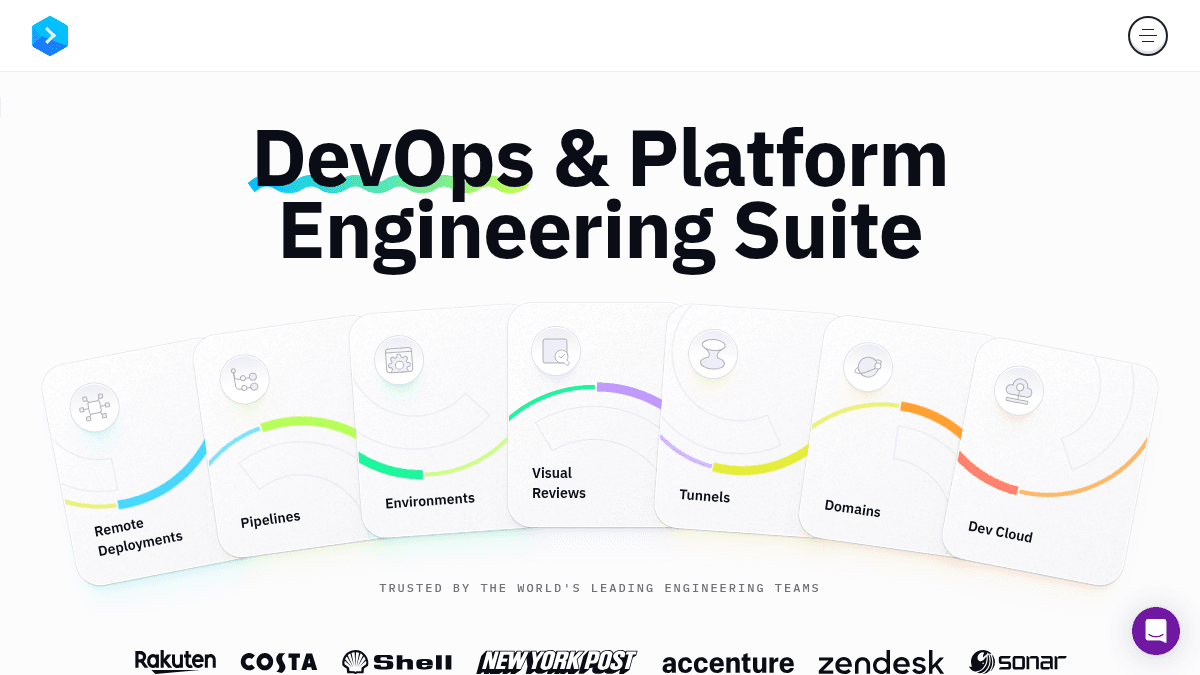
Overview Buddy is a DevOps and platform engineering suite that lets teams build, test, preview, and deploy applications to any infrastructure. It solves the problem of complex, multi-target deployments by offering a single platform that works across clouds, VPS, bare metal, and CDNs. Unlike traditional CI/CD tools that lock you into one provider, Buddy keeps you free from vendor lock-in and supports both UI-based and YAML-defined pipelines. It is built for engineering teams, DevOps leads, and web development agencies who need fast, reliable deployments without switching between multiple tools. Key Benefits Deploy to thousands of targets across any mix of clouds, VPS, bare metal, and CDNs without vendor lock-in. Change-aware builds deploy only what has changed, reducing deployment time and resource usage. Create and manage pipelines simultaneously with a visual UI or YAML configuration for infrastructure-as-code. One-click rollback lets you instantly revert deployments when something goes wrong. Run actions in containers on Intel, ARM, Linux, Windows, Mac, or NixOS architectures. Automated environments provision for every branch, stage, pull request, and developer. How It Works You connect your repository from GitHub, GitLab, or Bitbucket, then define pipelines using the visual UI or YAML. Buddy detects code changes and triggers builds and deployments automatically, deploying only what changed to your chosen targets across clouds, VPS, or bare metal. You configure environments for each branch and PR, run visual tests, and manage deployments with manual approvals, RBAC, and one-click rollback — all from a single dashboard. Use Cases DevOps engineers automate multi-cloud deployments with change-aware pipelines and IaC workflows. Web development agencies deploy client sites across different hosting providers from one platform. Senior frontend developers set up Cypress tests, Gatsby builds, and serverless deployments without deep CI/CD knowledge. Platform engineering teams provision automated environments for every branch, PR, and developer. Non-technical team members create and run deployment pipelines with minimal training using the visual UI. Why Choose This Product Buddy is best suited for engineering teams and agencies that need to deploy across multiple targets without vendor lock-in. The free tier supports small teams getting started, while the Hyper tier adds advanced permissions, SSO, and custom pipeline configurations for larger organizations.
Buddy Pros & Cons
- Free tier available with 1 seat
- Deploy to 1000s of targets across clouds, VPS, bare metal
- UI and YAML pipeline definition (best of both worlds)
- Change-aware builds — deploy only what changed
- One-click rollback and manual approvals
Key Features
Change-aware deployments
Buddy detects what changed in your code and deploys only the modified files to speed up deployments.
UI & YAML pipelines
Create and manage pipelines simultaneously using a visual UI or YAML configuration for infrastructure-as-code workflows.
Multi-target deployments
Deploy to thousands of targets across any mix of clouds, VPS, bare metal, and CDNs without vendor lock-in.
One-click rollback
Revert deployments instantly with a single click, supported by manual approvals and RBAC controls.
Visual reviews
Run visual and interaction tests across browsers, systems, and viewports with commenting and task management integration.
Automated environments
Provision standardized dev environments for every branch, stage, PR, and developer in your cloud or Buddy's cloud.
Secrets store & OIDC
Store secrets securely and use OIDC for authentication across pipelines and deployments.
Multi-architecture builds
Run actions in containers on Intel, ARM, Linux, Windows, Mac, or NixOS architectures.
Buddy Pricing
View full pricing →- 1 seat
- 1 concurrent
- 300 pipeline GB-minutes
- 1 GB of pipeline cache
- 300 sandbox CPU-minutes
- 730 sandbox GB-hours
- 2 seats (extra: $9/mo. per seat)
- 1 concurrent (extra: $50/mo. per concurrent)
- 3000 pipeline GB-minutes
- 10 GB of pipeline cache
- 300 sandbox CPU-minutes
- 7300 sandbox GB-hours
- 5 seats (extra: $29/mo. per seat)
- 2 concurrents (extra: $50/mo. per concurrent)
- 6000 pipeline GB-minutes
- 20 GB of pipeline cache
- 300 sandbox CPU-minutes
- 14600 sandbox GB-hours
- Advanced permissions: pipelines, users & groups
- Pipelines: trigger conditions, prioritization, custom services for actions & remote YAML configuration
- Sandboxes: password-protected public URLs & custom domains
- Single Sign-On: SAML & OIDC
| Feature | Free Free/mo | Pro $29/mo | Hyper $99/mo |
|---|---|---|---|
| 1 seat | |||
| 1 concurrent | |||
| 300 pipeline GB-minutes | |||
| 1 GB of pipeline cache | |||
| 300 sandbox CPU-minutes | |||
| 730 sandbox GB-hours | |||
| 2 seats (extra: $9/mo. per seat) | |||
| 1 concurrent (extra: $50/mo. per concurrent) | |||
| 3000 pipeline GB-minutes | |||
| 10 GB of pipeline cache | |||
| 7300 sandbox GB-hours | |||
| 5 seats (extra: $29/mo. per seat) | |||
| 2 concurrents (extra: $50/mo. per concurrent) | |||
| 6000 pipeline GB-minutes | |||
| 20 GB of pipeline cache | |||
| 14600 sandbox GB-hours | |||
| Advanced permissions: pipelines, users & groups | |||
| Pipelines: trigger conditions, prioritization, custom services for actions & remote YAML configuration | |||
| Sandboxes: password-protected public URLs & custom domains | |||
| Single Sign-On: SAML & OIDC |
Estimate based on listed per-seat pricing. Volume discounts and add-ons may apply.
Pricing extracted from the product website and may change. Check the source for current details.
Frequently asked questions about Buddy
What are seats?
Seats refer to the number of user accounts that can be added to a Buddy workspace. Each plan includes a set number of seats, with additional seats available for an extra monthly fee per seat.
What are GB-minutes?
GB-minutes measure the compute resources consumed by your pipeline runs. Each plan includes a set number of pipeline GB-minutes, with additional usage billed at a per-GB-minute rate.
What is active cache?
Active cache refers to the storage allocated for caching pipeline dependencies and build artifacts to speed up subsequent runs. Each plan includes a set amount of pipeline cache storage, with extra available for $1 per GB.
How long is the trial period?
Buddy offers a free trial period. No credit card is required to start the trial.
Is Buddy free?
Buddy offers a free plan with optional paid upgrades. See the pricing section for what's included in each tier.
How much does Buddy cost?
Buddy offers the following plans: Free, Pro, Hyper. See the pricing section for what's included in each tier and any per-seat or usage-based costs.