
About BrowserStack
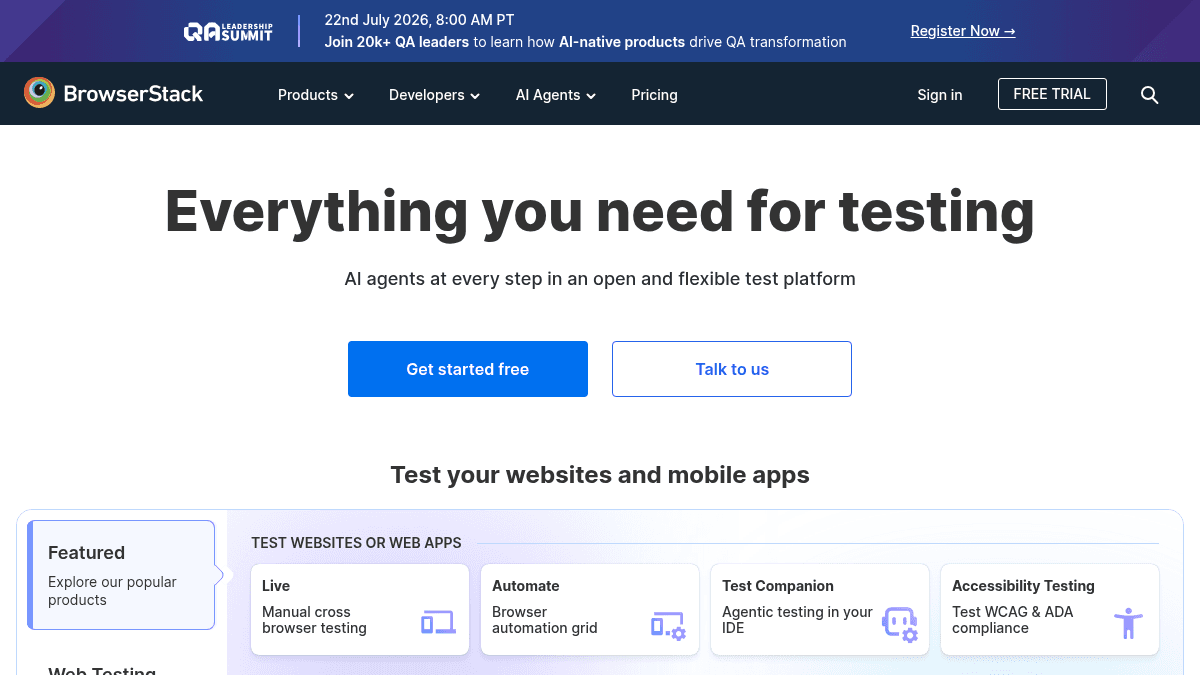
Overview BrowserStack is a cloud-based testing platform that gives developers and QA engineers instant access to over 3,500 real desktop browsers and 30,000+ real iOS and Android devices. It replaces the need for maintaining physical device labs or emulator farms, letting teams test websites and mobile apps under real-world conditions from a single interface. The platform covers manual live testing, automated Selenium and Appium testing, visual regression testing via Percy, accessibility compliance scanning, and AI-driven agents for test case generation and failure analysis. It serves engineering teams from freelancers to large enterprises across 135+ countries. Key Benefits Access 30,000+ real iOS and Android devices and 3,500+ browser/OS combinations instantly from the cloud, with no local infrastructure required. Ship bug-free web and app experiences faster by testing on real devices across geographies with IP and GPS geolocation from 100+ countries. Reduce per-user costs by up to 80% with volume-based pricing for teams, and save up to 25% with annual billing. Integrate testing into existing workflows with connectors for Jira, Slack, GitHub, and CI/CD pipelines, plus a Test Management for Jira plugin. Leverage AI agents at every stage of the testing lifecycle — from test case generation and locator self-healing to failure analysis and WCAG issue remediation — with no setup required. Open source projects receive unlimited free access to the platform, lowering the barrier for community-driven development. How It Works A user signs up for a BrowserStack account and selects a product such as Live, Automate, or App Live. For manual cross-browser testing, they pick a browser, OS, and device combination from the cloud dashboard, then interact with the live remote session through their own browser. For automated testing, they configure their existing Selenium or Appium scripts to point at BrowserStack's cloud endpoints, and the platform executes those tests across the selected real-device matrix while returning logs, screenshots, and video recordings. Use Cases Front-end developers verify website behavior across hundreds of browser/OS combinations before a production deploy, catching layout and functionality regressions early. QA engineers at SaaS companies run automated regression suites on real iOS and Android devices to ensure mobile app stability across OS versions and screen sizes. Accessibility specialists scan web and mobile apps for WCAG compliance using built-in screen readers (NVDA, TalkBack, VoiceOver) and automated workflow analyzers, then fix issues with the A11y Issue Remediation Agent. Freelance web developers working on multiple client projects use a low-cost Freelancer plan to run 100 minutes of live testing per month on desktop and mobile browsers. Enterprise compliance teams enforce security policies with single sign-on, IP whitelisting, and advanced access controls while distributing testing across global engineering teams. Open-source maintainers leverage the free unlimited access tier to run cross-browser and cross-device tests on their projects without incurring infrastructure costs. Why Choose This Product BrowserStack suits teams of any size that need reliable, on-demand access to real browsers and devices without maintaining physical labs. Limitations explicitly stated include that screenshots are not included in the Freelancer plan, and the enterprise tier with custom device labs, priority support, and advanced compliance requires contacting sales for pricing.
BrowserStack Pros & Cons
- 30,000+ real iOS/Android devices available instantly
- AI agents for test generation, healing, and failure analysis
- Free unlimited access for open source projects
- Integrates with Jira, Slack, GitHub, and CI/CD tools
- Volume pricing reduces costs by up to 80% for teams
Key Features
Live Cross-Browser Testing
Manually test on thousands of real desktop and mobile browser/OS combinations from a cloud dashboard.
Automated Test Cloud
Run automated Selenium and Appium test suites on real devices and browsers via BrowserStack's cloud infrastructure.
Visual Testing with Percy
Visually review and approve UI changes across builds with Percy's automated screenshot comparison tool.
Accessibility Testing
Scan web and mobile apps for WCAG compliance using screen readers, workflow analyzers, and AI-powered issue detection agents.
Real Device App Live Testing
Test iOS and Android apps manually on real devices hosted in the cloud, with access to device settings, network conditions, and native gestures.
Testing Toolkit Suite
An AI-powered bundle of 15 manual testing tools including bug capture, HTTP interception, form filler, proofreader, and test case generation.
AI Testing Agents
Automate test case creation from requirements, auto-heal broken UI locators, analyze failures, and detect WCAG issues without manual setup.
Test Management Tools
Plan, track, and manage manual and automated tests with built-in test management or the Jira-native Test Management plugin.
Load Testing
Run load tests against browser and API endpoints to measure performance under traffic.
BrowserStack Pricing
View full pricing →- 100 minutes of Live - Desktop & Mobile
- Only 1 user per account
- Billed Annually at $12.50/month or $19 month-to-month
- Test on 3500+ real desktop & mobile browser combinations
- 5 users at $30 per user per month
- Desktop & Mobile testing
- Access to 30,000+ Real iOS & Android Device Units
- Collaborative Debugging with Mobile DevTools
- Bookmarks & Integrations like Jira, Slack, GitHub
- Test network conditions (No Network/3G/4G)
- Localisation Testing with IP and GPS geolocation from 100+ countries
- Exclude Internal Traffic from Google Analytics
- AI powered toolkit of 15 products for all manual testing needs
- 15 Product Pack
- Live (Team Pro), Bug Capture, Requestly Pro, Accessibility Workflow Analyzer
- AI Agents: Test Case Generator, Proofreader, Form Filler
- All Team Pro Features
- Reduced cost per user
- Effortlessly scale across teams
- Test on 4 devices simultaneously in one tab
- Test Payments (Apple Pay and GPay) and 2FA with OTP/SMS
- Screenreader testing with voiceover, talkback, JAWs and NVDA
- Advanced Access Control
- Single Sign-On
- IP Whitelisting
- Advanced Local Testing
- Usage Analytics
- Priority Support
| Feature | Freelancer $12.50/mo | Team $150/mo | Team Pro $150/mo | Team Ultimate $375/mo | Volume Custom/mo | Enterprise Custom/mo |
|---|---|---|---|---|---|---|
| 100 minutes of Live - Desktop & Mobile | ||||||
| Only 1 user per account | ||||||
| Billed Annually at $12.50/month or $19 month-to-month | ||||||
| Test on 3500+ real desktop & mobile browser combinations | ||||||
| 5 users at $30 per user per month | ||||||
| Desktop & Mobile testing | ||||||
| Access to 30,000+ Real iOS & Android Device Units | ||||||
| Collaborative Debugging with Mobile DevTools | ||||||
| Bookmarks & Integrations like Jira, Slack, GitHub | ||||||
| Test network conditions (No Network/3G/4G) | ||||||
| Localisation Testing with IP and GPS geolocation from 100+ countries | ||||||
| Exclude Internal Traffic from Google Analytics | ||||||
| AI powered toolkit of 15 products for all manual testing needs | ||||||
| 15 Product Pack | ||||||
| Live (Team Pro), Bug Capture, Requestly Pro, Accessibility Workflow Analyzer | ||||||
| AI Agents: Test Case Generator, Proofreader, Form Filler | ||||||
| All Team Pro Features | ||||||
| Reduced cost per user | ||||||
| Effortlessly scale across teams | ||||||
| Test on 4 devices simultaneously in one tab | ||||||
| Test Payments (Apple Pay and GPay) and 2FA with OTP/SMS | ||||||
| Screenreader testing with voiceover, talkback, JAWs and NVDA | ||||||
| Advanced Access Control | ||||||
| Single Sign-On | ||||||
| IP Whitelisting | ||||||
| Advanced Local Testing | ||||||
| Usage Analytics | ||||||
| Priority Support |
Estimate based on listed per-seat pricing. Volume discounts and add-ons may apply.
Pricing extracted from the product website and may change. Check the source for current details.
Frequently asked questions about BrowserStack
Is BrowserStack free?
BrowserStack offers a free plan with optional paid upgrades. See the pricing section for what's included in each tier.
How much does BrowserStack cost?
BrowserStack offers the following plans: Freelancer, Team, Team Pro, Team Ultimate, Volume, Enterprise. See the pricing section for what's included in each tier and any per-seat or usage-based costs.
What platforms does BrowserStack support?
BrowserStack is available on: Web.