About Barflare
Overview
Barflare is a macOS menu bar app that shows the processes and ports running on your Mac and which services Cloudflare exposes. It turns localhost into a public HTTPS link in one click, and the exposed route stays visible in the app. Install it by dragging it to Applications, and it runs without a dock icon or window.
Quick Share creates a temporary trycloudflare.com link for any local server without a Cloudflare account, domain, or DNS setup. Saved tunnels give you stable hostnames on your own domain, and free Cloudflare accounts work for them. AI agents can inspect and manage those tunnels through the local API and bundled CLI.
Key Benefits
- Shows the app, process, and port behind every local service before you expose it.
- Shares a local dev server, static site, or webhook receiver through a temporary HTTPS link in seconds.
- Keeps the same public link for each project by pinning a stable slug.
- Lets AI coding agents start, stop, restart, and edit tunnels while you keep their state visible in the app.
- Detects conductor.build dev servers the moment they boot and tags them in the list.
- Costs a one-time £15 license with no subscription, covering up to 3 devices.
How It Works
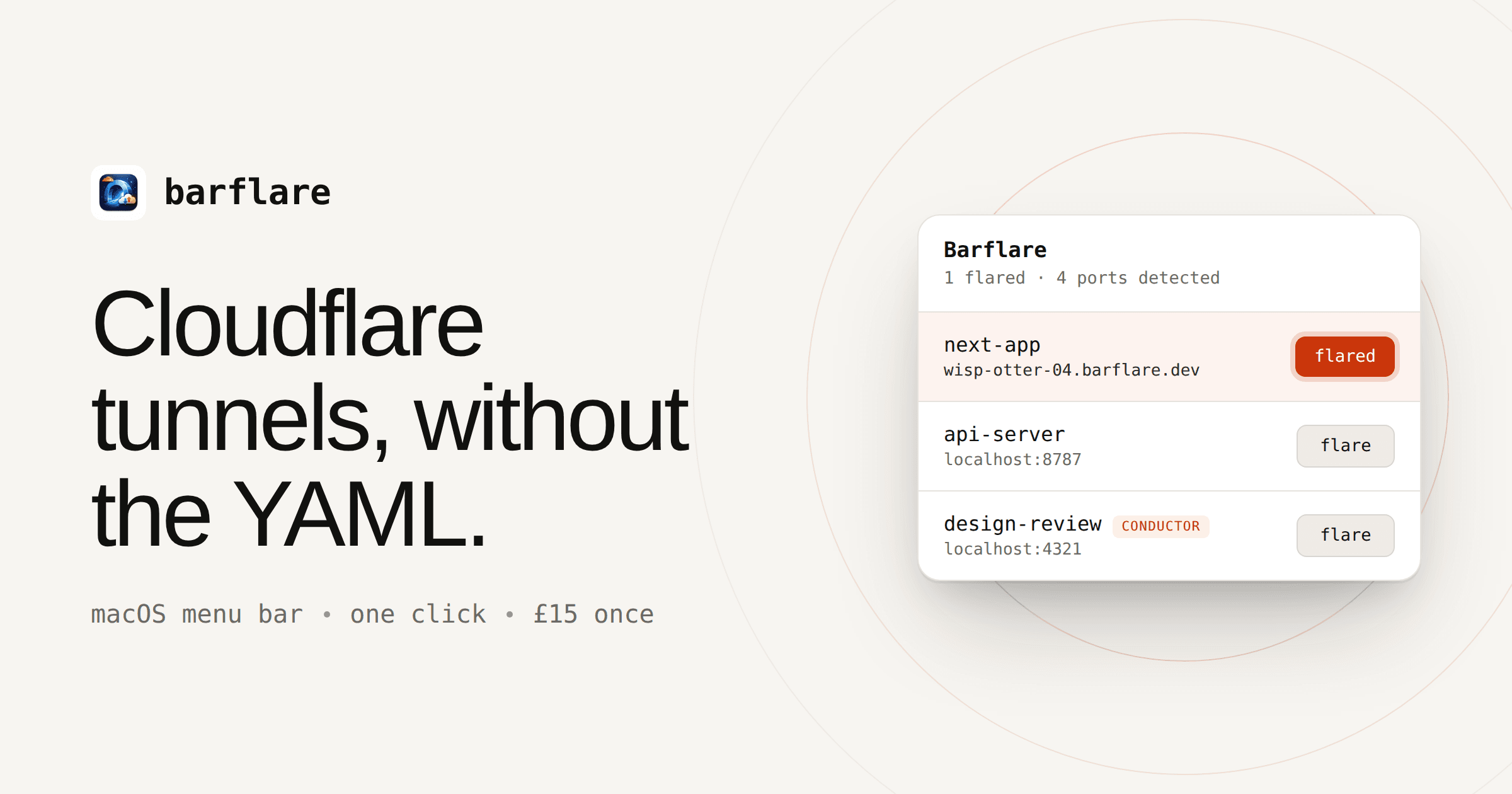
Drag Barflare into Applications and launch it, and it lives in the menu bar. It detects local web servers, their processes, and ports, including Conductor workspaces. Click flare to get a public HTTPS URL on Cloudflare's network, with the route still visible in Barflare.
Use Cases
- Developers showing work in progress: they flare a local app to send a temporary HTTPS link to a teammate.
- Developers testing webhooks: they point Stripe or GitHub webhook tests at a temporary link to their own Mac.
- Conductor users: they preview agent-built UI from conductor.build workspaces for a teammate with one click.
- Mobile testers: they scan the Quick Share QR code to open a local site on a real phone.
- Developers using AI coding agents: they let agents manage tunnels through the Barflare CLI while they monitor the state in the menu bar.
- Remote developers using Tailscale: they flare or unflare tunnels from another tailnet device when their laptop sits in another room.
Why Choose This Product
Barflare charges a one-time £15 license instead of a subscription, and tunnels run on Cloudflare's network. Quick Share needs no Cloudflare account, but saved and named tunnels do require Cloudflare, and free accounts work. The 7-day free trial includes full functionality, but an unlicensed copy stops flaring new tunnels once it ends.
Barflare Pros & Cons
- One-click public HTTPS links for localhost apps
- Quick Share works without a Cloudflare account
- Shows the process and port behind every local service
- AI agents can manage tunnels through a local API and CLI
- One-time £15 license with no subscription
- Saved and named tunnels require Cloudflare
- Unlicensed copies stop flaring new tunnels after the 7-day trial
- Quitting Barflare ends every Quick Share link
Key Features
Quick Share
Creates a temporary trycloudflare.com HTTPS link for any localhost server with no Cloudflare account, domain, or DNS setup.
One-Click Flare
Exposes a detected local app as a public HTTPS URL while keeping the exposed route visible in Barflare.
Port and Process View
Shows the app, process, port, and icon behind each local web server, labeling servers such as Next, Vite, Rails, and Docker.
Stable URLs
Pins a slug per project so the same link returns every time you flare.
Custom Domains
Lets you pick a domain you point at Cloudflare so tunnels resolve at subdomains you choose, with the default barflare.dev domain needing no setup.
AI Agent Control
Lets AI coding agents inspect, start, stop, restart, and edit tunnels through the local API and bundled CLI.
Conductor Detection
Spots conductor.build dev servers as they boot and tags them next to your other local servers.
Remote Device View
Shows Cloudflare tunnels running on your other Macs and, with Tailscale, lets you flare or unflare tunnels from any tailnet device.
Barflare Pricing
Pricing extracted from the product website and may change. Check the source for current details.
Frequently asked questions about Barflare
Do I need a Cloudflare account?
Not for Quick Share. Temporary Quick Share links work without a Cloudflare account, domain, or DNS setup. Saved and named tunnels use Cloudflare Tunnels under the hood, and free Cloudflare accounts work fine for those.
How is Barflare different from ngrok?
Barflare is a native menu bar app with a one-time £15 license instead of a subscription. Tunnels run on Cloudflare's network, and the app shows the app and process behind every port before you expose it. Quick Share covers instant temporary URLs, while saved tunnels give stable hostnames on your own domain.
Can I see which process is exposing a port?
Yes. Barflare shows local web servers, listening ports, process names, app icons, and extra details so you know what is running before you expose it through Cloudflare.
Can AI agents manage Cloudflare tunnels?
Yes. Enable the local API and install the Barflare Agent Skill. Agents can inspect, start, stop, restart, and edit tunnels through Barflare while you keep the tunnel state visible in the menu bar app.
Can I use my own domain?
Yes. Point a domain at Cloudflare, pick it in Barflare, and tunnels resolve at subdomains of your choosing. The default barflare.dev domain works without setup.
What counts as a device?
One Mac, one license seat. A single £15 purchase covers 3 devices, and you can move seats freely between machines from the portal.