Results for "design"
840+ matching results across tools, Boxes, comparisons, alternatives, and categories.
Counts marked + are lower bounds. Search checks the first 1,000 ranked tools before pricing filters and up to 100 matches per other result type. Refine your query to narrow the results.
Tools(683)
View all 683 tools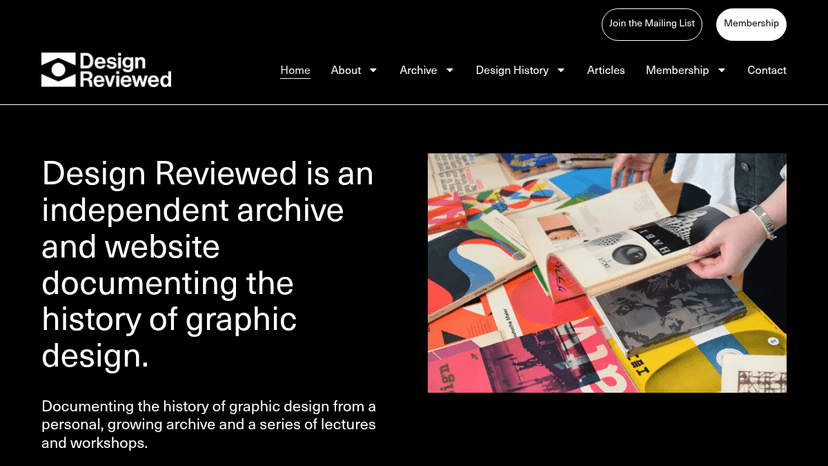
Explore 10,000+ scanned graphic design artefacts, 500+ designer profiles, and 150 years of design history — free to browse, with member articles from ...

A weekly podcast for designers — explore design process, culture, and career growth through candid conversations with industry professionals.


Listen to award-winning long-form interviews with designers, artists, writers, and thinkers exploring how creative people design the trajectory of the...

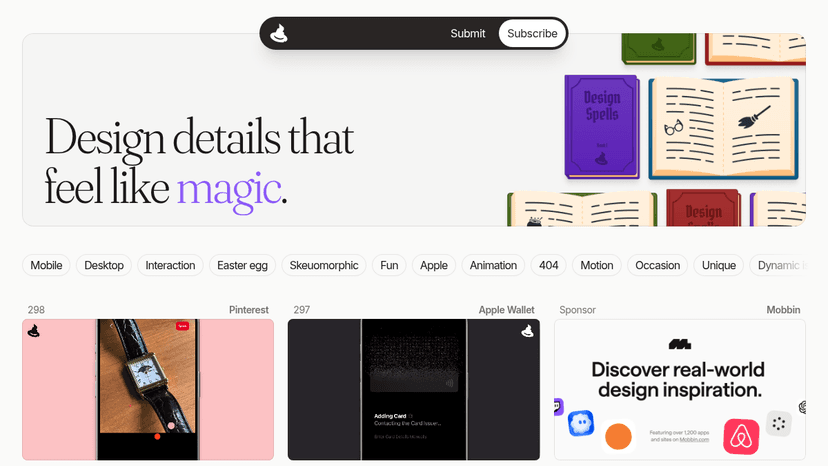
Discover real micro-interactions, easter eggs, and motion details that add personality and fun to digital products — curated for designers who care ab...

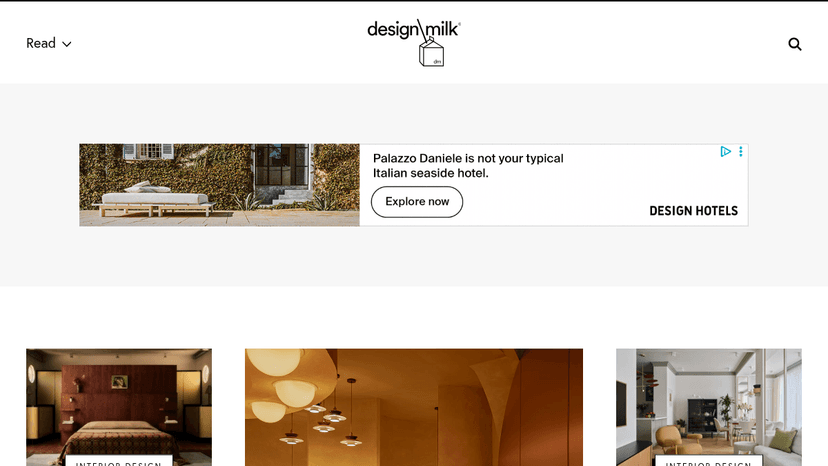
Discover modern design through editorial coverage and shop curated home, kitchen, lifestyle, and art products — all in one place.
Find and post design jobs — browse 54+ open positions from agencies, studios, and brands across all experience levels
Tool Comparisons(100+)
View all 100+ comparisonsDesign Reviewed vs archives.design
Design Reviewed vs typo/graphic posters
Design Reviewed vs Abduzeedo
Design Reviewed vs typo-graphic-work
Re:collection vs Design Reviewed
Re:collection vs archives.design
Software Alternatives(22)
View all 22 alternativesAlternatives to Absurd.Design
Hand-drawn illustrations from one artist — authentic, imperfect, and deeply human. Subscribe for a singular visual universe free from AI.
Alternatives to Another Design Newsletter
A weekly newsletter by designer Pablo Stanley — get personal design thoughts, creative gems, and art inspiration delivered to your inbox.
Alternatives to archives.design
Browse a curated graphic design archive — access type specimens, posters, annuals, and design books sourced from the Internet Archive, all in one place.
Alternatives to CSS Design Awards
Get your website recognized by industry judges, gain exposure in the web design community, and draw inspiration from award-winning CSS work.
Alternatives to Dark.Design
Browse hand-picked dark-themed websites, bookmark favourites, and get design inspiration — curated by designers, for designers.
Alternatives to Dark Mode Design
Discover handpicked dark mode website inspiration — curated beautifully designed sites to spark your next web project.
Categories(35)
View all 35 categoriesAccessibility
Accessibility work combines design choices, implementation checks and evaluation of real interactions. These listings span automated audits through Lighthouse and Axe DevTools, contrast tools, color-vision simulation with Color Oracle, and practical guidance from The A11Y Project and Inclusive Components. Each addresses a different part of making interfaces usable by more people. Choose resources around the task at hand: checking a palette, designing a component or investigating a live page. Contrast measurements and visual simulations can highlight specific issues, but they do not evaluate every interaction or represent every person’s experience. Pair tool findings with hands-on checks of keyboard navigation, focus, zoom and assistive-technology use. Review the complete path through important tasks, including errors and dynamic states. Keep accessible patterns in shared components so fixes carry into future screens, and retest after changes rather than relying on one audit score.
Accessibility Testing
Accessibility testing tools help surface problems during design, development and maintenance. The collection includes Axe DevTools and Pa11y for automated checks, Stark for design and product workflows, Polypane for browser-based inspection, and dedicated contrast tools. Palette checks and page audits cover different scopes, so they work best as complementary parts of a testing process. Compare the states a tool can inspect, whether it works on authenticated pages and how reports identify affected elements. For automated workflows, check how results fit your build process, how new failures are distinguished from existing ones and who receives the findings. Test key journeys manually as well as running scans: menus, forms, dialogs and validation errors need interaction checks. Record steps to reproduce each issue and retest the fix. Passing an automated scan does not establish that a whole product is accessible; it provides evidence for the checks that scan performs.
AI Tools
Useful AI tools solve specific problems, not vague “productivity” fantasies. This category covers software that helps people write, research, code, design, analyze data, generate images, summarize documents, automate support, and build faster without pretending the work does itself. A marketer might use ChatGPT to draft campaign angles, Claude to clean up a long strategy document, and Midjourney to explore visual directions before handing the best ideas to a designer. The real value is not in replacing skill, but in reducing the slow parts around it: first drafts, repetitive edits, messy notes, blank screens, and tedious formatting. Good AI tools fit into an existing workflow without making every task feel like prompt engineering homework. Weak ones produce shiny output that still needs more fixing than starting from scratch. The best AI tools feel boring in the right way: dependable, focused, and useful after the novelty wears off.
Color Palettes
Find a starting color direction, then test it in context. Color Hunt and Culrs offer curated combinations, Khroma generates choices around preferences, and Happy Hues shows palettes applied to interface examples. Color Leap adds historical references, while Gradient Hunt focuses on gradients. These resources support different stages of exploration; a pleasing swatch collection is only the beginning of a usable color system. Apply a shortlist to body text, buttons, surfaces and borders using your own layouts. Check contrast for the actual foreground and background pairs, including hover, focus and disabled states. Give colors clear roles rather than copying a palette unchanged. Test light and dark surfaces where needed, and compare how easily you can save or export values into your design tools. Keep error and success states understandable without depending on color alone.
Color Tools
A color workflow can involve finding a starting palette, capturing an existing color, building a gradient or preparing a reusable shade scale. The listings here include ColorSpace, CSS Gradient, Sip and Tint & Shade Generator, along with more focused color experiments. Choose the tool around the output you need. For an interface palette, place the colors on actual text, backgrounds and states before settling on them. For a gradient, check the result in the browser and inspect the exported CSS or SVG. For reusable shades, keep names and values consistent with your design tokens. A pleasing set of swatches becomes useful when it survives the constraints of the finished screen.
Creative Inspiration
Creative inspiration resources help widen the references behind a design idea. The listings include project showcases such as Abduzeedo and Visual Journal, creative publications such as It’s Nice That and Creative Bloq, and curated newsletters including Dense Discovery. Muzli and Panda bring discovery into a regular browsing routine, while editorial sources provide more context around the work. Match the source to your current question: a branding direction, typography treatment, interface pattern or broader cultural theme. Save a small set of relevant examples and note what makes each useful, such as hierarchy, rhythm, material or storytelling. This makes a reference board easier to discuss with a team. Look beyond the most familiar style and include references from adjacent disciplines. Preserve original credits and use the underlying principles to explore your own solution. Choose a manageable discovery habit so research supports making decisions and producing work.