About Use Contrast
Overview
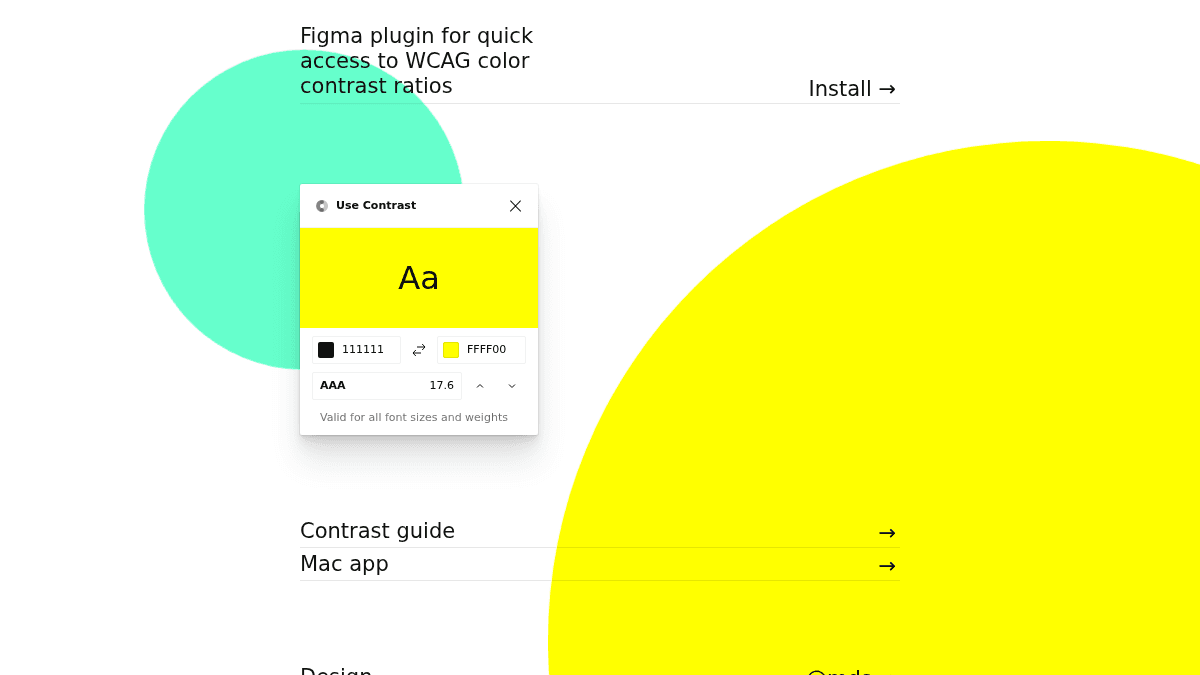
Use Contrast is a Figma plugin and macOS app that checks color contrast ratios against WCAG accessibility standards. It helps designers verify that text and background color combinations meet accessibility requirements for all font sizes and weights.
The tool provides instant feedback on whether a color pair passes WCAG AA or AAA thresholds, with specific guidance on which font sizes and weights are valid. It is built for interface designers who need to ensure their color choices are accessible without leaving their design environment.
Key Benefits
- Checks color contrast ratios against WCAG AA and AAA standards in real time.
- Works directly inside Figma as a plugin, eliminating the need to switch tools.
- Validates contrast for all font sizes and weights, not just body text.
- Available as both a Figma plugin and a standalone macOS app.
- Provides clear pass/fail feedback with the exact ratio number.
How It Works
You select a foreground and background color pair inside the Figma plugin or macOS app. The tool instantly calculates the WCAG contrast ratio and displays the result as a pass or fail for AA and AAA standards. It also tells you which font sizes and weights are valid for the selected color combination.
Use Cases
- UI designers checking text legibility against background colors during interface mockups.
- Accessibility specialists auditing color palettes for WCAG compliance before handoff.
- Brand designers ensuring color systems meet accessibility standards from the start.
- Front-end developers verifying contrast ratios match design specs during implementation.
- Product teams building inclusive interfaces that accommodate users with visual impairments.
Why Choose This Product
Use Contrast is best suited for designers and developers who work in Figma or on macOS and need quick, accurate WCAG contrast checking without leaving their workflow. The page does not mention any limitations or caveats about the tool.
Use Contrast Pros & Cons
- Free to use
- Works inside Figma as a plugin
- Checks WCAG AA and AAA standards
- Validates contrast for all font sizes and weights
- Available as standalone macOS app
Key Features
Color contrast checker
Checks WCAG AA and AAA contrast ratios for any foreground and background color pair.
Figma plugin
Works as a plugin inside Figma for quick access during design work.
macOS app
Available as a standalone macOS application for contrast checking outside of Figma.
Font size validation
Validates whether a color combination passes for all font sizes and weights or only large text.
WCAG compliance
Checks against both WCAG AA and AAA contrast ratio standards.
Use Contrast Pricing
Pricing extracted from the product website and may change. Check the source for current details.